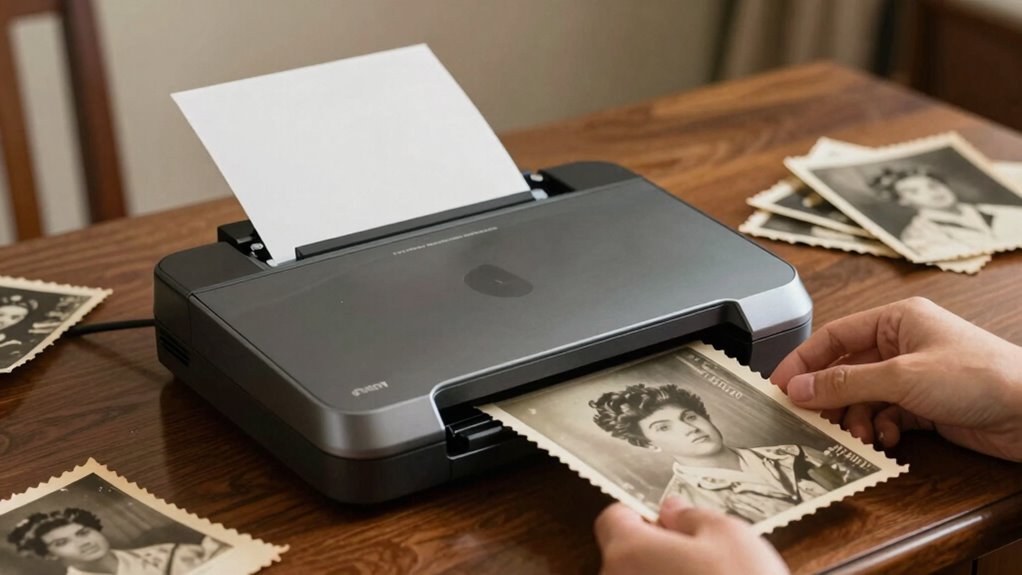

When digitizing old photos, high resolution is key to capturing every detail and preserving memories for generations. The best overall pick is the Epson Perfection V850 Pro for its exceptional 6400 dpi, dual lens system, and advanced features. For those seeking quick scans, the Epson FastFoto FF-680W offers lightning-fast performance, though with slightly lower resolution. Budget-conscious users might lean toward the Canon CanoScan LiDE 400, which balances affordability with decent image quality. The main tradeoffs in this category involve balancing resolution, speed, ease of use, and price. Keep reading for a complete breakdown of the top options and what to consider before buying.

Get beauty and skincare favorites delivered free — and shop member deals
- Fast, free delivery on millions of items
- Access to Prime Big Deal Days deals on October 6–7
- Prime Video, Amazon Music and more included
Complete the kit


Key Takeaways
- Higher resolution scanners like the Epson V850 Pro excel at preserving intricate details but come with a higher price and larger footprint.
- Speed is a significant factor; models like the Epson FastFoto provide rapid scanning, suitable for large collections, but may compromise on maximum resolution.
- Flatbed scanners generally deliver better image quality, especially for fragile or large photos, but can be slower than sheet-fed options.
- Budget models like the Canon CanoScan LiDE 400 offer a good entry point, though their resolution and speed may limit large or detailed scans.
- Build quality and software usability vary widely; investing in a well-designed scanner with intuitive software pays off in long-term ease of use.
| Epson Perfection V39 Color Photo & Document Scanner with Scan-to-Cloud and 4800 DPI Resolution |  | Best for Beginners and Easy Use | Optical Resolution: 4800 dpi | Connectivity: USB powered | Included Software: Epson Document Capture Pro, Easy Photo Scan, ArcSoft Scan n Stitch Deluxe, OCR | VIEW ON AMAZON | See Our Full Breakdown |
| Epson Perfection V850 Pro Photo Scanner, 6400 dpi, Dual Lens, Digital ICE |  | Best for Professional-Grade Archiving | Resolution: 6400 dpi | Lens System: Dual lens | Operating Systems: Windows 8.1, 8, 7, Vista, XP, Mac OS X 10.6.X to 10.10.X | VIEW ON AMAZON | See Our Full Breakdown |
| Canon imageFORMULA RS40 Photo and Document Scanner with Auto Document Feeder |  | Best for Fast, High-Volume Photo and Document Scanning | Scanning Speed: 40 items per minute | Connectivity: USB | Supported Formats: JPG, TIF, BMP, PNG, PDF, PPTX | VIEW ON AMAZON | See Our Full Breakdown |
| Epson FastFoto FF-680W High-Speed Duplex Photo and Document Scanner |  | Best for Rapid Batch Photo Digitization with Auto Enhancement | Scan Speed: 1 photo/sec | Batch Capacity: 36 photos | Maximum Resolution: 1200 dpi | VIEW ON AMAZON | See Our Full Breakdown |
| Epson Perfection V500 Photo Scanner |  | Best for Versatile High-Resolution Scanning | Resolution: 4800 x 9600 dpi | Sold As: 1 EA | VIEW ON AMAZON | See Our Full Breakdown | |
| Epson Perfection V700 Photo Color Scanner |  | Best Overall for Professional-Quality High-Resolution Scanning | Resolution: 6,400 dpi | Maximum Dmax: 4.0 | Supports: Slides, negatives, medium format film | VIEW ON AMAZON | See Our Full Breakdown |
| ScanSnap iX2500 Photo Edition Wireless and USB High-Speed Scanner, Black |  | Best for Speed and Versatility in Photo Digitization | Scanner Type: Document, ID Card, Insurance Card | Connection Type: USB, Wi-Fi | Resolution: 600 dpi | VIEW ON AMAZON | See Our Full Breakdown |
| Epson Perfection V550 Photo Scanner |  | Best for Versatile High-Resolution Scanning of Photos and Film | Scanner Type: Photo, Text, Document, Film | Optical Resolution: 6400 dpi | Maximum Dmax: 4.0 | VIEW ON AMAZON | See Our Full Breakdown |
| Canon CanoScan LiDE 400 Slim Scanner |  | Best Compact Flatbed Scanner for High-Resolution Photos | Dimensions: 7.7 x 14.5 x 0.4 inches | Resolution: 4800 x 4800 dpi | Paper Size: 8.27 x 11.69 inches | VIEW ON AMAZON | See Our Full Breakdown |
| Plustek Photo Scanner ePhoto Z300 |  | Best for Speed and Ease of Use with Large Photo Sizes | Supported Photo Sizes: 3×5, 4×6, 5×7, 8×10 inches | Optical Resolution: 600 dpi | Scan Speed: 2 seconds for 4×6, 5 seconds for 8×10 at 300 dpi | VIEW ON AMAZON | See Our Full Breakdown |
| AMBIR Photo Scanner with Photo Cleaning Kit Bundle – Scan Photos in Seconds, Auto Crop & Deskew, 300/600 DPI High Resolution Scanning, Restore & Organize with Software, Mac & PC Compatible |  | Best Overall | Scanner Type: Photo | Connection Type: USB | Resolution: 300/600 dpi | VIEW ON AMAZON | See Our Full Breakdown |
| Epson Perfection V600 Photo Scanner – 6400 x 9600 dpi, USB, Flatbed, Color |  | Best for High-Resolution Restoration | Resolution: 6400 x 9600 dpi | Connectivity: USB 2.0 | Maximum Enlargement: 17 x 22 inches | VIEW ON AMAZON | See Our Full Breakdown |
| Epson Perfection V19 II Flatbed Photo Scanner 4800 dpi |  | Best Compact High-Resolution Scanner | Optical Resolution: 4800 dpi | Weight: 3.1 lbs | Connectivity: USB | VIEW ON AMAZON | See Our Full Breakdown |
| Epson Perfection V800 Photo Scanner |  | Best for Professional-Grade Archiving | Resolution: 6400 dpi | Grayscale Bit Depth: 16 bits per pixel | Dmax: 4.0 | VIEW ON AMAZON | See Our Full Breakdown |
| photo scanners for old photos high resolution | Resolution |
|---|---|
| Epson Perfection V39 Color Pho | — |
| Epson Perfection V850 Pro Phot | 6400 dpi |
| Canon imageFORMULA RS40 Photo | — |
| Epson FastFoto FF-680W High-Sp | — |
| Epson Perfection V500 Photo Sc | 4800 x 9600 dpi |
| Epson Perfection V700 Photo Co | 6,400 dpi |
| ScanSnap iX2500 Photo Edition | 600 dpi |
| Epson Perfection V550 Photo Sc | — |
| Canon CanoScan LiDE 400 Slim S | 4800 x 4800 dpi |
| Plustek Photo Scanner ePhoto Z | — |
| AMBIR Photo Scanner with Photo | 300/600 dpi |
| Epson Perfection V600 Photo Sc | 6400 x 9600 dpi |
| Epson Perfection V19 II Flatbe | — |
| Epson Perfection V800 Photo Sc | 6400 dpi |
More Details on Our Top Picks
Epson Perfection V39 Color Photo & Document Scanner with Scan-to-Cloud and 4800 DPI Resolution
The Epson Perfection V39 stands out for its user-friendly design and high-quality 4800 dpi resolution, making it ideal for those new to photo scanning who want detailed results without complex features. Compared to the V850 Pro, it offers less in tonal range and advanced features, but its simplicity and cloud integration make it accessible for casual archivists. The lack of wireless connectivity can be a limitation for users who prefer wireless setup, and it’s primarily a desktop scanner, not portable. Its dedicated scan buttons and software support for restoring and sharing images provide a straightforward experience. However, more advanced users seeking the highest detail or bulk scanning might find it lacking. This pick is perfect for hobbyists or families digitizing memories with minimal fuss.Pros:- High-resolution 4800 dpi scans for detailed images
- Simple, dedicated buttons and vertical placement ease use
- Includes software for restoring, editing, and sharing scans
- Supports scan to cloud services like Google Drive
Cons:- No wireless connectivity, relies on USB connection
- Limited to desktop use, not portable
Best for: Beginners or casual users who want high-resolution scans easily and without technical complexity
Not ideal for: Professional archivists or those needing wireless or portable scanning capabilities
- Optical Resolution:4800 dpi
- Connectivity:USB powered
- Included Software:Epson Document Capture Pro, Easy Photo Scan, ArcSoft Scan n Stitch Deluxe, OCR
- Special Features:Scan to cloud, Dust correction, Easy Photo Fix technology, OCR
Our verdict“This scanner is best suited for beginners or casual users prioritizing quality and simplicity over advanced features.”
Epson Perfection V850 Pro Photo Scanner, 6400 dpi, Dual Lens, Digital ICE
The Epson Perfection V850 Pro offers exceptional detail with its 6400 dpi resolution and dual lens system, making it ideal for professional photographers or archivists who need maximum image fidelity. Compared with the V39, it provides far superior tonal range and resolution, but it’s significantly more expensive and complex to operate, requiring compatible systems and more setup time. Its advanced features like Digital ICE for dust removal elevate its suitability for high-end restorations. The absence of wireless or portable design limits flexibility for casual users, but for those prioritizing high resolution and professional results, it’s a standout. This scanner is suited for serious hobbyists or professionals who want the best possible scans of old photos.Pros:- Very high 6400 dpi resolution for maximum detail
- Dual lens system enhances tonal accuracy and depth
- Supports multiple OS including Windows and Mac
- Excellent tonal range with 4.0 Dmax
Cons:- Expensive and potentially overkill for casual use
- Requires compatible, often older, operating systems
- Less user-friendly for those unfamiliar with professional scanners
Best for: Photographers, professional archivists, or serious hobbyists digitizing high-value or delicate photos
Not ideal for: Casual users or those seeking a portable or wireless solution
- Resolution:6400 dpi
- Lens System:Dual lens
- Operating Systems:Windows 8.1, 8, 7, Vista, XP, Mac OS X 10.6.X to 10.10.X
- Special Features:Digital ICE dust removal
Our verdict“This scanner is ideal for professionals or enthusiasts demanding the highest resolution for archiving and restoration.”
Canon imageFORMULA RS40 Photo and Document Scanner with Auto Document Feeder
The Canon RS40 excels in rapid scanning of both photos and documents, with a 40 ppm speed and automatic duplex feeding. It’s designed more for efficiency than for ultra-high resolution, making it suitable for users who need to digitize large batches quickly. Compared with the slower but higher-resolution V39, it sacrifices some detail for speed, but its support for multiple formats and editing software makes it versatile. Its USB-only connection limits flexibility for wireless setups, but the automatic feeder and compatibility with Windows and Mac streamline the workflow. This device fits best for offices or individuals with large digitization projects who prioritize speed over maximum resolution.Pros:- Fast dual-sided scanning at 40 pages per minute
- Supports a wide range of photo and document formats
- Includes software for enhancement and editing
- Compatible with both Windows and Mac
Cons:- Limited to USB connectivity, no wireless option
- Requires software installation for full functionality
Best for: Small businesses, photo labs, or individuals with high-volume scanning needs
Not ideal for: Casual users seeking maximum resolution or those who prefer wireless operation
- Scanning Speed:40 items per minute
- Connectivity:USB
- Supported Formats:JPG, TIF, BMP, PNG, PDF, PPTX
- Warranty:1 year
Our verdict“This scanner is best for high-volume users who need quick digitization, rather than ultra-high-resolution detail.”
Epson FastFoto FF-680W High-Speed Duplex Photo and Document Scanner
The Epson FastFoto FF-680W offers incredible speed at up to one photo per second, making it ideal for digitizing large collections quickly. Its auto enhancement and color restoration features surpass many basic scanners, but its 1200 dpi maximum resolution may fall short for users needing extreme detail, unlike the V850 Pro or V500 which go up to 6400 dpi. Wireless connectivity adds flexibility, yet full functionality depends on mobile app downloads, which can complicate setup. It’s best suited for users with extensive photo archives who want rapid conversion combined with automatic quality improvements, though the variability in photo quality might require manual adjustments for the best results.Pros:- Fast scanning at one photo per second
- Supports batch scanning of multiple photos
- Includes auto enhancement and color restoration
- Wireless connectivity for flexible setup
Cons:- Maximum resolution of 1200 dpi may not satisfy high-detail needs
- Requires mobile app for full features, adding setup complexity
- Quality depends heavily on photo condition
Best for: Families or professional organizers with thousands of photos needing fast batch scanning and basic restoration
Not ideal for: Photographers or archivists requiring ultra-high detail or standalone high-resolution scans
- Scan Speed:1 photo/sec
- Batch Capacity:36 photos
- Maximum Resolution:1200 dpi
- Connectivity:USB and wireless
- Software Features:OCR, auto enhancement, red-eye reduction
- Document Scan Length:up to 240 inches
Our verdict“This scanner excels at rapid batch digitization with automatic enhancement, suited for large photo collections with moderate resolution needs.”
Epson Perfection V500 Photo Scanner
The Epson Perfection V500 combines high resolution with flexibility, offering 4800 x 9600 dpi, making it suitable for detailed photo and document scans. Compared with the V39, it provides a broader scanning range and better quality for serious hobbyists or home users who need both high resolution and versatility. Its flatbed design supports larger formats and delicate photos, yet it lacks detailed specifications on additional features and software, which could limit appeal for those seeking advanced restoration tools. Its high resolution makes it a solid choice for scanning old photos with fine detail, but it’s less portable and more suited for dedicated scanning setups. This scanner is best for users prioritizing image quality and versatility in a home or studio environment.Pros:- High-resolution 4800 x 9600 dpi scanning for detailed images
- Versatile for both photos and documents
- Good for home and professional use with large formats
- Flatbed design protects delicate photos
Cons:- Limited information on advanced features or bundled software
- No wireless or portable options
- Potentially slower than dedicated high-speed models
Best for: Hobbyists or small-scale professional users focused on detailed photo restoration and versatile scanning
Not ideal for: Casual users or those seeking a portable, fast, or wireless scanner
- Resolution:4800 x 9600 dpi
- Sold As:1 EA
Our verdict“This scanner is well-suited for users needing high-quality, versatile scans with a focus on detailed photo restoration.”
Epson Perfection V700 Photo Color Scanner
The Epson Perfection V700 Photo stands out for its exceptional 6,400 dpi resolution, making it ideal for reproducing fine details in old photos and film. Its dual lens system automatically switches to optimize image quality across different media types, setting it apart from the V550, which requires manual adjustments. While the V700 offers unmatched resolution and versatility, its larger, bulkier design and higher cost may deter casual users or those with limited space. The complex feature set can also present a learning curve for beginners. This scanner is best suited for photography enthusiasts, archivists, or professionals who need the highest detail, but less so for casual hobbyists or small-space users.
Pros:- Exceptional 6,400 dpi resolution for detailed images
- Supports multiple film formats including slides and negatives
- Automatic dual lens system optimizes image quality
Cons:- High cost may be prohibitive for casual users
- Bulky design requires ample space
- Complex controls may have a steep learning curve
Best for: Photographers, archivists, and professionals requiring detailed scans of film, slides, and high-resolution prints.
Not ideal for: Casual users or those with limited space who prefer a more compact, straightforward scanner without complex features.
- Resolution:6,400 dpi
- Maximum Dmax:4.0
- Supports:Slides, negatives, medium format film
- Lens System:Dual lens system
Our verdict“This scanner makes the most sense for users who prioritize professional-grade detail over convenience and space.”
ScanSnap iX2500 Photo Edition Wireless and USB High-Speed Scanner, Black
The ScanSnap iX2500 Photo Edition excels in rapid digitization, capable of scanning up to 100 photos per minute, making it ideal for large collections. Its automatic image enhancement and dedicated photo carrier sheets help preserve old photos with minimal effort, especially when compared to the more resolution-focused V550. However, with a resolution of only 600 dpi, it falls short for high-detail reproduction of fine images or negatives. Its wireless and USB connectivity offer flexible workflow options, but its weight of 7.7 pounds and limited batch size may be inconvenient for frequent, large-scale projects. This pick is best for users who prioritize speed and convenience over maximum resolution, such as families or small archives with mostly casual needs.
Pros:- High scanning speed of up to 100 photos per minute
- Automatic image enhancement features
- Supports wireless and USB connectivity for flexible use
Cons:- Limited to 600 dpi, less suitable for detailed archival work
- Relatively heavy for portable use
- Maximum batch size of 100 sheets may slow larger projects
Best for: Families or hobbyists with large photo collections who want quick, easy digitization without needing ultra-high resolution.
Not ideal for: Photographers or archivists seeking detailed scans of negatives or slides, due to its limited 600 dpi resolution.
- Scanner Type:Document, ID Card, Insurance Card
- Connection Type:USB, Wi-Fi
- Resolution:600 dpi
- Standard Sheet Capacity:100
- Item Dimensions:6.26″D x 11.5″W x 6.34″H
- Item Weight:7.7 pounds
Our verdict“This scanner is best suited for users needing fast, straightforward photo digitization rather than detailed, high-resolution scans.”
Epson Perfection V550 Photo Scanner
The Epson V550 Photo offers a well-balanced blend of high resolution and versatility, capturing images up to 6400 dpi, making it suitable for detailed reproductions of old photos, negatives, and slides. Its support for film and photo restoration features like Digital ICE for dust and scratch removal enhances its appeal for restoring vintage images. Compared to the V700, it provides similar resolution but with fewer advanced features, making it a more affordable choice for serious hobbyists. The V550’s USB connection and somewhat outdated software interface could be limiting for some users, especially on Mac systems where software download is required. Overall, it strikes a good balance between quality and affordability for those restoring old photos.
Pros:- High-resolution 6400 dpi scans for detailed images
- Features Digital ICE for dust and scratch removal
- Fast, warm-up free scans with LED technology
Cons:- Requires software download for Mac compatibility
- Limited to USB 2.0, no wireless options
- Software interface may feel outdated to some users
Best for: Amateur photographers and hobbyists looking for high-resolution scanning with film support for restoring old photos.
Not ideal for: Users seeking wireless connectivity or the highest-end professional film scanning features, who may prefer the V700 or V850.
- Scanner Type:Photo, Text, Document, Film
- Optical Resolution:6400 dpi
- Maximum Dmax:4.0
- Features:Digital ICE, Easy Photo Fix, ReadyScan LED
- Connection:USB
- Maximum Document Size:17 x 22 inches
Our verdict“This scanner is an excellent choice for dedicated photo restorers who need high detail and film support at a more accessible price point.”
Canon CanoScan LiDE 400 Slim Scanner
The CanoScan LiDE 400 offers a high-resolution flatbed scanning experience with 4800 x 4800 dpi, making it suitable for preserving detailed old photographs and documents. Its fast scan speed of around 8 seconds and simple ‘EZ’ button interface make it accessible for casual users. Compared with the V550, which supports larger film formats, the LiDE 400 is more compact and better suited for small spaces but is limited to flatbed scanning only. Its lack of wireless connectivity and slightly bulkier design could be disadvantages for users needing portability or space-saving options. This model makes sense for those who want high-quality scans in a compact form, but not for those needing film or slide support.
Pros:- High resolution of 4800 x 4800 dpi for detailed scans
- Fast scanning speed of about 8 seconds
- Simple operation with ‘EZ’ buttons and auto scan mode
Cons:- Limited to flatbed scanning, no film support
- No wireless connectivity options
- Design may be bulky for very small or cluttered spaces
Best for: Small-space users or casual hobbyists who want fast, high-resolution flatbed scans of photos and documents.
Not ideal for: Archivists or photographers needing to scan negatives, slides, or film, due to its flatbed-only design.
- Dimensions:7.7 x 14.5 x 0.4 inches
- Resolution:4800 x 4800 dpi
- Paper Size:8.27 x 11.69 inches
Our verdict“This scanner is ideal for users seeking a compact, high-resolution flatbed scanner for photos and documents in small spaces.”
Plustek Photo Scanner ePhoto Z300
The Plustek ePhoto Z300 delivers rapid scanning for standard photo sizes, with the ability to digitize 3×5 to 8×10 inch prints in just a few seconds. Its high-speed performance surpasses most flatbeds, making it suitable for processing large batches of old photos quickly. While it offers up to 600 dpi resolution, which is lower than some high-end flatbeds, this is often sufficient for casual archival or personal use. Its compatibility with both Mac and PC and inclusion of image enhancement features streamline the restoration process. However, its limited maximum size of 8×10 inches and the need to download software might be drawbacks for users with diverse or larger formats. It’s best for fast, large-scale photo digitization rather than detailed negative or film scanning.
Pros:- Fast scanning speeds for 4×6 and 8×10 photos
- Supports both Mac and Windows platforms
- Includes image enhancement features for restoring old photos
Cons:- Limited to photo sizes up to 8×10 inches
- Requires software download, no wireless connectivity
- Lower maximum resolution compared to high-end flatbeds
Best for: Families or hobbyists with large collections of standard-sized photos who need quick digitization and basic restoration features.
Not ideal for: Professionals or archivists requiring high-resolution scans or support for negatives and slides, due to its lower resolution and size constraints.
- Supported Photo Sizes:3×5, 4×6, 5×7, 8×10 inches
- Optical Resolution:600 dpi
- Scan Speed:2 seconds for 4×6, 5 seconds for 8×10 at 300 dpi
- Compatibility:Windows 7/8/10/11, Mac OS X 10.12~15.x
Our verdict“This scanner is best for users needing quick, large-volume digitization of standard photos with basic enhancement capabilities.”
AMBIR Photo Scanner with Photo Cleaning Kit Bundle – Scan Photos in Seconds, Auto Crop & Deskew, 300/600 DPI High Resolution Scanning, Restore & Organize with Software, Mac & PC Compatible
This scanner stands out for its rapid, high-resolution photo digitization at 300 or 600 DPI, making it ideal for users who prioritize speed without sacrificing detail. Unlike the Epson V19 II, which offers higher resolution but at a slower pace, the AMBIR provides quick scans suitable for large batches of old photos. Its support for various photo sizes, including panoramic prints, is a key benefit, especially with the included cleaning kit that helps preserve delicate prints. However, it is limited to photo scanning and lacks wireless connectivity, which might be a drawback for those seeking more flexibility. The software, while functional, may require some learning to maximize editing features, but overall, it is tailored for users who want a straightforward, efficient solution for restoring old prints quickly.
Pros:- Fast and high-resolution scanning (300/600 DPI)
- Supports various photo sizes including panoramas
- Includes a cleaning kit to protect delicate prints
- Easy organization and editing with included software
Cons:- Limited to photo scanning only, no document or negative support
- Requires USB connection, no wireless option
- Software features may have a learning curve
Best for: Photographers or hobbyists who need fast, high-resolution scans of multiple printed photos and appreciate included cleaning tools.
Not ideal for: Users wanting to scan negatives, slides, or documents, or those who prefer wireless operation and software with advanced editing features.
- Scanner Type:Photo
- Connection Type:USB
- Resolution:300/600 dpi
- Greyscale Depth:24 bits
- Item Weight:8.62 ounces
Our verdict“This pick is best for users seeking quick, high-quality photo scans and straightforward organization, with some tradeoffs in flexibility.”
Epson Perfection V600 Photo Scanner – 6400 x 9600 dpi, USB, Flatbed, Color
The Epson V600 excels at capturing incredible detail, supporting resolutions up to 6400 x 9600 dpi, making it an excellent choice for enlargements or restoring highly detailed old photos. Compared to the AMBIR, which offers faster but lower-resolution scans, the V600 is better suited for archival quality, especially for users who want to make large prints or do detailed restorations. Its built-in transparency unit allows easy digitization of slides and negatives, which the AMBIR cannot handle. The main tradeoff is its size and weight, which makes it less portable, and it requires external power. Its comprehensive software suite offers excellent restoration tools but involves a learning curve, so it’s best for users comfortable with detailed editing and higher investment.
Pros:- Exceptional resolution up to 6400 x 9600 dpi
- Built-in transparency unit for slides and negatives
- Fast LED technology with no warm-up time
- Robust software for dust removal and restoration
Cons:- Relatively bulky and heavy design
- Requires external power supply
- Higher price point
Best for: Archivists or serious hobbyists who need the highest detail for enlargements, restorations, and slide digitization.
Not ideal for: Casual users or those seeking a compact, portable scanner for quick photo scans without the need for slide or negative support.
- Resolution:6400 x 9600 dpi
- Connectivity:USB 2.0
- Maximum Enlargement:17 x 22 inches
- Media Compatibility:35mm slides, negatives, medium-format film, photos, documents
Our verdict“Ideal for users who prioritize maximum resolution and detailed restoration capabilities over portability or simplicity.”
Epson Perfection V19 II Flatbed Photo Scanner 4800 dpi
The Epson V19 II offers a sleek, portable option with 4800 dpi resolution, making it well-suited for users who need high-quality scans on the go. Compared with the V600, it is smaller, lighter, and USB-powered, which appeals to those with limited space or who want a scanner for occasional use. Its one-touch scan button simplifies operation, and the included software creates searchable PDFs and editable files, an advantage over the AMBIR’s basic editing. However, it falls short on resolution compared to the V600 or V800, and it’s limited to letter-sized scanning speeds. It’s a solid choice for casual photographers or students who want high-res scans without the bulk, but it might not satisfy those needing detailed enlargements or slide scans.
Pros:- High-resolution 4800 dpi scans
- Compact, lightweight, and portable design
- One-touch scanning with enhanced software
- USB-powered for convenience
Cons:- Limited to letter-sized documents for fast scans
- Requires software installation and compatible OS
- Lower resolution than higher-end models like the V600 or V800
Best for: Students or casual photographers who want a portable, high-resolution scanner for occasional use and document compatibility.
Not ideal for: Professional restorers or archivists requiring extremely high resolution or slide/negative support.
- Optical Resolution:4800 dpi
- Weight:3.1 lbs
- Connectivity:USB
- Removable Lid:Yes
- Built-in Kickstand:Yes
- Scan Speed:As fast as 10 seconds for letter-sized
Our verdict“This scanner suits those needing high-res, portable scanning for photos and documents, with some resolution limits for larger enlargements.”
Epson Perfection V800 Photo Scanner
The V800 offers exceptional resolution at 6400 dpi with a dual lens system, making it the top choice for serious restorers and archivists aiming to preserve every detail. Compared to the V19 II, which is more portable and user-friendly, the V800 provides more precise color and tonal accuracy, crucial for professional restorations. Its support for multiple media types, including negatives and medium-format film, broadens its versatility. The main tradeoff is its size and cost, which are higher than more basic models. It lacks a built-in slide scanner but compensates with superior image quality and adaptability, making it ideal for those who need ultimate detail and are willing to invest in a dedicated, high-end scanner.
Pros:- High resolution at 6400 dpi for maximum detail
- Excellent color and tonal range
- Dual lens system for versatile results
- Supports multiple media types including negatives and medium-format film
Cons:- Larger footprint and higher price
- No built-in slide scanner
- Requires more space and setup time
Best for: Professional photographers or archivists who need ultra-high resolution and detailed image fidelity for archival or large-format reproductions.
Not ideal for: Casual users or those with limited space or budget, as it is large and expensive.
- Resolution:6400 dpi
- Grayscale Bit Depth:16 bits per pixel
- Dmax:4.0
- Operating Systems:Windows 8.1/8/7/Vista/XP, Mac OS X 10.6 to 10.10
Our verdict“Designed for professionals seeking top-tier image quality and versatility, with a premium price and size to match.”
How We Picked
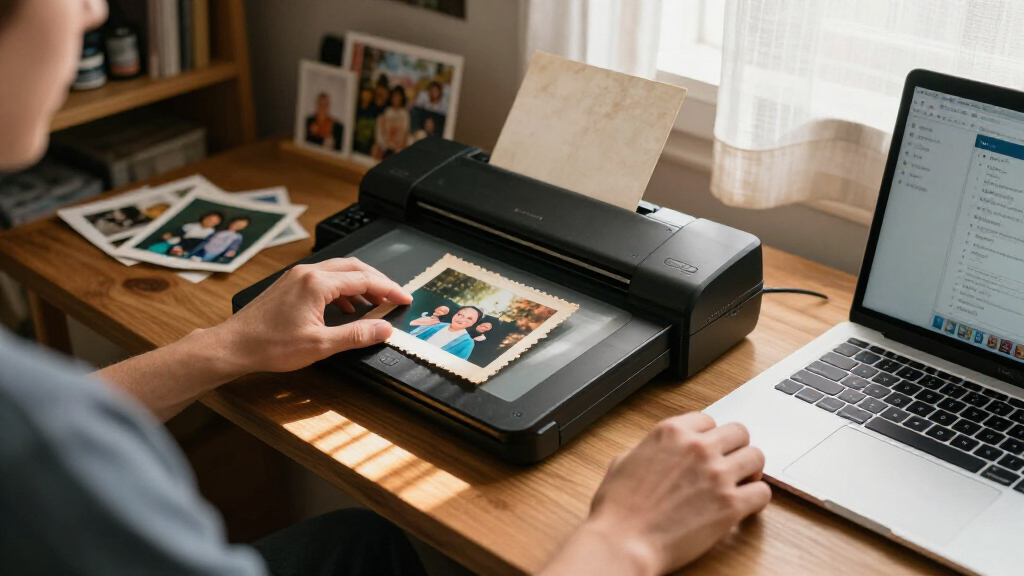
The products in this roundup were evaluated based on their maximum resolution, scan quality, speed, ease of use, build quality, and compatibility. Priority was given to scanners that can reliably produce high-resolution images suitable for archiving old photos, with an emphasis on those offering at least 4800 dpi. We also considered how user-friendly each device is, including software functionality and maintenance requirements. The ranking reflects a balance between professional-grade features and practical usability for home use, ensuring options for various budgets and needs.Factors to Consider When Choosing Photo Scanners For Old Photos High Resolution
Choosing the right photo scanner for old photos involves more than just resolution. It’s important to consider how the scanner handles different photo sizes, the quality of the images produced, and the speed at which you can digitize your collection. Additional factors like software support, build quality, and compatibility with your systems also influence long-term satisfaction. Understanding these considerations helps avoid common pitfalls, like underestimating the importance of resolution or overestimating the need for high speed in small collections.Resolution and Image Quality
Higher resolution scanners capture finer details, which is essential for preserving the integrity of old photos. Look for models offering at least 4800 dpi; anything lower may result in blurry or pixelated digital copies. Keep in mind that higher dpi settings increase scan times and file sizes, so balance your need for detail with practical storage and workflow considerations. If archiving originals for future enlargements or detailed editing, prioritize maximum dpi capabilities.
Speed and Workflow
If you have a large collection of old photos to digitize, speed becomes critical. Sheet-fed scanners like the Epson FastFoto can scan dozens of photos per minute, but often at lower resolutions. Flatbed models may take longer but typically produce higher quality images. Consider your volume and how much time you’re willing to invest; for occasional use, a slower but higher-resolution scanner makes sense, while bulk scanning favors faster options.
Ease of Use and Software
Intuitive software and straightforward operation are vital, especially if you’re not tech-savvy. Some scanners come with dedicated photo editing tools or automatic adjustments that enhance images without extra effort. Compatibility with your computer’s operating system and cloud storage options also matter. Avoid overly complex interfaces if you prefer quick, hassle-free scanning, but be prepared for more advanced software if you need detailed control over image quality.
Build Quality and Durability
Old photos can be fragile, making a sturdy, flatbed design preferable for avoiding damage during scanning. A well-built scanner reduces the risk of jams or mechanical failure and often features better dust and debris management. While more durable models tend to be more expensive, they offer peace of mind for long-term use, especially when handling delicate or valuable prints.
Price and Future-proofing
Prices range from budget-friendly models to professional-grade devices. Consider how often you’ll scan and whether higher resolution and faster speeds justify a larger investment. Additionally, check for compatibility with future software updates and whether the device supports high-quality outputs needed for large prints or detailed restorations. Sometimes, paying more upfront results in better longevity and satisfaction.
Frequently Asked Questions
Can I scan old photos at lower resolution to save storage space?
Yes, scanning at a lower resolution reduces file sizes and speeds up the process, but it also risks losing fine details that are important for restoring or enlarging photos later. For general archival purposes, 300-600 dpi might suffice, but for preserving intricate details or for high-quality enlargements, opting for at least 4800 dpi is advisable. Consider your future needs—if you expect to print or restore photos, higher resolution scans provide more flexibility and quality.
Is a flatbed scanner better than a sheet-fed scanner for old photos?
Flatbed scanners generally offer better image quality and are gentler on fragile photos, making them ideal for old, delicate prints. They allow you to manually position each photo, reducing the risk of damage. However, they tend to be slower, especially for large collections. Sheet-fed scanners are faster and more suitable for bulk scanning but may be less careful with fragile or warped images, so choose based on your collection’s condition and volume.
How important is software support when choosing a scanner?
Software support can significantly influence your scanning experience, especially for restoring or enhancing old photos. Good software offers features like automatic cropping, color correction, dust removal, and batch processing, which save time and improve results. Compatibility with your operating system and regular updates are also crucial for maintaining functionality over time. Investing in a scanner with robust, user-friendly software can make a big difference in the quality and ease of digitization.
Should I prioritize resolution or speed when choosing a scanner?
The choice depends on your primary use. If you need high-detail digital copies for enlargements or restoration, prioritize resolution. For large collections where time is limited, speed may take precedence, though you might settle for slightly lower resolution. Ideally, find a balance—many high-end scanners offer decent speed at high resolutions, but if speed is essential, be prepared to compromise slightly on maximum dpi.
What maintenance does a high-resolution scanner require?
High-resolution scanners need regular cleaning of the glass surface and rollers to prevent dust and debris from affecting image quality. Some models include cleaning kits or self-cleaning features. Calibration and software updates are also important to maintain color accuracy and performance. Proper storage and gentle handling of old photos will prolong both your collection and the scanner’s lifespan, ensuring consistent, high-quality results over time.
Conclusion
For those seeking the best overall performance and maximum flexibility, the Epson Perfection V850 Pro stands out as the top choice, especially for serious archivists or restorers. Budget-conscious buyers who want decent quality without breaking the bank should consider the Canon CanoScan LiDE 400. If speed is your priority, the Epson FastFoto FF-680W offers rapid scanning for large collections. Beginners or casual users will find the Epson Perfection V19 II simple and effective, while professionals needing the highest detail might opt for the Epson Perfection V800. Your choice should align with your collection size, desired quality, and budget to get the best results.
Fall Picks
fall essentials
As an affiliate, we earn on qualifying purchases.