
When choosing a vinyl cutting machine for crafts, the options can be overwhelming, with features ranging from basic to advanced. The best overall pick is the Cricut Explore 5, thanks to its balance of versatility and ease of use. The VEVOR 53-inch cutter stands out for larger projects and commercial potential, while the Cricut Joy 2 offers a compact, budget-friendly solution for casual crafters. The main tradeoffs often involve size, software compatibility, and price—more advanced machines tend to offer greater precision but come at a higher cost. Keep reading for a detailed breakdown of these options to find the perfect fit for your craft needs.

Get beauty and skincare favorites delivered free with Prime
- Fast, free delivery on millions of items
- Prime Video, Amazon Music and more included
- Member-only deals all year
Complete the kit


Key Takeaways
- Larger cutters like the VEVOR 53-inch model excel for bigger projects but are less portable.
- The Cricut Explore 5 provides a good mix of features for serious hobbyists without overwhelming complexity.
- Budget-friendly options like the Cricut Joy are perfect for casual use but have fewer features.
- Software compatibility varies, with some machines offering extensive design libraries and others relying on companion apps.
- Choosing between manual and electronic controls depends on your comfort with technology and project complexity.
| VEVOR Vinyl Cutter Machine, 53 inch Max Feed Width, Dual Blades, Adjustable Force and Speed, LED Display, Vinyl Plotter Cutter Printer Bundle with Sticker Sheets, Transfer Film, Signmaster Software |  | Best Overall for Versatile Large-Scale Projects | Max Feed Width: 53 inches | Blades: Dual blades (main and auxiliary) | Material Thickness Support: up to 1 mm | VIEW ON AMAZON | See Our Full Breakdown |
| VEVOR 28-inch Vinyl Cutting Machine with LCD Screen and Dual Spring Rollers |  | Best for Precise Sign-Making and Medium Projects | Max feed width: 28.3 inches | Max cutting width: 24.8 inches | Cutting precision: ±0.004 inches | VIEW ON AMAZON | See Our Full Breakdown |
| Cricut Joy 2 Essential Bundle + Digital Content, Blue |  | Best for Small, Quick Projects and Personal Crafts | Cutting Width: 4.5 inches | Weight: Just over 2 lbs | Materials Compatibility: 75+ including vinyl, iron-on, printable materials | VIEW ON AMAZON | See Our Full Breakdown |
| Silhouette Portrait 4-9 inch Vinyl Cutting Machine with Studio Software, PixScan, Electric Tool and ES Mat Compatible |  | Best for Detailed, Multi-Layered Crafts in Small Spaces | Cutting Width: 9 inches | Included Components: Machine, tools, software | Warranty: 1 year | VIEW ON AMAZON | See Our Full Breakdown |
| Brother SDX125E ScanNCut Electronic Cutting Machine |  | Best for Custom Designs with Built-in Scanner and Advanced Features | Built-in scanner resolution: 600 DPI | Maximum material thickness: 3mm | Display: 5-inch touchscreen LCD | VIEW ON AMAZON | See Our Full Breakdown |
| VEVOR Vinyl Cutting Machine, 12 in, Button-Controlled with 20,000+ Designs, Compatible with Mac, Windows, Android, iOS | 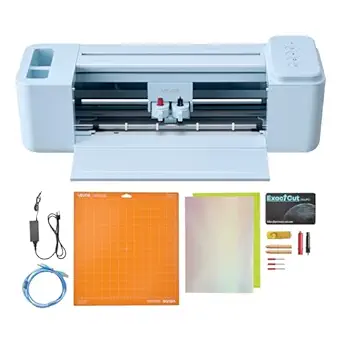 | Best Overall for Versatile Home Crafts | Cutting Width: 12 inches | Compatibility: Mac, Windows, Android, iOS | Design Resources: 20,000+ | VIEW ON AMAZON | See Our Full Breakdown |
| VEVOR Vinyl Cutting Machine, 12 in, Button and Screen Controlled Vinyl Cutter, 20000+ Built-in Design Resources, Compatible with Mac, Windows, Android and iOS |  | Best for Tech-Savvy Users Who Need Multi-Platform Compatibility | Cutting Width: 12 inches | Built-in Design Resources: 20,000+ | Compatibility: Mac, Windows, Android, iOS | VIEW ON AMAZON | See Our Full Breakdown |
| Cricut Joy Xtra – Smart Cutting Machine with Digital Content Bundle | 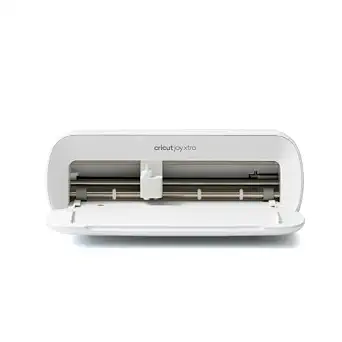 | Best Compact Machine for Quick, Personal Projects | Cutting Width: 4.5 inches | Materials Compatibility: Vinyl, iron-on, cardstock, stickers | Included Content: 30 images and practice materials | VIEW ON AMAZON | See Our Full Breakdown |
| VEVOR Cutting Machine, Automatic Edge Detection Vinyl Cutter with Design Software and Materials |  | Best for Precision and Professional-Quality Results | Max Cut Size: 13 inches | Cutting Speed: up to 400mm/s | Accuracy: ±0.1mm | VIEW ON AMAZON | See Our Full Breakdown |
| Cricut Explore 5 Essential Bundle + Rainbow Sampler |  | Best Overall for Versatile Crafting | Model: Cricut Explore 5 | Materials Compatible: Vinyl, heat transfer vinyl, cardstock, printable vinyl, paper, felt | Cutting Length: Up to 12 feet with Smart Materials | VIEW ON AMAZON | See Our Full Breakdown |
| Cricut Explore 5 Essential Bundle + Digital Content, Taupe | 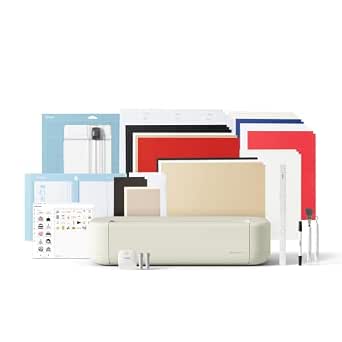 | Best for Stylish, Compact Crafting | Cutting Width: 12 inches (30.5 cm) | Color: Taupe | Materials Compatibility: Vinyl, iron-on, cardstock, printable materials | VIEW ON AMAZON | See Our Full Breakdown |
| Cricut Maker 4 Cutting Machine Ultimate Beginner Sticker Making Bundle |  | Best for Sticker and Decal Creators | Model: Cricut Maker 4 | Functionality: Print then Cut | Included Materials: Waterproof sticker paper, adhesive vinyl | VIEW ON AMAZON | See Our Full Breakdown |
| VEVOR Vinyl Cutter Machine 34 inches Bundle Manual Vinyl Plotter Cutter |  | Best for Large-Scale Sign Making and Decoration | Cutting Capacity: 870mm (34.3 inches) | Maximum Cutting Width: 780mm (30.7 inches) | Cutting Precision: +/-0.01mm | VIEW ON AMAZON | See Our Full Breakdown |
| vinyl cutting machines for craft | Connectivity |
|---|---|
| VEVOR Vinyl Cutter Machine | USB, U-disk, serial port |
| VEVOR 28-inch Vinyl Cutting Ma | — |
| Cricut Joy 2 Essential Bundle | Bluetooth |
| Silhouette Portrait 4-9 inch V | — |
| Brother SDX125E ScanNCut Elect | Wireless, USB |
| VEVOR Vinyl Cutting Machine | USB, Bluetooth, USB drive |
| VEVOR Vinyl Cutting Machine | Wi-Fi, USB, Bluetooth |
| Cricut Joy Xtra | Bluetooth |
| VEVOR Cutting Machine | — |
| Cricut Explore 5 Essential Bun | Bluetooth |
| Cricut Explore 5 Essential Bun | — |
| Cricut Maker 4 Cutting Machine | — |
| VEVOR Vinyl Cutter Machine 34 | — |
More Details on Our Top Picks
VEVOR Vinyl Cutter Machine, 53 inch Max Feed Width, Dual Blades, Adjustable Force and Speed, LED Display, Vinyl Plotter Cutter Printer Bundle with Sticker Sheets, Transfer Film, Signmaster Software
This VEVOR model stands out for its impressive maximum width of 53 inches, making it ideal for large signage and multi-layer projects. Its dual-blade setup allows simultaneous drawing and cutting, boosting efficiency compared to single-blade options like the Cricut Joy 2, which is limited in size and scope. The adjustable force and speed give users control over different materials, but the complex setup and moderate customer ratings suggest it may require some technical skill to operate smoothly. Unlike the Silhouette Portrait 4, which is more compact, this machine is better suited for those with space and a need for high-volume output.
Pros:- Supports materials up to 53 inches wide, ideal for banners and signs
- Dual blades enhance productivity by combining drawing and cutting
- Compatible with Windows and macOS with multiple connection options
- Includes starter kit with stickers and transfer film
Cons:- Setup complexity may intimidate beginners
- Limited detailed user feedback on long-term reliability
Best for: Experienced craft enthusiasts or small business owners needing wide-format cuts and multi-material compatibility.
Not ideal for: Casual crafters or those with limited space, as the machine is large and setup can be demanding.
- Max Feed Width:53 inches
- Blades:Dual blades (main and auxiliary)
- Material Thickness Support:up to 1 mm
- Force Range:20–500 gf
- Connectivity:USB, U-disk, serial port
- Compatible OS:Windows 7–11, macOS
Our verdict“This model makes the most sense for advanced users and small businesses aiming for large-format, high-volume vinyl projects.”
VEVOR 28-inch Vinyl Cutting Machine with LCD Screen and Dual Spring Rollers
Compared with the larger 53-inch model, this 28-inch VEVOR cutter offers a more manageable size while maintaining precision, thanks to its high accuracy of ±0.004 inches and durable frame. Its LCD control panel simplifies operation, but it still requires Windows software, which can be tricky for newcomers. The added portability with caster wheels makes it appealing for those who need a versatile machine for on-site or small workshop use. While the Cricut Explore 5 offers a broader material library, this cutter provides a better balance of size, precision, and professional features for hobbyists and semi-professionals.
Pros:- Large cutting width suitable for signs and banners
- High precision with ±0.004 inch accuracy
- Durable frame with caster wheels for mobility
- Compatible with multiple software platforms
Cons:- Requires Windows software for full functionality
- Setup may be complex for first-time users
- Blade replacement process details are limited
Best for: Sign makers and craft hobbyists seeking a reliable, mid-sized cutter with precise output.
Not ideal for: Complete beginners who prefer plug-and-play devices, as the setup and software may be challenging.
- Max feed width:28.3 inches
- Max cutting width:24.8 inches
- Cutting precision:±0.004 inches
- Blade type:Replaceable blades
- Included accessories:Stickers, crepe paper, soft tape
- Material compatibility:Various materials for advertising, heat transfer
Our verdict“This cutter is ideal for users who want a balance of size and precision without the complexity of larger commercial machines.”
Cricut Joy 2 Essential Bundle + Digital Content, Blue
The Cricut Joy 2 makes the list for its compact size and quick setup, perfect for crafting on the go or small-scale projects like decals, labels, and cards. Its 4.5-inch cutting width limits larger projects but offers surprising versatility with over 75 materials and full-color printing via your home inkjet printer. Compared to the Silhouette Portrait 4, which supports wider cuts and more tools, the Cricut Joy 2’s simplicity and portability make it suitable for beginners and casual crafters who prioritize convenience. However, its limited cutting space and additional costs for content subscriptions mean it’s less suited for larger or more complex projects.
Pros:- Compact and portable for easy storage and transport
- Supports a wide range of materials including printable vinyl
- Includes extensive content library and user-friendly app
- Works with your home printer for full-color stickers
Cons:- Limited to 4.5 inches width, restricting larger designs
- Requires Bluetooth and compatible device setup
- Additional content subscriptions may add costs
Best for: Home crafters and parents creating quick, small projects or personalized gifts.
Not ideal for: Pro crafters or those needing to cut larger designs regularly, as the limited width can be restrictive.
- Cutting Width:4.5 inches
- Weight:Just over 2 lbs
- Materials Compatibility:75+ including vinyl, iron-on, printable materials
- Included Content:Smart Vinyl, Smart Iron-On, images, fonts
- Connectivity:Bluetooth
Our verdict“This machine is perfect for casual users and small projects, especially for quick personal crafts and labels.”
Silhouette Portrait 4-9 inch Vinyl Cutting Machine with Studio Software, PixScan, Electric Tool and ES Mat Compatible
The Silhouette Portrait 4 offers precise, quiet cuts in a compact size, making it ideal for detailed scrapbooking and die-cutting. Its 9-inch width is narrower than larger models, but its IPT technology provides tension-free, accurate cuts that excel with intricate designs. Compared to the Cricut Joy 2, it supports multi-layer projects and sharp angles, though it comes with a steeper learning curve and a price that may challenge casual users. Its software compatibility and expandability make it a flexible choice for hobbyists who want to refine their skills and produce multi-layered art in limited space.
Pros:- Quiet, accurate performance suitable for detailed cuts
- Supports multi-layered designs and complex angles
- Expandable with new tools and software updates
- Compact size fits small craft spaces
Cons:- Limited to 9-inch wide cuts, restricting larger projects
- Learning curve for beginners in software and operation
- Price and availability can be variable
Best for: Scrapbookers and detailed craft enthusiasts who need precise, multi-layer cuts in small formats.
Not ideal for: Users looking to create large signs or banners, as the 9-inch width limits the scope of projects.
- Cutting Width:9 inches
- Included Components:Machine, tools, software
- Warranty:1 year
- Support:Studio software, PixScan
- UPC:819177026900
Our verdict“This cutter is best suited for detailed, small-scale projects where precision and quiet operation are priorities.”
Brother SDX125E ScanNCut Electronic Cutting Machine
The Brother SDX125E distinguishes itself with a built-in scanner, enabling direct conversion of hand-drawn or printed images into cut files—an advantage over machines like the Cricut Explore series. Its 5-inch touchscreen provides intuitive editing, while the ability to cut materials up to 3mm thick broadens creative options. The automatic blade sensor simplifies handling different materials, but the 120V US-only power limits international use. Its extensive preloaded designs and internal storage make it ideal for advanced hobbyists and small-scale craft businesses who want a versatile, all-in-one solution. However, the higher price and complexity might deter casual users.
Pros:- Built-in scanner enables custom design creation from artwork
- Wide range of preloaded designs and fonts
- Automatic blade sensor simplifies material changes
- Wireless connectivity for easy file transfer
Cons:- Limited to 120V power supply, restricting international use
- Can be complex for users without prior experience
- Price point may be high for casual hobbyists
Best for: Serious crafters and small businesses needing custom design capability and versatile material handling.
Not ideal for: Beginners or casual crafters who prefer straightforward, plug-and-play devices without advanced features.
- Built-in scanner resolution:600 DPI
- Maximum material thickness:3mm
- Display:5-inch touchscreen LCD
- Designs included:682
- Connectivity:Wireless, USB
Our verdict“This machine is best for experienced crafters and small-scale commercial use requiring advanced features and custom design capabilities.”
This VEVOR model shines for its broad material support and extensive design library, making it ideal for crafters who want variety without extra software costs. Compared with the Cricut Joy Xtra, it offers more material flexibility and a larger cutting width, but requires a steeper learning curve for setup and operation. Its multiple connectivity options—USB, Bluetooth, and USB drive—make it adaptable across devices, yet its limited 12-inch cut width may restrict larger projects. The included software with over 20,000 designs is a major plus, although some users find the interface less intuitive than dedicated crafting brands. This pick makes the most sense for users seeking a budget-friendly, adaptable cutter for a range of materials and designs, willing to invest time in setup.
Pros:- Supports a wide variety of materials including vinyl, heat transfer paper, and cardstock
- Includes design software with 20,000+ resources, reducing additional costs
- Flexible connectivity options across multiple devices
Cons:- Requires setup and learning to operate effectively for beginners
- Limited to a 12-inch cutting width, restricting larger projects
Best for: Intermediate crafters and hobbyists who want a versatile, multi-material cutter with extensive design resources.
Not ideal for: Beginners seeking a plug-and-play device or those working on large-scale projects exceeding 12 inches.
- Cutting Width:12 inches
- Compatibility:Mac, Windows, Android, iOS
- Design Resources:20,000+
- Connectivity:USB, Bluetooth, USB drive
- Power:48W
- Material Support:Vinyl, heat transfer, cardstock
Our verdict“This model suits experienced users who need a flexible, design-rich cutter capable of handling diverse materials but are prepared for a learning curve.”
VEVOR Vinyl Cutting Machine, 12 in, Button and Screen Controlled Vinyl Cutter, 20000+ Built-in Design Resources, Compatible with Mac, Windows, Android and iOS
This VEVOR model offers a user interface with a screen, making operation more straightforward than button-only models like the smart2, and its support for multiple operating systems adds flexibility for tech-savvy crafters. Compared to the less detailed setup of the VEVOR smart2, this machine’s screen helps reduce confusion, but some reviews mention connectivity issues, echoing concerns seen with the earlier model. Its extensive design library and compatibility with popular file formats make it a good choice for those who frequently switch devices or need detailed control. However, the learning curve and occasional connectivity hiccups mean it’s better suited for experienced users comfortable troubleshooting. It’s ideal for dedicated hobbyists or small business owners seeking a precise cutter with a friendly interface.
Pros:- Includes over 20,000 design resources for diverse projects
- Supports multiple devices and operating systems, including Mac, Windows, Android, and iOS
- Features a built-in screen for easier operation and control
Cons:- Complex setup may challenge beginners
- Connectivity issues reported by some users could hinder workflow
Best for: Advanced hobbyists or small business owners who want a reliable, multi-device compatible cutter with a dedicated screen interface.
Not ideal for: Absolute beginners or users who prefer simple, plug-and-play devices without troubleshooting needs.
- Cutting Width:12 inches
- Built-in Design Resources:20,000+
- Compatibility:Mac, Windows, Android, iOS
- Display:Built-in screen
- Supported Formats:PNG, JPG, SVG, TIF
- Connectivity:Wi-Fi, USB, Bluetooth
Our verdict“This cutter is best for experienced users who prioritize device flexibility and detailed control over ease of setup.”
Cricut Joy Xtra – Smart Cutting Machine with Digital Content Bundle
The Cricut Joy Xtra stands out for its portability and ability to cut, draw, and foil on over 50 materials, making it ideal for small, quick projects like stickers and cards. Its compact size and Bluetooth connectivity make it highly accessible for casual crafters, especially those with limited space. Compared with larger machines like the VEVOR models, it sacrifices cutting width (only 4.5 inches), but excels in ease of use and quick setup. The included digital bundle offers a great starting point, though access to the full library requires a subscription, adding to ongoing costs. This device makes the most sense for hobbyists who want a reliable, simple machine for small-scale, personalized projects without a steep learning curve.
Pros:- Supports over 50 materials, including vinyl, iron-on, and cardstock
- Includes a digital content bundle with 30 images
- Highly portable and easy to set up with Bluetooth
Cons:- Limited cutting width restricts larger projects
- Full access to design library requires subscription
Best for: Casual crafters and small project enthusiasts who prioritize portability and ease of use.
Not ideal for: Users aiming to produce larger projects or needing extensive design customization without subscription costs.
- Cutting Width:4.5 inches
- Materials Compatibility:Vinyl, iron-on, cardstock, stickers
- Included Content:30 images and practice materials
- Connectivity:Bluetooth
- Weight:2 lbs
- Warranty:1 year
Our verdict“This compact cutter is perfect for hobbyists focused on small, quick projects and portability, but not for large or complex designs.”
VEVOR Cutting Machine, Automatic Edge Detection Vinyl Cutter with Design Software and Materials
This VEVOR cutter offers high-precision ±0.1mm cuts with rapid speeds up to 400mm/s, making it suitable for detailed and professional-grade projects. Its automatic edge detection ensures accurate pattern cuts, standing out against simpler manual models like the smart2 or the Joy Xtra. The inclusion of design software and a library of pre-made designs simplifies workflow, especially for small businesses or serious hobbyists. However, its learning curve can be steep for newcomers, and the maximum cut size (13 inches) may be limiting for larger signage or craft projects. This model is best for users who need precise, fast cuts and are comfortable with software interfaces, rather than absolute beginners or those with large-scale project needs.
Pros:- High precision ±0.1mm cuts for detailed work
- Automatic edge detection for consistent patterns
- Includes design software and a library of pre-made designs
Cons:- Has a learning curve for new users
- Maximum cut size of 13 inches limits larger projects
Best for: Professional crafters or small business owners requiring high accuracy and efficiency in their cutting workflow.
Not ideal for: Beginners or those primarily working on larger projects exceeding 13 inches in width.
- Max Cut Size:13 inches
- Cutting Speed:up to 400mm/s
- Accuracy:±0.1mm
- Supported File Formats:SVG, EPS, PLT, AI
- Materials:Vinyl, HTV, cardstock, foam
- Included Components:Software, 7 materials
Our verdict“This cutter is ideal for experienced users demanding high accuracy and speed, especially in professional or small business contexts.”
Cricut Explore 5 Essential Bundle + Rainbow Sampler
The Cricut Explore 5 Essential Bundle stands out for its versatility, supporting over 100 materials with impressive precision. Its compact design makes it ideal for crafters with limited space, and the bundle includes a variety of materials and tools that cater to both beginners and seasoned makers. Compared to the Cricut Maker 4, it offers a slightly more streamlined setup, though it may lack some of the advanced features for heavy-duty projects. The Bluetooth connectivity simplifies setup, but some users might find the need for additional tools for complex projects. Overall, this bundle provides a comprehensive starting point for personalized projects, balancing functionality with ease of use.
Pros:- Supports over 100 materials with high precision
- Compact design saves workspace
- Includes a wide range of materials and tools
Cons:- May require extra tools for advanced or specialized projects
- Limited initial material options—additional purchases needed for some crafts
Best for: Beginners and intermediate crafters seeking a reliable, all-in-one machine without the need for heavy-duty industrial features.
Not ideal for: Professional sign makers or those requiring maximum cutting width and automation, as it’s more suited to small-scale projects.
- Model:Cricut Explore 5
- Materials Compatible:Vinyl, heat transfer vinyl, cardstock, printable vinyl, paper, felt
- Cutting Length:Up to 12 feet with Smart Materials
- Connectivity:Bluetooth
- Size:30% more compact than previous models
Our verdict“This Cricut Explore 5 bundle offers a user-friendly, versatile option perfect for hobbyists and casual crafters.”
Cricut Explore 5 Essential Bundle + Digital Content, Taupe
The Cricut Explore 5 in Taupe offers a sleek, space-conscious design ideal for small craft spaces or stylish setups. Its compatibility with over 100 materials and included tools makes it flexible for a wide range of projects, from decals to apparel. Unlike the Explore 5 bundle with the Rainbow Sampler, this version emphasizes a stylish aesthetic and user-friendly app access, though its deep cutting tool is sold separately, adding to overall cost. While it’s perfect for those who want a chic machine with good versatility, advanced users might find some features requiring additional purchases. Overall, it’s a strong choice for casual crafters who value style and simplicity.
Pros:- Compact and stylish design fits small spaces
- Compatible with a wide array of materials
- Includes comprehensive tools and materials in the bundle
Cons:- Deep Cutting Tool sold separately, increasing costs
- Advanced features may require additional purchases or learning curve
Best for: Style-conscious crafters who want a compact machine with a broad material range for personal projects.
Not ideal for: Heavy-duty sign makers or those needing automation for large-scale production, as it’s more suited for hobbyist use.
- Cutting Width:12 inches (30.5 cm)
- Color:Taupe
- Materials Compatibility:Vinyl, iron-on, cardstock, printable materials
- Tools:6 tools including optional Deep Cutting Tool
- Bundle Contents:Smart Vinyl, Smart Iron-On, Cardstock, Printable Vinyl, 25 images, 1 font
Our verdict“This Taupe Cricut Explore 5 is ideal for style-focused hobbyists who want versatility without bulk.”
Cricut Maker 4 Cutting Machine Ultimate Beginner Sticker Making Bundle
The Cricut Maker 4 Bundle is tailored for those interested in creating stickers, labels, and decals, especially with its print then cut functionality. It includes waterproof sticker paper and adhesive vinyl, making it suitable for outdoor and everyday applications. While the Maker 4 offers professional-quality results, it requires the use of Cricut Design Space and an inkjet printer, which might pose a learning curve for newcomers. Compared with the Explore 5, it’s more specialized for sticker projects and less versatile for general crafts but excels in precise, waterproof decal production. This pick makes sense for hobbyists or small businesses focused on sticker design, though it’s less suited for broader general crafting.
Pros:- Includes all essentials for professional sticker making
- Print then cut functionality yields high-precision designs
- Water-resistant materials suitable for outdoor use
Cons:- Requires compatible inkjet printer and Design Space
- Limited to sticker and decal projects—less effective for other crafts
Best for: Beginners and small business owners focused on sticker, label, and decal projects requiring waterproof and durable finishes.
Not ideal for: Crafters seeking a multi-material machine for diverse projects beyond stickers, as its primary strength is print-then-cut sticker production.
- Model:Cricut Maker 4
- Functionality:Print then Cut
- Included Materials:Waterproof sticker paper, adhesive vinyl
- Color:Seashell
Our verdict“This Cricut Maker 4 bundle is perfect for beginners and small-scale businesses focusing on high-quality, waterproof stickers.”
VEVOR Vinyl Cutter Machine 34 inches Bundle Manual Vinyl Plotter Cutter
The VEVOR Vinyl Cutter Machine offers an impressive 34-inch cutting width, making it a strong choice for sign makers and larger craft projects. Its high-precision cutting (+/-0.01mm) allows for detailed designs, and the adjustable pressure and speed deliver custom control. Compared with the smaller VEVOR 28-inch model, this cutter’s wider capacity makes it more suitable for professional or semi-professional sign production. However, its lightweight build at just 1.1 pounds raises questions about stability during heavy use, and it lacks automation features found in more advanced cutters. It’s a solid entry-level option for those needing a large cutting area on a budget but not for those requiring industrial stability or advanced features.
Pros:- Large cutting width supports sizable projects
- High precision with +/-0.01mm accuracy
- Supports multiple file formats including SVG and PDF
- Includes software and supplies ready to use
Cons:- Very lightweight, potentially affecting stability
- Limited info on automation or advanced features
Best for: Small business owners or hobbyists needing a wide, accurate vinyl cutter for signs and large decals on a budget.
Not ideal for: Heavy-duty or industrial sign shops that require machine stability and automation, as this model’s lightweight construction may limit durability.
- Cutting Capacity:870mm (34.3 inches)
- Maximum Cutting Width:780mm (30.7 inches)
- Cutting Precision:+/-0.01mm
- Paper Feed Precision:3m (118 inches)
- Item Weight:1.1 pounds
- Controller Type:Hand Control
Our verdict“This VEVOR vinyl cutter balances large capacity and affordability, making it ideal for hobbyists and small businesses working on bigger signs.”

How We Picked
Our evaluation focused on performance, usability, build quality, compatibility, and value. We looked at how well each machine handled different vinyl types, the ease of setup, and the quality of the included software. Price was also a key factor, especially for hobbyists and beginners. We prioritized versatile models that balance features and affordability, while also considering specialized machines for advanced users. The ranking reflects a combination of user-friendly design, project versatility, and overall value for different types of crafters.| vinyl cutting machines for craft | Connectivity |
|---|---|
| VEVOR Vinyl Cutter Machine | USB, U-disk, serial port |
| VEVOR 28-inch Vinyl Cutting Ma | — |
| Cricut Joy 2 Essential Bundle | Bluetooth |
| Silhouette Portrait 4-9 inch V | — |
| Brother SDX125E ScanNCut Elect | Wireless, USB |
| VEVOR Vinyl Cutting Machine | USB, Bluetooth, USB drive |
| VEVOR Vinyl Cutting Machine | Wi-Fi, USB, Bluetooth |
| Cricut Joy Xtra | Bluetooth |
| VEVOR Cutting Machine | — |
| Cricut Explore 5 Essential Bun | Bluetooth |
| Cricut Explore 5 Essential Bun | — |
| Cricut Maker 4 Cutting Machine | — |
| VEVOR Vinyl Cutter Machine 34 | — |
Factors to Consider When Choosing Vinyl Cutting Machines For Crafts
Choosing the right vinyl cutting machine depends on several key factors. Beyond basic features, considering your typical project size, software needs, and budget can help narrow down your options. It’s also important to think about ease of use for beginners versus advanced capabilities for seasoned crafters. Understanding these factors can prevent costly mistakes and ensure your machine supports your creative goals over time.Project Size and Cutting Width
Consider the maximum cutting width of the machine relative to the size of your typical projects. Larger cutters like the VEVOR 53-inch model are ideal for banners or large decals, but they tend to be bulkier and less portable. Smaller models such as the Cricut Joy are perfect for small decals and intricate designs, offering more convenience and easier storage. Match your project size with the cutter’s capacity to avoid frustration or limitations down the line.
Software Compatibility and Design Resources
Software plays a critical role in your crafting experience. Some machines come with proprietary software that offers extensive design libraries and easy editing, while others rely on third-party or mobile apps. Machines like the Cricut Explore 5 integrate seamlessly with popular design platforms, providing a smoother workflow. Be mindful of whether the software is compatible with your computer or mobile device, and whether it requires a subscription or additional purchases.
Ease of Use and Learning Curve
Beginners should prioritize machines with simple interfaces and straightforward setup, such as the Cricut Joy or Silhouette Portrait 4. Advanced users might prefer features like adjustable force, multiple blades, or larger workspaces, which often involve a steeper learning curve. Consider whether you want to manually control the cutter or prefer automatic features like edge detection. Picking a machine aligned with your comfort level can save you frustration and accelerate your crafting journey.
Price and Long-Term Value
While budget options can meet casual needs, investing in a higher-quality machine often pays off in durability, precision, and software updates. Think about whether you need a machine for occasional projects or regular use. Sometimes, paying more upfront for a reliable, feature-rich model can reduce frustrations and additional costs down the road. Balance your budget with your intended project volume and complexity to find the best long-term value.
Portability and Storage
If space or portability is a concern, compact machines like the Cricut Joy are excellent choices. Larger models, while capable of handling bigger projects, can be cumbersome to move and store. Consider where you’ll be using the machine most often—if it’s in a dedicated craft space, size may matter less. For on-the-go use or limited space, a smaller, lighter machine makes more sense, even if it sacrifices some capacity.
Frequently Asked Questions
Can I use third-party designs with these machines?
Many vinyl cutting machines support importing third-party designs through compatible software or SVG files. Machines like the Silhouette Portrait 4 and Cricut Explore 5 have robust design ecosystems that allow for extensive customization. However, some models are more restricted and require proprietary formats, which may limit your options. Always check software compatibility and whether it supports importing external designs before making your purchase.
What is the best machine for a beginner with no experience?
For newcomers, ease of use is key. Machines like the Cricut Joy or Silhouette Portrait 4 are designed with beginner-friendly interfaces and minimal setup. They also come with plenty of tutorials and pre-loaded designs, making it easier to get started. These models are smaller, less complex, and affordable, which helps new crafters build confidence without feeling overwhelmed. Choosing one of these simplifies the learning process and provides room to grow.
Are larger cutters worth the investment for small projects?
Larger cutters like the VEVOR 53-inch model are best suited for frequent, large-scale projects or small businesses. For occasional small crafts, these machines can be overkill—they take up more space, cost more, and require more maintenance. If your main focus is small decals, labels, or personal projects, a smaller, more affordable machine will probably serve you better and save you money in the long run.
How important is software update frequency?
Regular software updates can enhance functionality, fix bugs, and add new features, which extend the life and versatility of your machine. Machines with active support from the manufacturer or a large user community tend to receive updates more frequently. This can be particularly valuable for compatibility with new operating systems or design formats. When choosing a model, consider the manufacturer’s track record for ongoing support and updates.
What should I consider regarding maintenance and durability?
Durability depends on build quality and how often you plan to use the machine. Look for models with sturdy construction and positive user reviews on longevity. Regular maintenance, such as blade replacement and cleaning, is necessary to keep the machine running smoothly. Budget models might require more frequent repairs or replacements, so weigh initial cost against potential ongoing expenses. Investing in a well-built machine can save money and frustration over time.
Conclusion
For general hobby use and ease of operation, the Cricut Explore 5 offers the best balance of features and affordability, making it ideal for most crafters. If budget is a primary concern, the Cricut Joy provides excellent value for small projects. Those with larger projects or starting a small business should consider the VEVOR 53-inch Vinyl Cutter for its extensive workspace. Beginners will benefit from simple, intuitive models like the Cricut Joy or Silhouette Portrait 4, while advanced users might prefer machines with more customization options. Ultimately, selecting the right cutter depends on your project scope, skill level, and budget—use this guide to make a confident choice.