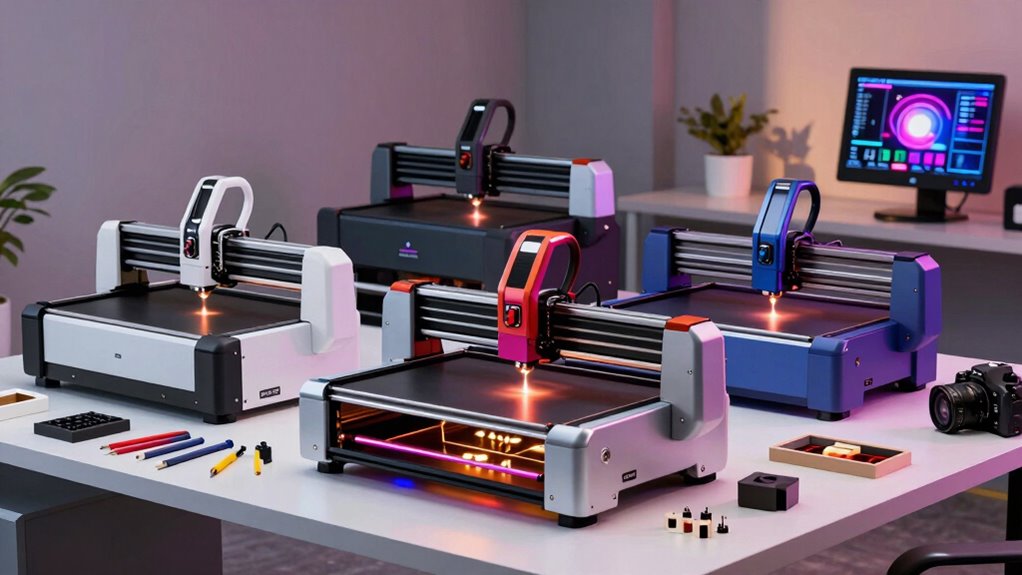

For makers comparing desktop laser cutters, the right choice depends on whether you prioritize a simple setup, a larger work area, versatile materials, or cutting power. My best overall pick is the xTool F2 for its combination of diode and infrared lasers, while the Creality Falcon A1C stands out for an enclosed design and the OMTech K40+ for buyers who need a CO2 machine. The main tradeoffs are work area, material compatibility, safety features, and how much setup and ventilation a machine demands. A compact diode model may suit engraving and light cutting, while thicker stock or steady production can call for a more capable system. Read on for the full breakdown and a guide to matching a machine to your projects.

Get beauty and skincare favorites delivered free with Prime
- Fast, free delivery on millions of items
- Prime Video, Amazon Music and more included
- Member-only deals all year
Complete the kit



Key Takeaways
- The lineup spans very different workflows: small-frame diode engravers favor space-conscious projects, while the OMTech K40+ is a 45W desktop CO2 option for buyers whose work calls for a different class of machine.
- Laser type changes what materials and jobs make sense: the xTool F2 pairs a 15W diode with a 5W IR laser, whereas most of the listed models are diode machines.
- Work area is a real separator: the WIZMAKER Wand lists a 300 × 300 mm workspace, while the LASERGRACE X2 lists 200 × 200 mm; choose around typical project size, not an occasional maximum.
- Enclosure and workflow can matter as much as power: the Falcon A1C is enclosed, and the Glowforge Aura includes an HD camera, features that may appeal to makers prioritizing a more guided or contained setup.
- Power labels alone do not settle the ranking: the listed diode outputs range from 2.5W to 20W, but project fit also depends on workspace, material compatibility, safety setup, and the maker’s willingness to tune and maintain the machine.
| ACMER S1 Laser Engraver and Cutter, 3500mW |  | Best Compact Starter | Laser power: 3500 mW | Machine output: 36 W | Working area: 130 × 130 mm | VIEW ON AMAZON | See Our Full Breakdown |
| WIZMAKER Wand 12W Laser Engraver, 300×300mm High-Power Diode Laser Cutter |  | Best for Versatile Workshop Projects | Laser power: 12 W | Work area: 300 × 300 mm | Engraving speed: Up to 10,000 mm/min | VIEW ON AMAZON | See Our Full Breakdown |
| LONGER Ray5 MiniS 10W Laser Engraver and Cutter |  | Best Compact Machine with Built-In Safeguards | Laser power: 10W in title and description; model information lists 5.5W | Engraving area: 131 × 125 mm | Engraving speed: 12,000 mm/min | VIEW ON AMAZON | See Our Full Breakdown |
| TwoTrees TTS-10 Pro 10W Laser Engraver |  | Best for Large Desktop Work | Optical power: 10 W | Wavelength: 450 nm ± 5 nm | Work area: 300 × 300 mm (11.8 × 11.8 in) | VIEW ON AMAZON | See Our Full Breakdown |
| Creality Falcon A1C 10W Enclosed Laser Engraver |  | Best Enclosed Choice for Safer, Easier Setup | Included laser module: 10W diode | Compatible modules: 5W diode, 10W diode, 1.2W infrared; additional modules sold separately | Maximum speed: 15,000 mm/min | VIEW ON AMAZON | See Our Full Breakdown |
| ACMER S2 Laser Engraver, 12000mW Laser Cutter Engraving Machine |  | Best for Larger Flat Projects | Laser power: 12W | Total system power: 72W | Working area: 300 × 300 mm | VIEW ON AMAZON | See Our Full Breakdown |
| xTool F2 Dual-Laser Engraver with 15W Diode and 5W IR Lasers |  | Best for Multi-Material Desktop Work | Diode laser output: 15W | Infrared laser output: 5W | Camera: 50MP | VIEW ON AMAZON | See Our Full Breakdown |
| LASERGRACE X2 7W Laser Engraver and Cutter, 200 × 200 mm Workspace |  | Best for Software-Flexible Starter Projects | Laser power: 7W | Workspace: 200 × 200 mm | Precision: 0.01 mm | VIEW ON AMAZON | See Our Full Breakdown |
| ACMER S1 2500mW Laser Engraver and Cutter |  | Best Compact Entry-Level Pick | Laser power: 2500 mW | Wavelength: 455 ± 5 nm | Working area: 130 × 130 mm | VIEW ON AMAZON | See Our Full Breakdown |
| ACMER S1 Laser Engraver Machine, 6000mW Laser Cutter for Wood and Acrylic | 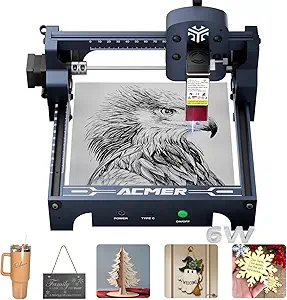 | Best Compact Cutting Upgrade | Laser power: 6000 mW | Wavelength: 455 ± 5 nm | Focal length: 2 mm | VIEW ON AMAZON | See Our Full Breakdown |
| Aliencell X1 20W Laser Engraver and Cutter |  | Best for Large Projects and Batch Work | Laser power: 20W | Work area: 26 × 21 inches | Maximum speed: 600 mm/s | VIEW ON AMAZON | See Our Full Breakdown |
| Glowforge Aura 6W Laser Engraver and Cutter with HD Camera and 12 × 12-Inch Workspace |  | Best for Beginners and Small Workspaces | Laser power: 6W | Laser wavelength: 450 nm | Workspace: 12 × 12 inches | VIEW ON AMAZON | See Our Full Breakdown |
| Twotrees TTS-55 Pro Laser Engraver 5500mW |  | Best for Wireless Hobby Engraving | Laser power: 5.5W | Working area: 300 × 300 mm | Focus spot size: 0.08 × 0.46 mm | VIEW ON AMAZON | See Our Full Breakdown |
| OMTech K40+ 45W Desktop CO2 Laser Engraver and Cutter |  | Best for Cutting Power | Laser power: 45W | Work area: 12 × 8 inches | Maximum engraving speed: 300 mm/s | VIEW ON AMAZON | See Our Full Breakdown |
| K15 Pro Laser Engraver 10W – CNC DIY Laser Cutter for Metal, Wood, Acrylic, Glass, Stone |  | Best for Compact 10W DIY Projects | Power: 10W | Work area: 11.8 × 7.9 inches (A4) | Maximum cutting thickness: 12 mm plywood; 8 mm acrylic | VIEW ON AMAZON | See Our Full Breakdown |
| laser cutters desktop for maker | Laser power |
|---|---|
| ACMER S1 Laser Engraver and Cu | 3500 mW |
| WIZMAKER Wand 12W Laser Engrav | 12 W |
| LONGER Ray5 MiniS 10W Laser En | 10W in title and description; model information lists 5.5W |
| TwoTrees TTS-10 Pro 10W Laser | — |
| Creality Falcon A1C 10W Enclos | — |
| ACMER S2 Laser Engraver | 12W |
| xTool F2 Dual-Laser Engraver w | — |
| LASERGRACE X2 7W Laser Engrave | 7W |
| ACMER S1 2500mW Laser Engraver | 2500 mW |
| ACMER S1 Laser Engraver Machin | 6000 mW |
| Aliencell X1 20W Laser Engrave | 20W |
| Glowforge Aura 6W Laser Engrav | 6W |
| Twotrees TTS-55 Pro Laser Engr | 5.5W |
| OMTech K40+ 45W Desktop CO2 La | 45W |
| K15 Pro Laser Engraver 10W | — |
More Details on Our Top Picks
ACMER S1 Laser Engraver and Cutter, 3500mW
The ACMER S1 3500mW is the space-saving pick for makers who want to learn diode engraving without giving up a whole workbench. Its 130 × 130 mm area suits small tags, ornaments, and detailed parts, while support for LightBurn, LaserGRBL, and ACMER Studio leaves room to choose a workflow. Compared with the WIZMAKER Wand 12W, it has a much smaller workspace and is limited to thin cuts, but its 99% preassembly and low 4.07-pound weight make it easier to place and put away. The tradeoff is clear: this is a compact craft machine, not a fit for larger panels or frequent cutting of thicker stock. Makers needing more room should look at the Wand instead.
Pros:- Compact 250 × 250 × 162 mm body and 4.07-pound weight suit tight workspaces.
- 99% preassembled design reduces initial setup.
- Supports ACMER Studio, LightBurn, and LaserGRBL across macOS, Windows, and Linux.
- 0.01 mm repeatable positioning accuracy supports detailed work.
Cons:- The 130 × 130 mm working area restricts project size.
- Cutting is suited only to thin plywood, MDF, and acrylic.
- Its 3500 mW laser has less cutting headroom than the higher-powered WIZMAKER Wand 12W.
Best for: Makers with limited bench space who mainly engrave small designs and occasionally cut thin plywood, MDF, or acrylic.
Not ideal for: Makers producing large signs or routinely cutting thicker materials; the 130 × 130 mm area and thin-material cutting range will limit those projects.
- Laser power:3500 mW
- Machine output:36 W
- Working area:130 × 130 mm
- Engraving speed:Up to 10,000 mm/min
- Repeatable positioning accuracy:0.01 mm
- Supported operating systems:macOS, Windows, Linux
- Machine dimensions:250 × 250 × 162 mm
- Item weight:4.07 lbs
- Warranty:12 months
Our verdict“Choose the ACMER S1 if a small, easy-to-place machine for detailed engraving matters more than workspace or cutting depth.”
WIZMAKER Wand 12W Laser Engraver, 300×300mm High-Power Diode Laser Cutter
The WIZMAKER Wand 12W earns its place through a useful mix of workspace, material range, and connectivity. Its 300 × 300 mm bed gives makers room for larger batches and designs than either the ACMER S1 3500mW or the compact LONGER Ray5 MiniS. The listed 12W laser is rated to cut wood up to 8 mm, while its material list includes leather, felt, coated metals, and dark acrylic—useful breadth for a small shop that takes varied jobs. Wi-Fi, hotspot, USB, and mobile-device support offer flexible ways to send work. The compromise is that the listing calls for some technical setup, and a Class 4 laser demands careful safety practices. Its 8 mm wood limit also makes it a diode option for modest stock, not a replacement for a more capable cutter.
Pros:- 300 × 300 mm work area accommodates larger pieces and small production batches.
- 12W laser is listed for wood cutting up to 8 mm.
- Material compatibility includes wood, leather, felt, coated metals, and dark acrylic.
- Wi-Fi, hotspot, USB, Windows, macOS, Android, and iOS provide several connection options.
Cons:- Some technical setup may be challenging for first-time laser users.
- Class 4 laser operation calls for careful safety precautions.
- The stated wood cutting capacity tops out at 8 mm.
Best for: DIY makers and small-business operators who need a 300 × 300 mm bed, varied engraving materials, and flexible device connectivity.
Not ideal for: Beginners seeking a simple, low-adjustment setup or makers who need routine cuts deeper than 8 mm in wood.
- Laser power:12 W
- Work area:300 × 300 mm
- Engraving speed:Up to 10,000 mm/min
- Listed wood cutting capacity:Up to 8 mm
- Material compatibility:Wood, leather, paper, MDF, felt, coated metals, dark acrylic
- Connectivity:Wi-Fi, hotspot, USB; Windows, macOS, Android, iOS
- Protection features:Tilt detection and flame monitoring
- Warranty:12 months
Our verdict“Pick the Wand if you need a roomy, connected diode machine for varied maker and small-business projects and can manage its setup and safety requirements.”
LONGER Ray5 MiniS 10W Laser Engraver and Cutter
The LONGER Ray5 MiniS is a small-footprint choice for makers who want more specified safety and cutting details than the ACMER S1 3500mW provides. Its 131 × 125 mm engraving area is similarly compact, but the listing states single-pass capacities of 5 mm basswood or 3 mm acrylic, giving buyers a clearer guide to thin-stock projects. A protective cover, door sensor, and X/Y limit switches add layers of protection and motion control; Wi-Fi also supports file transfer and monitoring. Against the larger-bed TwoTrees TTS-10 Pro, the Ray5 MiniS takes up less project space but cannot handle comparable sheet sizes. One reservation is the product listing’s conflicting power information: it says 10W in the title and description but 5.5W in model information, so buyers should verify the configuration before choosing it.
Pros:- Listing specifies one-pass cutting of 5 mm basswood or 3 mm acrylic.
- Protective cover, door sensor, and X/Y limit switches add safety and motion safeguards.
- Wi-Fi supports file transfer and monitoring.
- Mostly preassembled aluminum frame and adjustable laser height simplify setup and positioning.
Cons:- The 131 × 125 mm engraving area limits project dimensions.
- Product information conflicts on laser power, listing both 10W and 5.5W.
- Its compact bed is less suited to larger work than the TwoTrees TTS-10 Pro’s 300 × 300 mm area.
Best for: Makers with a compact bench who want stated thin-material cutting limits, Wi-Fi, and built-in protective features.
Not ideal for: Users who need a large engraving bed or who want unambiguous laser-power specifications before buying.
- Laser power:10W in title and description; model information lists 5.5W
- Engraving area:131 × 125 mm
- Engraving speed:12,000 mm/min
- Engraving accuracy:0.01 mm
- Fine spot size:0.04 mm
- Listed cutting capacity:5 mm basswood or 3 mm acrylic in one pass
- Connectivity and software:Wi-Fi; LaserGRBL, LightBurn, and LaserBurn
- Safety features:X/Y-axis limit switches, door sensor, acrylic protective cover
- Dimensions and weight:12.6 × 12.62 × 7.87 inches; 11.79 pounds
Our verdict“Choose the Ray5 MiniS for compact projects and specified thin-stock cuts, but confirm its laser-power details before purchase.”
TwoTrees TTS-10 Pro 10W Laser Engraver
The TwoTrees TTS-10 Pro stands out for makers who value bed size over a compact footprint. Its 300 × 300 mm work area gives it a clear advantage over the ACMER S1 3500mW and LONGER Ray5 MiniS when laying out larger pieces or several small items at once. At 10W optical power, it supports a broad range of engraving jobs, and the option to run files by TF card is useful when a computer does not need to stay connected. It works with LightBurn and LaserGRBL on Windows, macOS, and Linux. Unlike the enclosed Creality Falcon A1C, this listing does not describe an enclosed Class 1 design, so it is less suited to buyers prioritizing an enclosure. Bare steel and other uncoated metals also need surface preparation or marking spray.
Pros:- 300 × 300 mm work area fits projects too large for the compact ACMER and LONGER machines.
- LightBurn and LaserGRBL support common maker workflows.
- TF card enables offline engraving without a continuously connected computer.
- Wi-Fi, USB, and TF card provide multiple file-transfer options.
Cons:- Bare steel and uncoated metals require marking spray or surface preparation.
- A 300 × 300 mm bed still cannot accommodate projects wider than about 12 inches.
- Unlike the Creality Falcon A1C, the listing does not specify an enclosed Class 1 safety design.
Best for: Makers who work on pieces up to 300 × 300 mm and want desktop diode engraving with both computer-connected and TF-card workflows.
Not ideal for: Makers who need a compact machine, a described enclosed Class 1 design, or direct marking on bare steel without preparation.
- Optical power:10 W
- Wavelength:450 nm ± 5 nm
- Work area:300 × 300 mm (11.8 × 11.8 in)
- Engraving precision:±0.1 mm
- Maximum engraving speed:10,000 mm/min
- Connectivity:Wi-Fi, USB, TF card
- Compatible software and operating systems:LightBurn and LaserGRBL; Windows, macOS, Linux
- Product dimensions:570 × 510 × 160 mm
- Input power:100–240 V AC; 24 V/4 A adapter included
Our verdict“Choose the TTS-10 Pro if a generous desktop work area and offline file operation matter more than enclosure or direct bare-metal marking.”
Creality Falcon A1C 10W Enclosed Laser Engraver
The Creality Falcon A1C is the lineup’s clearest choice for makers who want an enclosed machine rather than an open-frame diode setup. Its Class 1 enclosure, flame detection, tilt protection, and USB safety lock bring several protections together, while smart-camera positioning and automatic focus reduce alignment work before a job. The listed maximum speed of 15,000 mm/min also exceeds the 10,000 mm/min figures given for the ACMER S1 and TwoTrees TTS-10 Pro. Its 10W diode is described as suitable for selected materials, not everything in the broad 300-plus-material claim: some metals and plastics require the separately sold 1.2W infrared module. That expandable module system adds flexibility, but also means buyers should check whether the included diode matches their intended materials.
Pros:- Enclosed Class 1 design with flame detection, tilt protection, and USB safety lock.
- Smart camera and automatic focus simplify positioning and setup.
- Maximum listed speed of 15,000 mm/min is higher than the ACMER S1 and TwoTrees TTS-10 Pro figures.
- Quick-swap module design supports separately sold diode and infrared options.
Cons:- The 5W diode and 1.2W infrared modules are sold separately.
- The included 10W diode supports only certain materials; selected metals and plastics need the infrared module.
- The provided product data does not state the work-area dimensions, making project-size comparison difficult.
Best for: Home makers and shared-workspace users who prioritize an enclosed Class 1 design, camera positioning, and automatic focus for routine projects.
Not ideal for: Buyers who need a specified large work area or who expect to engrave selected metals and plastics without purchasing a separate infrared module.
- Included laser module:10W diode
- Compatible modules:5W diode, 10W diode, 1.2W infrared; additional modules sold separately
- Maximum speed:15,000 mm/min
- Material compatibility:300+ materials; included 10W diode supports selected materials
- Safety design:Enclosed Class 1 design
- Safety features:Flame detection, tilt protection, USB safety lock
- Positioning and focus:Smart camera and automatic focus
- Control:PC and mobile app
Our verdict“Pick the Falcon A1C if enclosure and assisted positioning are your priorities, but verify the included module suits your materials.”
ACMER S2 Laser Engraver, 12000mW Laser Cutter Engraving Machine
The ACMER S2 is the strongest fit here for makers who need more room for flat work: its 300 × 300 mm workspace is substantially larger than the 200 × 200 mm LASERGRACE X2 and the compact ACMER S1 models. Its stated 12W laser and fine spot size suit detailed engraving alongside cutting tasks, while compatibility with several software platforms gives experienced makers flexibility in their workflow. That extra bed space is useful for signs, panels, and batches of smaller pieces, but it does not make the S2 a general-purpose fabrication machine. It requires some assembly, and the supplied configuration is limited to flat work unless additional modules are added. Choose it over the X2 when workpiece size matters more than a simpler, smaller desktop footprint.
Pros:- 300 × 300 mm workspace accommodates projects too large for the LASERGRACE X2 or ACMER S1.
- 12W laser module supports engraving and cutting across a broad range of listed materials.
- 0.08 × 0.08 mm laser spot and 0.01 mm positioning accuracy support detailed work.
- Multiple software-platform compatibility gives makers flexibility in their design workflow.
Cons:- Some assembly and setup experience is needed before making projects.
- Flat-work capability is the limit unless additional modules are added.
- The larger working area takes more bench space than compact options such as the ACMER S1.
Best for: Makers producing larger flat wood, leather, or acrylic projects who want a 300 × 300 mm work area and are comfortable with some setup.
Not ideal for: Buyers who want a fully enclosed, ready-to-run machine or need rotary and other non-flat work without purchasing additional modules.
- Laser power:12W
- Total system power:72W
- Working area:300 × 300 mm
- Laser spot size:0.08 × 0.08 mm
- Positioning accuracy:0.01 mm
- Listed materials:Wood, leather, acrylic, coated metal, and more
Our verdict“Pick the ACMER S2 if your maker projects need a large flat work area and you can handle setup and the limits of its base configuration.”
xTool F2 Dual-Laser Engraver with 15W Diode and 5W IR Lasers
The xTool F2 earns its place through range rather than bed size. Its 15W diode and 5W infrared lasers are aimed at different material and marking tasks, including metal color marking and 3D embossing, while the ACMER S2 offers a much larger 300 × 300 mm area for broad flat projects. The F2’s 50MP camera and stated alignment accuracy of up to 0.1 mm can make placing small items and repeating layouts less fussy. It also arrives assembled in a fully enclosed, portable package, a different proposition from the open-frame-style options in this group. The tradeoff is its compact 6.89 × 9.33 in footprint and Class 4 safety requirements; the slide extension and purifier are optional. I’d choose it for varied small-object work, not oversized panels.
Pros:- Diode and infrared lasers cover a wider mix of engraving and marking tasks than single-laser choices such as the ACMER S2.
- 50MP camera supports precise placement of small workpieces and repeat layouts.
- Fully enclosed design and 4.6 kg weight suit compact workshops and mobile use.
- Maximum stated speed of 6000 mm/s supports fast engraving workflows.
Cons:- The listed 6.89 × 9.33 in dimensions indicate a much smaller work area than the ACMER S2’s 300 × 300 mm bed.
- Class 4 laser classification calls for careful safety practices.
- Slide Extension and purifier are optional rather than included.
Best for: Makers and small-shop operators engraving varied small materials, especially those who want infrared marking, camera-assisted placement, and a portable enclosed unit.
Not ideal for: Makers whose priority is cutting or engraving large panels, or buyers who do not want to manage Class 4 laser safety and optional accessories.
- Diode laser output:15W
- Infrared laser output:5W
- Camera:50MP
- Maximum speed:6000 mm/s
- Alignment accuracy:Up to 0.1 mm
- Dimensions:6.89 × 9.33 in (L × W)
- Weight:4.6 kg (10 lb)
- Design:Fully enclosed
- Warranty:1 year
Our verdict“Choose the xTool F2 for portable, camera-aligned work across varied materials, but pick the ACMER S2 instead if your projects need a larger flat bed.”
LASERGRACE X2 7W Laser Engraver and Cutter, 200 × 200 mm Workspace
The LASERGRACE X2 is a practical middle ground for makers who want more working room than the ACMER S1’s 130 × 130 mm area without stepping up to the ACMER S2’s 300 × 300 mm footprint. Its 200 × 200 mm workspace suits common craft pieces, and compatibility with both LightBurn and LaserGRBL lets buyers choose familiar workflows rather than being tied to one listed platform. At 7W, it sits below the S2 and the xTool F2’s 15W diode output, so it is better framed as a desktop craft and light cutting option than a high-output production machine. The aluminum alloy frame and included sample materials make setup and early project planning more approachable, though its work area still rules out larger panels. I’d shortlist it for a home maker who values software choice and a manageable footprint.
Pros:- 200 × 200 mm workspace is roomier than the ACMER S1 while remaining smaller than the ACMER S2.
- Works with both LightBurn and LaserGRBL.
- Aluminum alloy frame and included tools and sample materials provide a ready starting point for basic projects.
- 0.01 mm stated precision supports detailed engraving work.
Cons:- 7W laser output is below the 12W ACMER S2 and 15W diode in the xTool F2.
- The 200 × 200 mm area remains limiting for larger signs and panels.
- Open-frame-style desktop use requires attention to laser safety and workspace setup.
Best for: Home makers learning desktop laser workflows who want LightBurn or LaserGRBL support and a 200 × 200 mm area for modest craft projects.
Not ideal for: Makers needing high-output cutting, a large bed for signs or panels, or a fully enclosed machine like the xTool F2.
- Laser power:7W
- Workspace:200 × 200 mm
- Precision:0.01 mm
- Maximum speed:10000 mm/min
- Frame material:Aluminum alloy
- Compatible software:LightBurn, LaserGRBL
- Supported file formats:NC, DXF, BMP, JPG, PNG
- Warranty:1 year
Our verdict“Choose the LASERGRACE X2 for software choice and a moderate craft-sized bed, but move to the ACMER S2 for larger work or the xTool F2 for dual-laser capability.”
ACMER S1 2500mW Laser Engraver and Cutter
The ACMER S1 2500mW makes the most sense when bench space and a modest project scale matter more than cutting strength. Its 130 × 130 mm work area is much smaller than the LASERGRACE X2’s 200 × 200 mm bed and the ACMER S2’s 300 × 300 mm area, so it suits tags, small decorations, and test pieces rather than broad panels. The machine arrives 99% preassembled, which lowers the setup burden compared with the S2, and it supports Acmerstudio, LightBurn, and LaserGRBL across macOS, Windows, and Linux. Its 2.5W laser is described for cutting thinner materials, including thin plywood, MDF, and acrylic; buyers seeking more cutting headroom should look at the 6W ACMER S1 or 12W S2 instead. Its Class 4 classification also calls for serious safety precautions.
Pros:- Compact 250 × 250 × 162 mm machine dimensions and 3.98 lb weight fit smaller work areas.
- 99% preassembled design reduces initial setup work compared with the ACMER S2.
- Compatible with Acmerstudio, LightBurn, and LaserGRBL on macOS, Windows, and Linux.
- 0.01 mm repeatable positioning accuracy and speeds up to 10,000 mm/min suit detailed small jobs.
Cons:- 130 × 130 mm working area is far smaller than the LASERGRACE X2 and ACMER S2 beds.
- 2.5W laser is described for thin plywood, MDF, and acrylic cuts, limiting suitability for more demanding cutting.
- Class 4 laser classification requires careful safety handling.
Best for: Space-conscious beginners making small engravings and occasional cuts in thin materials who want broad software and operating-system compatibility.
Not ideal for: Makers planning larger pieces or frequent cutting of thicker stock; the small bed and 2.5W laser are less suited to those jobs than the 6W ACMER S1 or 12W ACMER S2.
- Laser power:2500 mW
- Wavelength:455 ± 5 nm
- Working area:130 × 130 mm
- Maximum engraving speed:10,000 mm/min
- Repeatable positioning accuracy:0.01 mm
- Machine dimensions:250 × 250 × 162 mm
- Item weight:3.98 lb
- Software compatibility:Acmerstudio, LightBurn, LaserGRBL
- Laser certification:Class 4; IEC 60825-1 compliant
Our verdict“Pick this ACMER S1 for small, low-footprint engraving and thin-material jobs, but choose the 6W S1 or larger-bed S2 for more cutting capacity.”
ACMER S1 Laser Engraver Machine, 6000mW Laser Cutter for Wood and Acrylic
This 6W ACMER S1 keeps the same compact 130 × 130 mm working area as the 2.5W ACMER S1, but its higher stated laser power makes it the more suitable of the two for makers who expect to cut as well as engrave. It also weighs just 2 kg and is described as preassembled, so it fits hobby benches where the 300 × 300 mm ACMER S2 would take more room. The tradeoff is clear: the small bed limits project dimensions, and its listed specifications give less detail about software than the 2.5W model’s named support for Acmerstudio, LightBurn, and LaserGRBL. Compared with the LASERGRACE X2, this ACMER favors portability and stated laser power over a larger workspace and explicit software options. Class 4 safety handling remains part of the ownership equation.
Pros:- 6W laser power is higher than the 2.5W ACMER S1 and better suited to cutting-oriented small projects.
- 2 kg weight and 250 × 250 × 162 mm machine size make it easy to fit into a compact workspace.
- 0.01 mm repeatable positioning accuracy supports precise small-scale engraving.
- Supports macOS, Windows, and Linux.
Cons:- 130 × 130 mm work area restricts project size compared with the LASERGRACE X2 and ACMER S2.
- The provided specifications do not name specific engraving software, unlike the 2.5W ACMER S1.
- Class 4 laser certification requires careful handling and safety precautions.
Best for: Hobbyists with limited bench space who want a lightweight desktop machine for small wood, acrylic, and leather engraving or cutting projects.
Not ideal for: Makers who need a bed larger than 130 × 130 mm, detailed named software compatibility, or an enclosed setup such as the xTool F2.
- Laser power:6000 mW
- Wavelength:455 ± 5 nm
- Focal length:2 mm
- Engraving speed:10,000 mm/min
- Repeatable positioning accuracy:0.01 mm
- Working area:130 × 130 mm
- Machine size:250 × 250 × 162 mm
- Weight:2 kg
- Compatibility:macOS, Windows, Linux
Our verdict“Choose the 6W ACMER S1 for compact, small-format cutting and engraving, but opt for the LASERGRACE X2 or ACMER S2 when workspace is the priority.”
Aliencell X1 20W Laser Engraver and Cutter
The 26 × 21-inch work area gives the Aliencell X1 a different job from compact desktop machines: it can handle larger panels and batches without splitting designs into as many sections. Dual 8MP cameras, cross-laser positioning, and a claimed preview deviation below 5% help makers place work across that broad surface. Its touchscreen and offline operation also suit a workshop where a dedicated computer is inconvenient. Compared with the Glowforge Aura, the X1 offers far more workspace and higher stated laser power, but it gives up the Aura’s compact footprint and straightforward web-app approach. Flame sensors and fire-resistant materials add useful safeguards, though they do not remove the need for supervision and proper ventilation. Choose it for project scale, not for a small desk.
Pros:- Large 26 × 21-inch work area suits bigger designs and batch layouts.
- Dual 8MP cameras and cross-laser positioning support more deliberate placement.
- Touchscreen and offline controls allow operation without a connected PC.
- Flame sensors and fire-resistant materials add safety features.
Cons:- The large work area can be difficult to accommodate in a home workspace.
- The listed material compatibility is broad, but the supplied data does not specify cutting limits for each material.
- Safety sensors do not replace attentive operation or workshop ventilation.
Best for: Makers and small-batch producers who need to engrave larger pieces or arrange several small jobs across one work area.
Not ideal for: Apartment makers or anyone with a crowded workbench, since its 26 × 21-inch work area calls for substantial space.
- Laser power:20W
- Work area:26 × 21 inches
- Maximum speed:600 mm/s
- Acceleration:20,000 mm/s²
- Cameras:Dual 8MP
- Touchscreen:6.86 inches
- Offline operation:Supported
- Safety features:Flame sensors and fire-resistant materials
Our verdict“Pick the Aliencell X1 if workspace and batch capacity matter more than a compact footprint or a beginner-oriented workflow.”
Glowforge Aura 6W Laser Engraver and Cutter with HD Camera and 12 × 12-Inch Workspace
The Glowforge Aura is the most approachable fit here for a maker who wants a compact 12 × 12-inch workspace and camera-assisted placement rather than a large open-frame setup. Its live camera preview and automatic settings for compatible Proofgrade materials can reduce setup guesswork; the passthrough slot also lets longer stock extend beyond the main work area. Compared with the Aliencell X1, it is far less powerful and offers much less room, but it is better suited to modest craft projects and limited bench space. That convenience comes with firm material boundaries: it does not support MDF, PVC vinyl, or white, blue, or clear acrylic. It also relies on a web-based app and needs ventilation, with the recommended indoor-use filter sold separately.
Pros:- HD camera preview helps position designs on the material.
- Passthrough slot accommodates projects longer than the 12 × 12-inch workspace.
- Automatic settings for compatible Proofgrade materials can simplify setup.
- Compact design suits smaller work areas.
Cons:- 6W laser power and the 12 × 12-inch workspace limit project scale compared with the Aliencell X1 and OMTech K40+.
- Material exclusions rule out MDF, PVC vinyl, and white, blue, or clear acrylic.
- Requires ventilation, and the recommended indoor-use filter is sold separately.
Best for: New makers crafting small signs, paper goods, fabric projects, or dark-acrylic pieces who value camera placement and a compact machine.
Not ideal for: Makers who need MDF, PVC vinyl, light-colored or clear acrylic, larger workpieces, or a fully self-contained setup without ventilation planning.
- Laser power:6W
- Laser wavelength:450 nm
- Workspace:12 × 12 inches
- Active surface area:451 square inches
- Safety class:Class 1 product with embedded Class 4 laser
- Connectivity:Web-based app; compatible with laptop, personal computer, and smartphone
- Compatible materials:Wood, leather, paper, cardstock, fabric, and dark acrylic
- Incompatible materials:MDF, PVC vinyl, white, blue, and clear acrylic
Our verdict“Choose the Aura for compact, camera-guided crafting with supported materials, but skip it if power, material range, or self-contained ventilation is a priority.”
Twotrees TTS-55 Pro Laser Engraver 5500mW
The Twotrees TTS-55 Pro pairs a 300 × 300 mm work area with Wi-Fi control and TF-card offline operation, making it a practical choice for hobbyists who want flexible control without stepping up to a large machine. Its listed engraving accuracy of up to 0.1 mm and speed of up to 30,000 mm/min suit detailed personal projects, while the stated material range includes wood, leather, acrylic, paper, and stainless steel. Compared with the K15 Pro, it offers a slightly larger work area and names more materials, but its 5.5W power is lower than the K15 Pro’s 10W. The compact footprint is easy to place; the tradeoff is that 300 × 300 mm still constrains larger pieces. Its laser also calls for careful safety practices, especially around reflective materials.
Pros:- Wi-Fi and TF-card control offer wireless and offline workflows.
- 300 × 300 mm work area fits many small craft and hobby projects.
- Lists wood, leather, acrylic, paper, and stainless steel among supported materials.
- Claimed engraving accuracy reaches 0.1 mm.
Cons:- The 300 × 300 mm work area limits larger projects.
- At 5.5W, it has less stated laser power than the 10W K15 Pro.
- Requires careful laser safety precautions, including attention to material suitability.
Best for: Hobby makers who want wireless or TF-card control for small engraving projects on varied materials.
Not ideal for: Makers planning larger workpieces or those who need the higher stated power and cutting capacity of the K15 Pro.
- Laser power:5.5W
- Working area:300 × 300 mm
- Focus spot size:0.08 × 0.46 mm
- Focal length:23 mm
- Engraving accuracy:Up to 0.1 mm
- Maximum speed:30,000 mm/min
- Control:Wi-Fi, online, and offline via TF card
- Item weight:8.23 pounds
Our verdict“Choose the TTS-55 Pro for compact, wirelessly controlled hobby engraving, not for large jobs or maximum cutting capacity.”
OMTech K40+ 45W Desktop CO2 Laser Engraver and Cutter
The OMTech K40+ is the lineup’s clear choice for makers who need a 45W CO2 laser and specified cutting capacity, including acrylic up to 10 mm and wood up to 8 mm thick. Built-in air assist helps clear smoke from the cut area, while compatibility with LightBurn and LaserGRBL gives experienced users familiar software options. Compared with the Twotrees TTS-55 Pro, it is a much heavier, more workshop-oriented machine, but it offers far more stated power and explicit thickness limits. Its 12 × 8-inch work area is the catch: it is smaller than the Aliencell X1’s, and the 81.8-pound body is not an easy machine to move around. Door and water protection and an emergency stop are useful safeguards, not a substitute for proper setup and exhaust management.
Pros:- 45W CO2 laser has stated cutting capacity for acrylic up to 10 mm and wood up to 8 mm.
- Built-in air assist helps clear smoke and reduce material charring.
- Compatible with LightBurn and LaserGRBL.
- Door and water protection, emergency stop, and smoke exhaust fan are included.
Cons:- The 12 × 8-inch work area is small for larger panels compared with the Aliencell X1.
- At 81.8 pounds, the machine is heavy and needs a dedicated location.
- The rotary axis is optional rather than included.
Best for: Makers and small businesses with a stable workshop station who need specified wood and acrylic cutting capacity and compatible desktop software.
Not ideal for: Mobile makers, small-room users, or anyone whose projects exceed a 12 × 8-inch work area.
- Laser power:45W
- Work area:12 × 8 inches
- Maximum engraving speed:300 mm/s
- Maximum acrylic cutting thickness:10 mm (0.4 inches)
- Maximum wood cutting thickness:8 mm (0.31 inches)
- Software compatibility:LightBurn and LaserGRBL
- Product dimensions:31.9 × 19.7 × 9.8 inches
- Item weight:81.8 pounds
Our verdict“Choose the K40+ if cutting thicker wood or acrylic matters more than a large work area or easy portability.”
K15 Pro Laser Engraver 10W – CNC DIY Laser Cutter for Metal, Wood, Acrylic, Glass, Stone
The K15 Pro offers a useful middle ground for makers who want 10W power in a lightweight frame rather than the large footprint of the Aliencell X1 or the heavy CO2 setup of the OMTech K40+. Its A4 work area is suited to small craft pieces, while listed wireless and offline controls give users more than one way to run jobs. The product data also claims cutting up to 12 mm plywood and 8 mm acrylic, though actual results can depend on material and setup. Upgrade options may let a hobbyist expand the machine later. That flexibility asks for some technical setup, and the 11.8 × 7.9-inch work area is a firm limit for larger designs. It makes more sense as a focused home-workbench tool than as a production machine.
Pros:- 10W power in a lightweight 2.68 kg machine.
- Wireless and offline controls support flexible job operation.
- Upgrade options give hobbyists room to add capabilities.
- Lists cutting capacity of up to 12 mm plywood and 8 mm acrylic.
Cons:- The 11.8 × 7.9-inch A4 work area restricts larger projects.
- Some technical setup is needed to get the machine working as intended.
- Its small-scale focus is less suited to sustained production than the OMTech K40+.
Best for: DIY makers who want a compact 10W machine for small wood, acrylic, leather, or coated-metal projects and are comfortable with setup.
Not ideal for: Small businesses with larger or repeated production jobs, or beginners who want a minimal-configuration workflow and generous work area.
- Power:10W
- Work area:11.8 × 7.9 inches (A4)
- Maximum cutting thickness:12 mm plywood; 8 mm acrylic
- Precision:0.01 mm
- Maximum speed:15,000 mm/min
- Material compatibility:Wood, acrylic, leather, coated metal, and more
- Weight:2.68 kg
- Warranty:1 year
Our verdict“Pick the K15 Pro for compact 10W DIY work if you accept an A4-sized workspace and some hands-on setup.”

How We Picked
I ranked these desktop laser cutters for makers by how well their listed design and capabilities align with common workshop jobs: engraving, small-batch personalization, and cutting suitable materials. I weighed stated laser type and output alongside workspace, enclosure, advertised material range, and workflow features. A higher output figure can help distinguish machines on paper, but it does not by itself establish cut quality or suitability for every material.
The ordering reflects usefulness across more than one maker workflow, not a claim that one machine is best for every buyer. Models with a clear advantage in versatility, containment, or working capacity rank ahead of machines whose appeal is narrower, while compact and lower-output options remain relevant for small projects and constrained spaces. I also considered the practical costs of ownership: setup, ventilation, material limits, and how much room the machine needs. Where the supplied product information does not establish performance details, I avoid treating them as proven advantages.
Factors to Consider When Choosing Laser Cutters Desktop For Makers
Before choosing a machine, I would start with the work it must do repeatedly, then check whether the surrounding space and safety setup can support it. These factors can change which type of desktop cutter makes sense, even when two machines appear similar on a feature list.
Match the Laser Type to Your Materials
Material names in a product listing do not mean every machine can handle every version of that material. Diode lasers are common in desktop maker machines, while the xTool F2 adds an infrared laser alongside its diode source; the OMTech K40+ is a CO2 option. Each type has different material and workflow limits, so check the maker’s specifications for the exact material, thickness, and finish you plan to use. Coatings, colors, adhesives, and fillers can change how a material responds. A common mistake is choosing by a broad material claim without checking the manufacturer’s material guidance. If you expect to work across very different materials, favor a clearly documented match over a high output number alone.
Choose Workspace Around Your Usual Projects
Measure the pieces you make most often, including any jig or margin needed to position them, and compare those dimensions with the machine’s usable work area. A 300 × 300 mm workspace, like the one listed for the WIZMAKER Wand, gives more room than the 200 × 200 mm listed for the LASERGRACE X2, but a larger bed can take up more bench space. Makers producing small tags or ornaments may gain little from a large work area. For oversized pieces, check whether the machine can support pass-through or repositioning workflows rather than assuming the bed size tells the whole story. Also verify that the stated area is usable for your material and setup. Buy for the projects you repeat, not a rare job that might never make the cut.
Treat Safety, Ventilation, and Enclosure as Part of the Purchase
Laser work produces fumes and particulates, so plan where exhaust will go before reserving a spot on a desk. An enclosure, such as the one specified for the Creality Falcon A1C, may help contain light and debris, but it does not remove the need to follow the manufacturer’s safety and ventilation instructions. Check what protective measures, exhaust connections, and operating clearances your intended setup requires. Never assume a machine is safe to run unattended; follow its instructions and supervise operation. A garage, spare room, and shared living area each impose different ventilation and noise constraints. Include those practical limits in your decision before comparing power or workspace.
Separate Output Ratings from Real Project Needs
Advertised wattage is a useful first comparison, not a guarantee of cutting speed, edge quality, or maximum material thickness. The models here range from lower-output compact machines to a 20W diode option and a 45W CO2 desktop machine, but those figures refer to different laser types and do not create a simple apples-to-apples scale. Look for reliable guidance on supported materials, passes, speed settings, and expected results for the jobs you plan to run. If your work is mostly engraving, a higher-output cutter may add cost and workspace demands without changing your daily results much. If frequent cutting is central, confirm the machine’s stated capability with the material and thickness you actually use. Leave room for test cuts and material variation in your workflow.
Account for Software, Setup, and Ongoing Care
A desktop laser cutter is part machine and part workflow: file preparation, alignment, focus, material hold-down, and cleanup all affect how easy it is to make repeatable parts. Features such as the Glowforge Aura’s HD camera may help with positioning, while a more configurable frame may suit makers who prefer hands-on adjustment. Before buying, check software compatibility, file formats, connection requirements, and whether the workflow depends on an internet connection. Ask how the maker supports replacement parts, lens or window care, and routine maintenance. A lower-complexity workflow can save time for a small business, while a tinkering-oriented setup may be more rewarding for hobby projects. Choose the amount of setup you want, not just the machine you can fit on the bench.
Frequently Asked Questions
Should I choose a diode laser or the OMTech K40+ CO2 machine?
I would decide based on your regular materials, project volume, and workshop setup rather than wattage labels alone. Most of the listed machines use diode lasers, while the OMTech K40+ is a 45W CO2 desktop model, so the two machine types call for different material checks and operating workflows. Review the manufacturer’s guidance for your exact material and thickness, then check what ventilation, space, and maintenance the machine requires. If your work is mainly small engraving jobs, a diode machine may be a simpler fit. If you need a CO2 workflow, verify that the added setup suits your shop before committing.
Is a 10W diode machine enough for a small maker business?
It can be enough when the business focuses on engraving and cutting materials within the machine’s documented limits. The lineup includes several 10W-class choices, but output alone does not tell you how quickly a batch can be completed or how often a job needs multiple passes. Estimate your typical order size, repeat frequency, and material thickness, then check relevant manufacturer guidance. A small workspace can also slow production if parts need frequent repositioning. If throughput matters, compare the full workflow and not only the listed wattage.
Is an enclosed desktop laser a better choice for a shared room?
An enclosure can make a machine more practical in a shared space, but it does not replace proper exhaust, protective procedures, or supervision. The Creality Falcon A1C is listed as enclosed, while the other machines may have different frame and containment designs. Check whether the enclosure supports the exhaust arrangement your room needs and whether the manufacturer’s instructions permit your intended setup. Consider noise, fumes, clearances, and where the exhaust will go. If those needs cannot be met, a different room may be a better answer than choosing an enclosure alone.
When is a larger work area worth the extra bench space?
A larger bed earns its place when your typical blanks, jigs, or batch layouts need it, not just because the number looks generous. The WIZMAKER Wand lists a 300 × 300 mm workspace, compared with 200 × 200 mm for the LASERGRACE X2, giving buyers a clear size difference to weigh. Measure both the material and the fixtures you use, then account for the machine’s overall footprint and access around it. If your work consists of small pieces, a larger bed may consume valuable bench area without saving much time. For repeated batch work, extra room may reduce repositioning and make layouts easier.
What should I check before buying a machine advertised for acrylic or metal?
Check the exact material type, color or coating, thickness, and process supported by the manufacturer; broad claims can hide important limits. The xTool F2’s diode-and-infrared combination gives it a different material workflow from the diode-only models, but the listing alone does not establish that it can process every metal or acrylic. Confirm whether a claim refers to engraving, marking, or cutting, since those are different tasks. Ask for tested settings or compatibility guidance for the material you will actually use. If the information is unclear, choose a machine with a better-documented fit for your project rather than relying on a general label.
Conclusion
For the broadest mix of maker projects, I would start with the xTool F2 as best overall, particularly if its diode-and-infrared setup matches the materials you plan to mark or engrave. For a best value pick, compare the ACMER S1 models against your project needs and choose the output level that fits your work rather than paying for capacity you will not use. The Creality Falcon A1C is my beginner-friendly choice for makers who value an enclosed format, while the OMTech K40+ is the premium pick for buyers specifically seeking a desktop CO2 machine and prepared for its setup requirements. If workspace is the priority, consider the WIZMAKER Wand’s listed 300 × 300 mm area; if low-power engraving in a smaller footprint matters more, compare the compact options. My final advice: confirm material compatibility, ventilation, and usable workspace before choosing by wattage alone.
Halloween Picks
halloween
As an affiliate, we earn on qualifying purchases.