Batching your digital admin tasks like emails, messages, and errands can notably boost your productivity and reduce stress. By dedicating specific time blocks to handle these activities, you avoid constant interruptions and stay more focused. This approach also keeps your digital space organized and clear. Stick to scheduled sessions, use timers, and respond efficiently in batches. Keep going, and you’ll discover simple strategies to make this even more effective and routine.
Key Takeaways
- Schedule dedicated time blocks for checking and responding to emails and messages to minimize interruptions.
- Batch similar online errands, like bill payments or subscriptions, into a single session to save time.
- Use timers or calendar reminders to stay disciplined and adhere to designated digital admin periods.
- Draft email templates and responses beforehand to streamline communication during batching sessions.
- Limit social media and messaging checks outside scheduled times to maintain focus and reduce mental clutter.
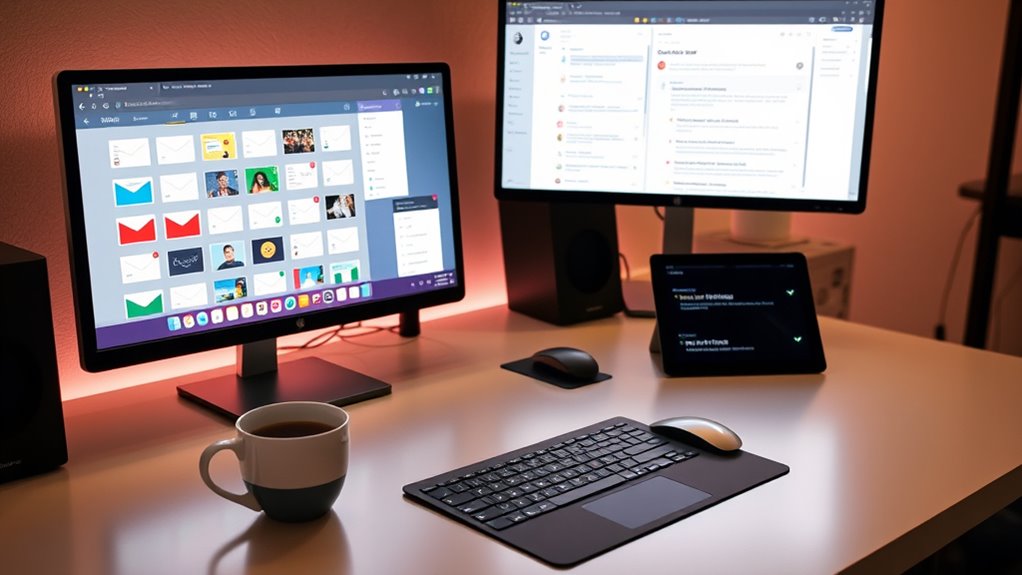
Have you ever felt overwhelmed by managing countless digital admin tasks scattered throughout your day? It’s a common experience in our fast-paced world, but one effective way to regain control is by batching your digital admin work. Batching involves grouping similar tasks together and completing them all at once, rather than switching back and forth between different activities. This simple strategy can notably boost your productivity hacks and improve your digital organization, making your day more efficient and less stressful.
Start by identifying the tasks that tend to drain your time and attention—emails, messages, or online errands. Instead of addressing each item as it arrives, set specific times during your day dedicated solely to these activities. For example, allocate 20-minute blocks in the morning and late afternoon for checking and responding to emails. During these periods, focus exclusively on email management, deleting unnecessary messages, sorting important ones into folders, and replying only to urgent matters. This prevents email from constantly interrupting your workflow and helps you stay concentrated on more substantial tasks.
Set specific times for emails and online errands to boost focus and efficiency.
Similarly, batch your messages across different platforms. Instead of constantly checking social media, messaging apps, or work chat tools throughout the day, designate a certain time to go through all your messages at once. This approach minimizes interruptions and helps you maintain better digital organization, keeping your mental space clearer and your focus sharper. When you respond to messages in batches, you also develop a more strategic approach—answering similar inquiries together or drafting templates for repetitive questions, which saves even more time.
Errands and online tasks can also be grouped. Instead of hopping onto multiple websites or completing small tasks sporadically, schedule a specific block when you’ll handle all these errands at once. Whether it’s paying bills, updating your calendars, or managing subscriptions, batching these activities ensures they’re completed efficiently without breaking your flow. This way, you avoid constant context switching, which can be a productivity killer.
The key to successful batching is discipline. It requires setting boundaries and sticking to your scheduled blocks. Use tools like timers or calendar reminders to stay on track. Over time, this habit becomes second nature, and you’ll find your digital organization improving naturally. Incorporating focused task management strategies, such as using dedicated tools or apps, can further enhance your ability to stay organized and efficient. Not only does batching help you manage your time better, but it also reduces the mental clutter associated with scattered tasks. As you streamline your digital admin, you’ll notice more clarity and focus in your daily routines, freeing up energy for more meaningful and impactful work.

Airbnb eGift Card - $200 - Horses
- Redemption Method: Online redemption only
- Return Policy: No returns or refunds
As an affiliate, we earn on qualifying purchases.
Frequently Asked Questions
How Do I Prioritize Tasks When Batching Digital Admin?
To prioritize tasks when batching digital admin, start with effective time management by setting specific time slots for emails, messages, and errands. Use task segmentation to group similar activities, reducing context switching. Tackle high-priority or urgent items first, then move to less critical tasks. This approach helps you stay focused, manage your workload efficiently, and guarantees important tasks get completed without distraction or unnecessary delays.
What Tools Are Best for Managing Batched Communications?
Think of managing batched communications as having a well-organized toolbox. Use automation tools like email schedulers and message filters to streamline tasks, reducing chaos. Notification management apps such as Slack or Microsoft Teams help you stay in control by consolidating alerts. These tools keep your workflow smooth, allowing you to focus on important tasks without getting lost in constant interruptions. Stay efficient, stay in control.
How Often Should I Batch My Digital Admin Tasks?
You should batch your digital admin tasks daily or twice a day to stay on top of digital decluttering. Use time blocking to dedicate specific periods for checking emails, messages, and errands, preventing constant interruptions. This approach helps you maintain focus, reduces stress, and keeps your inbox organized. Adjust the frequency based on your workload, but regular batching guarantees your digital space remains tidy and manageable.
Can Batching Improve Overall Productivity and Focus?
Yes, batching can considerably boost your productivity and focus. Imagine reclaiming hours lost to constant task-switching—by using effective time management and multitasking strategies, you concentrate on one type of task at a time. This reduces distractions, sharpens your focus, and streamlines your workflow. The secret lies in batching digital admin tasks, allowing you to work more efficiently and feel accomplished while freeing up time for what truly matters.
How Do I Avoid Missing Urgent Messages During Batching?
To avoid missing urgent messages during batching, you should implement timing strategies like checking your messages at scheduled intervals and setting specific times for urgent communications. Additionally, manage notifications by turning off non-essential alerts and keeping only critical ones active. This way, you stay focused on your batching schedule, but still catch important messages promptly. Consistent routines and clear prioritization help guarantee nothing essential slips through.
Airbnb eGift Card - $300 - Horses
- Redemption Method: Online redemption only
- Return Policy: No returns or refunds
As an affiliate, we earn on qualifying purchases.
Conclusion
By batching your digital admin tasks, you’ll find your day flows smoother—like a well-orchestrated symphony rather than a chaotic jam session. Remember when I tackled emails in one focused block and finally felt like I was catching my breath? Studies show batching can boost productivity by up to 30%. So, set aside dedicated time, and watch how your inbox and messages become manageable, leaving you more time for what truly matters.

Airbnb eGift Card - $50 - Standard
- Gift Airbnb Experiences and Stays: Includes stays and activities worldwide
- Variety of Accommodation Options: Lakeside cabins, beach houses, city apartments
- Local Expert-Led Experiences: Guided tours, lessons, tastings
As an affiliate, we earn on qualifying purchases.
Airbnb eGift Card - $500 - Horses
- Redemption Method: Online redemption only
- Return Policy: No returns or refunds
As an affiliate, we earn on qualifying purchases.