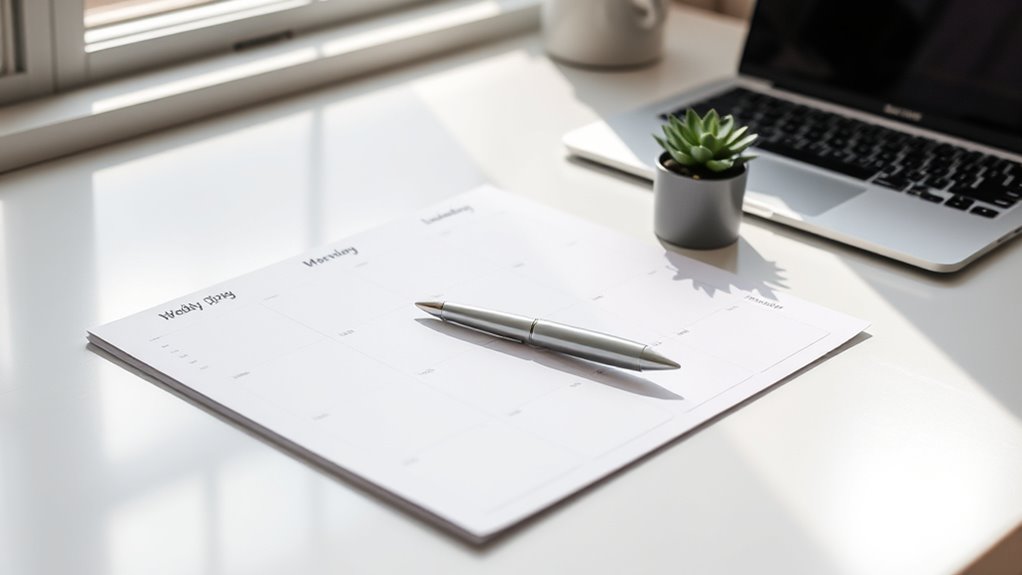

To design a one-page weekly plan, focus on creating a clear, visual layout that highlights your key priorities and tasks without clutter. Use columns or sections for each day, incorporate color coding or icons for quick recognition, and leave space for unexpected changes. Keep it simple and focused on what matters most, allowing you to see overlaps, gaps, and deadlines at a glance. If you keep exploring these tips, you’ll discover how to optimize your weekly organization effectively.
Key Takeaways
- Use columns or sections for each day to organize appointments, tasks, and priorities clearly.
- Incorporate color coding or icons to quickly identify different types of activities or urgency levels.
- Keep the layout clean with ample space for notes, buffers, and unexpected changes.
- Highlight key deadlines and priorities to ensure they stand out at a glance.
- Review and update the plan regularly to maintain relevance and adapt to shifting commitments.
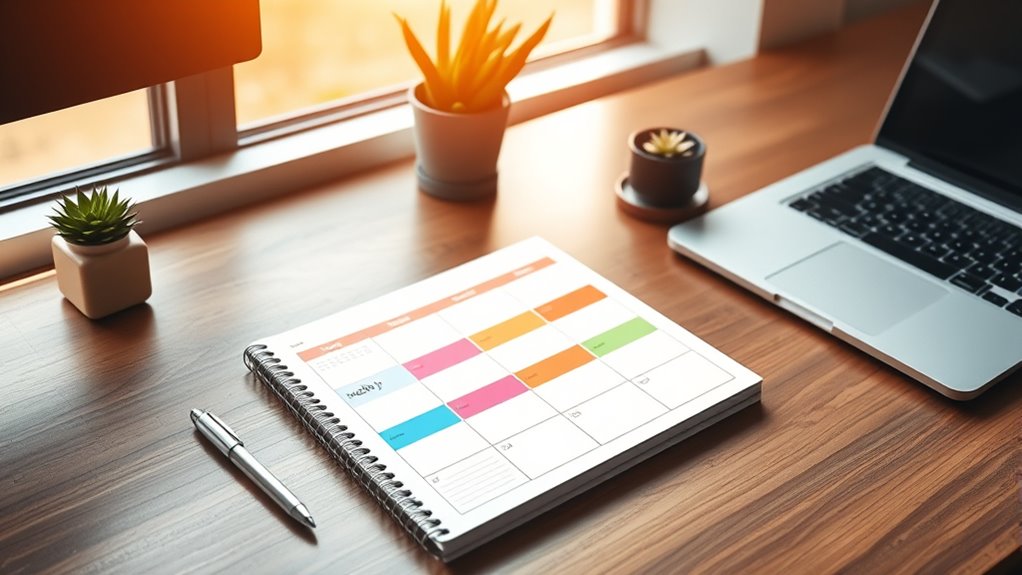
Ever feel overwhelmed trying to stay organized week after week? It’s a common challenge, but designing a one‑page weekly plan can make all the difference. The key is creating a layout that’s both functional and visually appealing, so you can quickly see what’s ahead without feeling bogged down by details. When you focus on good time management through a clear visual layout, you gain a powerful tool to streamline your week and reduce stress.
Start by choosing a clean, simple format that fits on a single page. A well-organized visual layout isn’t about cluttering your space with every possible detail; it’s about highlighting what matters most. Use columns or sections to separate days, and within each, allocate space for appointments, tasks, and priorities. Incorporate color coding or icons for quick recognition—this visual cue helps you grasp your schedule at a glance, making it easier to prioritize and adjust as needed. When your plan is visually intuitive, it’s easier to manage your time effectively because you won’t waste precious minutes deciphering a complicated layout.
Choose a simple, organized layout with clear sections and color coding for easy weekly planning.
A good visual layout also encourages you to think about your week as a whole. When you see your commitments laid out clearly, you can spot overlaps, gaps, or overloaded days, and make adjustments proactively. This approach enhances your overall time management by helping you allocate your energy and focus more efficiently. Plus, keeping everything on one page means you’re less likely to forget important appointments or overlook tasks, which is a common pitfall with sprawling digital or paper planners. Your weekly plan becomes a quick reference, so you stay on top of deadlines and commitments without feeling overwhelmed.
Flexibility is another vital aspect of a successful one‑page plan. Life isn’t always predictable, so leave some open spaces or buffer time to accommodate unexpected changes. A visual layout that’s adaptable helps you stay in control, rather than feeling like your week is dictated by rigid schedules. Remember to review and update your plan regularly—perhaps every morning or evening—so it remains a true reflection of your priorities. This ongoing process ensures your time management stays sharp, and your visual layout continues to serve as an effective guide. Additionally, understanding and applying privacy policy considerations can help you manage your personal information securely while planning.
In essence, designing a one‑page weekly plan isn’t just about making a pretty chart. It’s about creating a strategic, visual tool that simplifies your week, improves your time management, and keeps you focused on what truly matters. When your plan is clear and easy to interpret, you take charge of your schedule instead of letting it control you.

CURSOR FITNESS 3-in-1 Walking Pad Treadmill with 15% Incline 0.6-6.2MPH Foldable Quiet Walking Pad for Home Office 2.5HP Under Desk Compact Treadmill with 300LBS Capacity
Powerful 2.5HP Motor with 15% Incline : Experience intense uphill training with our robust 2.5HP motor and 15%...
As an affiliate, we earn on qualifying purchases.
Frequently Asked Questions
How Do I Prioritize Tasks Effectively on a One-Page Plan?
To prioritize tasks effectively on your one-page plan, start with task categorization by grouping similar tasks together. Then, set clear deadlines for each task to identify urgency. Focus on high-priority, time-sensitive tasks first, and allocate time blocks accordingly. Regularly review and adjust your priorities throughout the week, ensuring you stay on track and complete important tasks without feeling overwhelmed.
What Tools or Software Are Best for Creating Weekly Plans?
You should explore digital templates and mobile apps like Notion, Todoist, or Trello. These tools offer customizable layouts that make creating and updating weekly plans easy. Digital templates help you organize tasks visually, while mobile apps allow you to access and modify your plan on the go. They streamline your planning process, keep you organized, and guarantee you stay on top of your weekly priorities effortlessly.
How Can I Stay Motivated to Stick to My Weekly Schedule?
To stay motivated, keep your energy high with inspiring motivational quotes that remind you of your goals. Find accountability partners who support and challenge you to stick to your schedule. Break your week into manageable tasks, celebrating small wins along the way. Visualize your progress regularly, and don’t be too hard on yourself if you slip up—just get back on track quickly. Consistency is key to maintaining motivation.
How Often Should I Review and Adjust My Weekly Plan?
Think of your weekly plan as a living map—regular review keeps you on course. You should revisit and adjust it at least mid-week, ensuring your time management aligns with your goals. Regularly updating your plan helps you stay flexible, adapt to changes, and maintain motivation. Set aside a specific time for review, so your goal setting stays sharp and your progress steady, turning plans into achievements.
What Are Common Mistakes to Avoid When Designing a Weekly Plan?
When designing your weekly plan, avoid overloading tasks and neglecting breaks. You might be tempted to cram too much into one day, which leads to burnout and decreased productivity. Remember to balance work with rest, and set realistic goals. Skipping breaks can drain your energy and focus. Keep your plan flexible, prioritize tasks, and include downtime to stay motivated and effective throughout the week.

TP-Link Deco 7 Pro BE63 Tri-Band WiFi 7 BE10000 Whole Home Mesh System - 6-Stream 10 Gbps, 4x2.5G Ports Wired Backhaul, 4X Smart Internal Antennas, VPN, HomeShield, Free Expert Support (3-Pack)
𝗦𝘂𝗽𝗲𝗿𝗰𝗵𝗮𝗿𝗴𝗲𝗱 𝐃𝐞𝐜𝐨 𝟕 𝐏𝐫𝐨 𝗕𝗘𝟭𝟬𝟬𝟬𝟬 𝗧𝗿𝗶-𝗕𝗮𝗻𝗱 𝗪𝗶-𝗙𝗶 𝟳 𝗦𝗽𝗲𝗲𝗱𝘀: Features cutting-edge Wi-Fi 7 technology, including Multi-Link Operation, Multi-RUs,...
As an affiliate, we earn on qualifying purchases.
Conclusion
By crafting this one-page weekly plan, you’re weaving a vibrant tapestry of your days, each task a colorful thread. With each stroke, you paint a clear horizon, guiding your journey through busy mornings and quiet evenings. As you fill in your plan, imagine yourself steering a ship through calm and storm, confident in your course. This simple map becomes your compass, turning chaos into harmony and helping you navigate your week with purpose and clarity.

Treadmill with 15% Incline, 3-in-1 Portable Treadmills for Home and Office, Foldable Treadmill with Handles, 3.0HP Quiet Brushless Walking Pad Treadmill with Triple Display,300 LBS Weight Capacity
15% Manual Incline:This treadmill with incline features a 15% manual incline to boost calorie burn and simulate realistic...
As an affiliate, we earn on qualifying purchases.
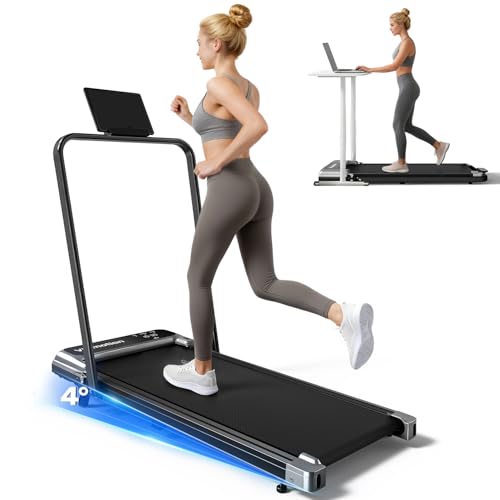
Walking Pad Treadmill with Handle Bar and Adjustable Incline, Compact Portable Treadmills for Home Office, 2.5HP Quiet Anti-Slip Under Desk Treadmills, 0.6-3.8 MPH Remote Speed Control, 265 LBS
Adjustable Incline Walk Pad with Handles:This Under desk walking pad is equipped with sturdy handles and 4-degree Incline...
As an affiliate, we earn on qualifying purchases.