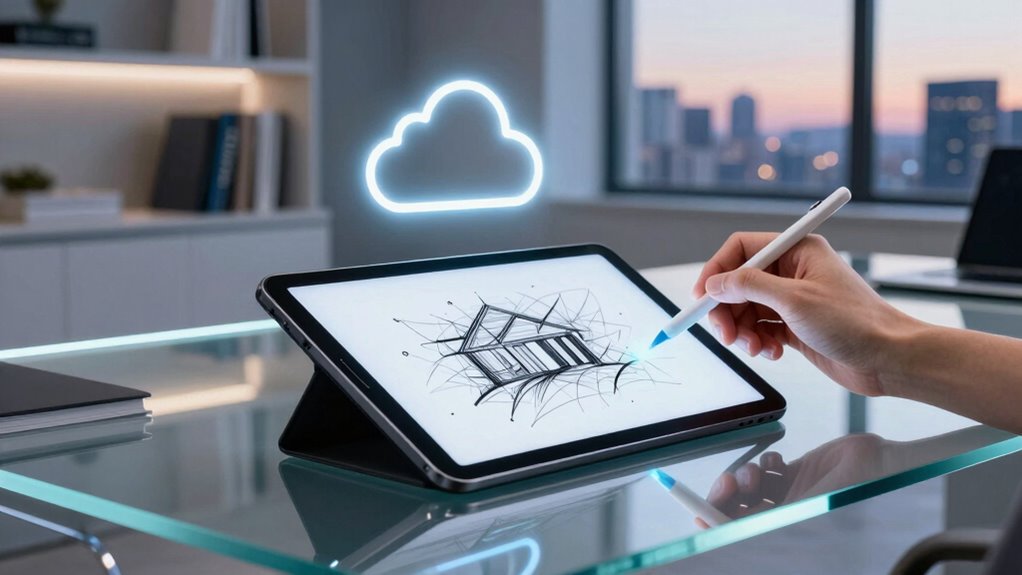

For those seeking an e ink tablet with a stylus and cloud synchronization, the choices today are more diverse than ever. The reMarkable Paper Pro stands out as the best overall for its natural writing experience, while the BOOX Tablet Go Color offers vibrant color displays for creative needs. However, tradeoffs exist: some models sacrifice screen size for portability, and others may lack advanced note management or multi-device sync. Continue reading for a detailed comparison that reveals how each option stacks up for different uses and budgets.

Get beauty and skincare favorites delivered free with Prime
- Fast, free delivery on millions of items
- Prime Video, Amazon Music and more included
- Member-only deals all year
Complete the kit



Key Takeaways
- The best overall e ink tablet combines natural writing feel with robust cloud sync, exemplified by the reMarkable Paper Pro.
- Color display tablets like the BOOX Go Color serve creative users but often come at a higher price and with tradeoffs in battery life.
- Compact models such as the iFLYTEK AINOTE Air 2 excel for portability and quick notes, though they may lack advanced features or larger screens.
- Price and feature set often correlate; premium options include more sophisticated AI tools and multi-device sync, but are more costly.
- Choosing the right tablet depends heavily on primary use: note-taking, reading, or creative work, plus how much you value ecosystem integration.
| reMarkable Paper Pro with Marker Plus |  | Best Overall for Color E Ink Note-Taking and Reading | Display: 11.8-inch Canvas Color display | Included Accessories: Marker Plus, 6 spare tips | Features: Color display, adjustable reading light, low-glare screen, handwriting to text | VIEW ON AMAZON | See Our Full Breakdown |
| Penstar eNote 2 E-Ink Digital Notebook with Pen, 10.3″ AI eNote Tablet |  | Best for Advanced AI Features and File Support | Screen Size: 10.3 inches | Resolution: 2480×1860 (300 ppi) | Stylus Sensitivity: 8,192 levels | VIEW ON AMAZON | See Our Full Breakdown |
| iFLYTEK AINOTE Air 2, 8.2-Inch E Ink Tablet with Black Folio Case |  | Best for Portable Multilingual Meeting Notes | Display: 8.2-inch E Ink | Pressure Sensitivity: 4,096 levels | Languages Supported: 18 transcription, 14 translation | VIEW ON AMAZON | See Our Full Breakdown |
| BOOX Tablet Go Color 7 Gen II E Ink Tablet Support Active Stylus InkSense (Black) |  | Best for Color Reading and Light Multimedia | Display: 7-inch Kaleido 3 (4096 colors) | Resolution: 1680 x 1264 | CPU: Octa-core | VIEW ON AMAZON | See Our Full Breakdown |
| VIWOODS AiPaper 10.65″ AI E Ink Tablet, Digital Notebook Bundle with Pen |  | Best for High-Resolution Note-Taking and AI Assistance | Display: 10.65 inch Carta 1300 E Ink | Resolution: 2560 x 1920 | Stylus: W2 Stylus Pro, 4096 pressure levels | VIEW ON AMAZON | See Our Full Breakdown |
| BOOX Tablet Go 10.3 Gen II Lumi ePaper E Ink Tablet Notebook |  | Best Overall for Versatile E Ink Experience | Display: 10.3-inch HD ePaper glass screen, 2480×1860 resolution, 300 ppi | Touch: BOOX InkSense Plus stylus with 4,096 pressure levels + capacitive touch | Processor: Octa-core | VIEW ON AMAZON | See Our Full Breakdown |
| AINOTE Air 2 Bundle, 8.2″ AI E Ink Tablet with Stylus & Adjustable Light |  | Best for Multi-Lingual Note-Taking & Productivity | Screen Size: 8.2 inches | Display Type: E Ink | Languages Supported: 14 for translation, 18 for transcription | VIEW ON AMAZON | See Our Full Breakdown |
| iFlytek AINOTE Air 2 8.2″ E Ink Tablet with AI Meeting Summaries |  | Best for Meeting Notes & Multilingual Transcription | Display: 8.2-inch E Ink | Dimensions: 7.6 × 5.4 in (193 × 137 mm) | Weight: 8.1 oz (230 g) | VIEW ON AMAZON | See Our Full Breakdown |
| Geniatech Kloudnote Slim 10.3″ Digital Notebook and E Ink Tablet |  | Best for Reading and Creative Note-Taking | Screen Size: 10.3 inches | Resolution: 1404×1872 (227ppi) | Processor: 1.8GHz A55 quad-core | VIEW ON AMAZON | See Our Full Breakdown |
| BOOX Go Color 7 Gen II InkSense Plus Stylus Bundle |  | Best for Color Visuals and Note-Taking | VIEW ON AMAZON | See Our Full Breakdown | |||
| Penstar eNote Pro C E-Ink Digital Notebook with Pen, 10.3” Color Screen |  | Best for Color-Enhanced Reading and Productivity | Screen: 10.3-inch Kaleido 3 color E-Ink | Resolution: 2K QHD | Stylus: 8192 pressure sensitivity levels, no charging needed | VIEW ON AMAZON | See Our Full Breakdown |
| iFLYTEK AINOTE Air 2 8.2″ AI E Ink Tablet with Stylus and Multi-Language Support |  | Best for Multilingual Note-Taking and Cloud Sync | Display: 8.2-inch HD E Ink | Languages Supported: 18 transcription, 14 translation | Cloud Sync: Yes, with OneDrive and Google Play | VIEW ON AMAZON | See Our Full Breakdown |
| iFlytek AINOTE 2 AI Digital Notebook with Blue Case, 10.65″ E Ink Tablet with AI Assistant, Meeting Notes & Summary, Voice-to-Text, Handwriting Recognition, Ultra-Thin 4.2mm |  | Best for Portable Professional Note-Taking on the Go | Display: 10.65″ E Ink | Thickness: 4.2mm | Included Components: Stylus, folio case, USB-C cable | VIEW ON AMAZON | See Our Full Breakdown |
| e ink tablets with stylus and cloud sync | Display |
|---|---|
| reMarkable Paper Pro with Mark | 11.8-inch Canvas Color display |
| Penstar eNote 2 E-Ink Digital | — |
| iFLYTEK AINOTE Air 2 | 8.2-inch E Ink |
| BOOX Tablet Go Color 7 Gen II | 7-inch Kaleido 3 (4096 colors) |
| VIWOODS AiPaper 10.65" AI E In | 10.65 inch Carta 1300 E Ink |
| BOOX Tablet Go 10.3 Gen II Lum | 10.3-inch HD ePaper glass screen, 2480×1860 resolution, 300 ppi |
| AINOTE Air 2 Bundle | — |
| iFlytek AINOTE Air 2 8.2" E In | 8.2-inch E Ink |
| Geniatech Kloudnote Slim 10.3" | — |
| BOOX Go Color 7 Gen II InkSens | — |
| Penstar eNote Pro C E-Ink Digi | — |
| iFLYTEK AINOTE Air 2 8.2" AI E | 8.2-inch HD E Ink |
| iFlytek AINOTE 2 AI Digital No | 10.65" E Ink |
More Details on Our Top Picks
reMarkable Paper Pro with Marker Plus
The reMarkable Paper Pro stands out for its vibrant 11.8-inch Canvas Color display, offering a more engaging experience than the monochrome options like the iFLYTEK AINOTE Air 2. Its lightweight, portable design makes it ideal for users who need a versatile device for both reading and sketching. The adjustable lighting and low-glare screen reduce eye strain during extended use, making it suitable for indoor and outdoor environments. However, its focus on digital note-taking means it lacks traditional paper support, and it requires regular charging, which could be inconvenient for heavy users. Compared with the Penstar eNote 2, it excels in color but doesn’t match the AI capabilities or file format support. This pick is perfect for creatives and students who want a color digital notebook with a familiar paper-like feel, but not for those seeking extensive multimedia or rugged durability.
Pros:- Vivid 11.8-inch color display enhances visual engagement
- Lightweight, portable design for on-the-go use
- Low-glare screen reduces eye fatigue
Cons:- Limited to digital note-taking, no hybrid paper option
- Requires regular charging, which can be inconvenient
Best for: Creative professionals, students, or anyone who needs a portable, color-enhanced digital notebook for reading, sketching, and note organization.
Not ideal for: Users who prefer traditional paper or need a rugged device for fieldwork, as it lacks physical paper options and is not designed for harsh environments.
- Display:11.8-inch Canvas Color display
- Included Accessories:Marker Plus, 6 spare tips
- Features:Color display, adjustable reading light, low-glare screen, handwriting to text
Our verdict“This device suits those who want a vibrant, portable color E Ink experience for reading and sketching, but not for rugged or multimedia-heavy use.”
Penstar eNote 2 E-Ink Digital Notebook with Pen, 10.3″ AI eNote Tablet
The Penstar eNote 2 provides a high-contrast 10.3-inch paper-like display with 8,192 pressure sensitivity levels, making it ideal for detailed note-taking and drawing. Its AI-powered voice-to-text and handwriting conversion tools are a step ahead of standard e Ink devices like the iFLYTEK AINOTE Air 2, especially for professional transcription tasks. With 128GB storage and support for over 35 file formats, it caters well to users needing robust file management. Nonetheless, it does not mention waterproof features, and its battery life, although up to four weeks, depends on active AI features that could drain power faster. Unlike the simpler iFlytek AINOTE Air 2, it offers more versatile file handling and AI capabilities at a higher price point. This model is best suited for professionals who need advanced note organization, voice transcription, and extensive format support, but not for those seeking rugged or multimedia-heavy devices.
Pros:- High-quality, contrast-rich paper-like display with pressure sensitivity
- AI-powered voice and handwriting conversion for efficient note transcription
- Supports multiple file formats and third-party apps for flexibility
- Long battery life of up to four weeks
Cons:- Lacks waterproof or rugged features for tough environments
- Battery life may vary with heavy AI use
Best for: Professionals and students requiring advanced AI-powered note-taking, voice transcription, and broad file compatibility.
Not ideal for: Users seeking a lightweight, budget-friendly device for casual reading or minimal note-taking, as it is more feature-rich and potentially more complex to operate.
- Screen Size:10.3 inches
- Resolution:2480×1860 (300 ppi)
- Stylus Sensitivity:8,192 levels
- Storage:128GB
- Battery Capacity:6500mAh
- Operating System:Android 14
Our verdict“This device is ideal for professionals and students who value AI features and extensive file support over simplicity or ruggedness.”
iFLYTEK AINOTE Air 2, 8.2-Inch E Ink Tablet with Black Folio Case
The iFLYTEK AINOTE Air 2 offers an 8.2-inch E Ink display with AI features like meeting summaries and multilingual transcription, making it a strong choice for busy professionals. Its compact size and lightweight design—just 8.1 oz—make it ideal for on-the-go note-taking during meetings or quick reading sessions. The AI capabilities, including translation in 14 languages and transcription in 18, set it apart from simpler devices like the BOOX Tablet Go Color, which focuses more on color reading. Be aware that page refreshes can be less fluid, and occasional image afterimages may occur, which might affect prolonged use. Voice transcription and handwriting-to-text can’t run simultaneously, which could limit multitasking. This device suits professionals who need AI-powered language support and mobility but isn’t designed for high-volume drawing or multimedia consumption.
Pros:- Natural paper-like writing experience with pressure sensitivity
- AI-powered meeting summaries and multilingual transcription
- Highly portable and lightweight for travel
- Adjustable warm and cool reading lights
Cons:- Page refreshes may be less smooth compared to LCD devices
- Limited multitasking—voice and handwriting conversion cannot run simultaneously
Best for: Business users and travelers who need AI-driven transcription, translation, and quick notes on the go.
Not ideal for: Users demanding high-performance graphics or multimedia features, as the device prioritizes reading and AI functions over visual or gaming performance.
- Display:8.2-inch E Ink
- Pressure Sensitivity:4,096 levels
- Languages Supported:18 transcription, 14 translation
- Dimensions:7.6 × 5.4 inches
- Weight:8.1 oz
- Battery Life:Long, power-efficient
Our verdict“This compact AI-enabled device is perfect for busy professionals needing quick note access and language support in a portable form, but not for multimedia or graphics-intensive tasks.”
BOOX Tablet Go Color 7 Gen II E Ink Tablet Support Active Stylus InkSense (Black)
The BOOX Tablet Go Color 7 Gen II features a 7-inch Kaleido 3 color E Ink display capable of rendering 4096 colors, offering a unique experience for reading colorful documents or simple illustrations. Its compact size and Android 13 OS, along with 64GB storage, make it suitable for light multimedia and reading tasks. However, the color display, while innovative, produces darker and grayer images compared to LCD screens, limiting its appeal for detailed color work. The stylus isn’t included, and it doesn’t support EMR stylus technology, which may disappoint users expecting smooth, pressure-sensitive writing. Its lower display quality for color and the absence of advanced stylus support make it less ideal for detailed drawing or high-quality graphic work. Still, it’s a good choice for users who want a portable, color-capable device mainly for reading and light note-taking.
Pros:- Supports a wide range of document and image formats
- Lightweight and highly portable design
- Color E Ink technology offers color support in a compact form
Cons:- Color E Ink displays have inherent limitations, producing darker images
- Stylus support is not EMR, and stylus is not included
Best for: Readers who want a portable device for colorful content and light note-taking, especially those who prioritize portability over high-quality color display.
Not ideal for: Artists or professionals needing precise color work or pressure-sensitive stylus support, as the device’s display and stylus compatibility are limited.
- Display:7-inch Kaleido 3 (4096 colors)
- Resolution:1680 x 1264
- CPU:Octa-core
- RAM:4GB
- Storage:64GB
- Connectivity:Wi-Fi, Bluetooth 5.1
Our verdict“This device is best for casual readers and light note-takers seeking portable color E Ink with basic color features, but not for detailed color work or graphic design.”
VIWOODS AiPaper 10.65″ AI E Ink Tablet, Digital Notebook Bundle with Pen
The VIWOODS AiPaper offers a 10.65-inch Carta 1300 E Ink display with an impressive 2560 x 1920 resolution, providing a crisp, paper-like reading and writing surface. Its responsive W2 stylus with 4096 pressure levels supports detailed writing and drawing. The device’s AI tools for translating, summarizing, and organizing notes make it a comprehensive solution for students and professionals alike. The included accessories, such as a protective folio and replacement pen nibs, add to its value. However, the E Ink refresh latency may be noticeable during rapid updates, and it’s primarily designed for reading and note-taking, not multimedia. Its price is not specified, but its features position it as a premium option for serious users. Compared to less advanced devices like the iFLYTEK AINOTE Air 2, it excels in display quality and stylus responsiveness, making it well-suited for detailed work and organization.
Pros:- High-resolution display reduces glare and enhances reading clarity
- Responsive stylus with 4096 pressure sensitivity for detailed writing
- AI tools for translating, summarizing, and organizing notes
- Includes comprehensive accessories for extended use
Cons:- E Ink refresh latency may be noticeable during rapid updates
- Less suitable for multimedia consumption or fast-paced reading
Best for: Students, researchers, and professionals who need high-resolution notes, AI tools, and detailed writing performance in a portable device.
Not ideal for: Casual users seeking a budget-friendly or multimedia-centric device, as it emphasizes note quality over entertainment features.
- Display:10.65 inch Carta 1300 E Ink
- Resolution:2560 x 1920
- Stylus:W2 Stylus Pro, 4096 pressure levels
- Pen Gap:750 microns
- Storage:128GB
- Included Accessories:Protective folio, replacement pen nibs, USB-C cable
Our verdict“This premium device is best for users needing high-resolution, AI-assisted note-taking with detailed stylus support, but not for multimedia or budget-conscious buyers.”
BOOX Tablet Go 10.3 Gen II Lumi ePaper E Ink Tablet Notebook
The BOOX Tablet Go 10.3 Gen II Lumi stands out for its high-resolution 10.3-inch ePaper display with multiple refresh modes, making it a strong choice for reading, note-taking, and light multimedia use. Its support for Android 15 introduces a flexible environment, comparable to the more specialized AINOTE Air 2, but at the expense of a slightly more complex interface. The inclusion of a stylus with 4,096 pressure levels enhances writing precision, ideal for detailed notes or sketches. While the device excels in clarity and versatility, it’s limited to ePaper, so vibrant multimedia is not its focus, and Android 15 may be overwhelming for some users. This pick makes the most sense for users seeking a well-rounded, portable e-ink device for both reading and productivity, willing to handle a slightly complex OS.
Pros:- High-resolution 10.3-inch display with multiple refresh modes
- Supports a wide range of document, image, and audio formats
- Stylus with pressure sensitivity for precise note-taking and drawing
- Lightweight and portable design
Cons:- Limited to ePaper display, not suitable for high-color multimedia
- Battery life details are not specified
- Android 15 environment may feel complex for some users
Best for: Professionals and students needing a versatile device for reading, note-taking, and light multimedia in one portable package.
Not ideal for: Users wanting rich color multimedia or a simple interface, as the device prioritizes ePaper clarity over color or OS simplicity.
- Display:10.3-inch HD ePaper glass screen, 2480×1860 resolution, 300 ppi
- Touch:BOOX InkSense Plus stylus with 4,096 pressure levels + capacitive touch
- Processor:Octa-core
- RAM:4GB
- Storage:64GB
- Connectivity:Wi-Fi (2.4GHz + 5GHz), Bluetooth 5.1
- Front Light:Yes with CTM (Warm and Cold)
- OS:Android 15
- Battery:3,700mAh Li-ion Polymer
Our verdict“This device is ideal for users seeking a versatile, high-quality e-ink tablet for reading and note-taking with multimedia occasional use.”
AINOTE Air 2 Bundle, 8.2″ AI E Ink Tablet with Stylus & Adjustable Light
The AINOTE Air 2 is tailored for those who need a compact yet capable note-taking device, with an 8.2-inch e-ink display that closely mimics paper. Its low latency stylus and support for 14 languages in translation and 18 in transcription make it a strong contender for multilingual professionals or students. Compared to the larger BOOX Tablet Go, this device sacrifices screen real estate for portability and focuses heavily on language tools and cloud sync, making it ideal for on-the-go translation and note management. Its adjustable lighting ensures comfortable reading, but the small screen may be limiting for detailed tasks or extensive reading. This pick is perfect for users who prioritize language features and portability over screen size and multimedia capabilities.
Pros:- Realistic paper-like writing experience with low latency
- Supports 14 languages for translation and 18 for transcription
- Adjustable brightness for comfortable reading
- Includes a durable leather protective case
Cons:- Limited to 8.2-inch screen, which may be small for some users
- E Ink display not suited for multimedia or color content
- Full functionality depends on cloud sync, requiring reliable internet
Best for: Multilingual professionals, students, or travelers needing compact device for note-taking, translation, and cloud sync.
Not ideal for: Users wanting a larger screen or multimedia-heavy tasks, as the 8.2-inch display may feel restrictive for extensive reading or visual content.
- Screen Size:8.2 inches
- Display Type:E Ink
- Languages Supported:14 for translation, 18 for transcription
- Features:Stylus support, adjustable brightness, cloud sync, schedule management
- Accessories:Leather protective case
Our verdict“Ideal for multilingual users seeking a portable, language-focused note-taking device with cloud integration.”
iFlytek AINOTE Air 2 8.2″ E Ink Tablet with AI Meeting Summaries
The iFlytek AINOTE Air 2 offers a specialized experience for professionals needing AI-powered meeting summaries and multilingual transcription, with an 8.2-inch E Ink display that fosters a natural writing feel. Its portability and 4,096 pressure sensitivity make it suitable for quick notes during meetings or classes. Unlike the BOOX Go Color which emphasizes visual appeal, this device prioritizes AI functions to boost productivity, although its smaller screen limits detailed visual work. The drag of less fluid page scrolling compared to LCD tablets is offset by AI features that can save time on note processing. This device is best for users who value AI-driven summaries and transcription, especially in busy professional or academic contexts.
Pros:- Natural paper-like writing with pressure sensitivity
- AI meeting summaries and multilingual transcription enhance productivity
- Lightweight and portable for on-the-go use
- Adjustable warm and cool lighting for comfortable reading
Cons:- Page refreshes and scrolling may feel less fluid than LCD devices
- Voice transcription and handwriting-to-text cannot run simultaneously
- Limited color options and visual detail capacity
Best for: Professionals or students who need AI meeting summaries, multilingual transcription, and a portable note-taking device.
Not ideal for: Users seeking a larger display for detailed visual tasks or multimedia, as the 8.2-inch screen is limiting for those purposes.
- Display:8.2-inch E Ink
- Dimensions:7.6 × 5.4 in (193 × 137 mm)
- Weight:8.1 oz (230 g)
- Color:Gray
- Pressure Sensitivity:4,096 levels
- Languages Supported:18 for transcription, 14 for translation
- Battery Life:Long-lasting due to E Ink technology
- Included Components:Stylus Pen, paper tablet
Our verdict“Best suited for busy professionals or students needing AI-driven notes and multilingual transcription in a compact format.”
Geniatech Kloudnote Slim 10.3″ Digital Notebook and E Ink Tablet
The Geniatech Kloudnote Slim offers a large 10.3-inch e-ink display suited for both reading and writing, with a sleek, ultra-thin profile. Its 1404×1872 resolution ensures clear text, comparable to the BOOX Go but with a focus on style and portability. The device’s long battery life—up to 40 hours—makes it ideal for extensive use away from power sources. While it supports multiple cloud services and OCR, it lacks PDF support for audiobooks, which could be a drawback for multimedia consumers. The limited app ecosystem outside the App Store may restrict additional functionalities, but for daily office or creative work, this device provides a balanced mix of features. It’s best for users wanting a stylish, portable e-ink device for reading and note-taking, with some advanced document options.
Pros:- Large, eye-friendly 10.3-inch display for reading and writing
- Long battery life up to 40 hours
- Supports multiple cloud services for document storage
- Ultra-thin and stylish design
Cons:- Does not support PDF format for audiobooks or multimedia
- Limited app availability outside AppStore
- Some advanced features may require software updates
Best for: Office workers or creatives seeking a lightweight, stylish e-ink device for reading, note-taking, and document management.
Not ideal for: Those needing multimedia support, such as audiobooks or color visuals, as the device is optimized for reading and writing only.
- Screen Size:10.3 inches
- Resolution:1404×1872 (227ppi)
- Processor:1.8GHz A55 quad-core
- RAM:2GB
- Storage:64GB
- Battery:3000mAh (up to 40 hours)
- Weight:5.3mm ultra-thin
Our verdict“Ideal for users seeking a stylish, portable e-ink device for reading and note-taking with long battery life.”
BOOX Go Color 7 Gen II InkSense Plus Stylus Bundle
The BOOX Go Color 7 Gen II introduces color into the e-ink world, making it an appealing option for those who want to combine note-taking with vibrant visuals. While detailed specifications are limited, the device’s key selling point is its color display, which can handle illustrations, annotations, and visual content better than monochrome options like Kloudnote Slim. Its included stylus enables precise input, making it a versatile choice for creative users or students who need color annotations. However, the higher price point and limited detailed specs could be a concern, especially since color e-ink devices often have reduced resolution and slower refresh rates. This model suits users prioritizing visual clarity and color in their digital notes, with less focus on multimedia or extensive app ecosystems.
Pros:- Color e-ink display for vibrant visuals
- Stylus included for precise annotation and drawing
- Compact and portable design
Cons:- Limited detailed specifications available
- Potentially higher price for color e-ink devices
- Possible slower refresh rates compared to black-and-white e-ink screens
Best for: Students or creative professionals seeking a portable device for color note-taking, annotations, and light visual work.
Not ideal for: Users needing detailed multimedia support or a budget-friendly device, as color e-ink devices tend to be more expensive with limited specs.
Our verdict“Best suited for users who want portable color annotations and visual notes with stylus support in an e-ink format.”
Penstar eNote Pro C E-Ink Digital Notebook with Pen, 10.3” Color Screen
The Penstar eNote Pro C stands out for its vibrant 10.3-inch Kaleido 3 color E-Ink display, which provides a more engaging reading and note-taking experience compared to the monochrome options like the iFLYTEK AINOTE Air 2. Its 2K QHD resolution and adjustable lighting create a paper-like feel that appeals to users who want vivid visuals alongside their notes. AI-powered features such as voice-to-text and handwriting recognition significantly boost productivity, especially for users managing large document collections or multitasking. However, this tablet is primarily designed for reading and writing, not media consumption like video playback, and its higher price reflects its advanced capabilities. Compared with the iFLYTEK AINOTE Air 2, it offers richer color but at the expense of simplicity and affordability. This device makes the most sense for professionals and students who need a versatile, color-capable e-ink device with cloud support and long battery life.Pros:- Vivid 2K color display enhances reading and visual differentiation
- AI features improve workflow, including voice-to-text and organization
- Long battery life up to three weeks reduces charging frequency
- Supports over 35 file formats for flexible document handling
Cons:- Limited to reading and note-taking, not suitable for multimedia playback
- Higher price point compared to simpler e-ink tablets
- Relatively bulky for portable use with added features
Best for: Creative professionals, students, or avid readers who want color rendering in their digital notebooks.
Not ideal for: Casual users or those seeking a budget-friendly option for basic note-taking, as it is relatively expensive and focused on dedicated productivity.
- Screen:10.3-inch Kaleido 3 color E-Ink
- Resolution:2K QHD
- Stylus:8192 pressure sensitivity levels, no charging needed
- Processor:Octa-core 2.2 GHz
- RAM:4GB
- Storage:128GB
- Battery:6500mAh, up to 3 weeks
- Operating System:Android 14
Our verdict“This tablet is ideal for those who prioritize color and AI-driven productivity tools over basic simplicity or affordability.”
iFLYTEK AINOTE Air 2 8.2″ AI E Ink Tablet with Stylus and Multi-Language Support
The iFLYTEK AINOTE Air 2 offers a compact 8.2-inch HD E Ink display that excels in providing a paper-like writing experience, especially suited for users who need multi-language transcription and translation—features that surpass the more basic note-taking of the iFlytek AINOTE 2. Its cloud sync with OneDrive and Google Play makes accessing and storing documents effortless, ideal for multilingual professionals or students working across languages. The dual-color temperature lighting with 24 brightness levels ensures comfortable reading, but the smaller display limits its use for extensive reading or multimedia, and reliance on internet connectivity can hinder offline productivity. Compared to the Penstar eNote Pro C, it sacrifices color and some advanced features for portability and language versatility. This pick makes the most sense for users who value language support, cloud integration, and a more portable form factor.Pros:- Low latency stylus supports precise handwriting and sketching
- Supports 18 transcription and 14 translation languages for multi-lingual workflows
- Cloud sync with major platforms enhances accessibility and storage
- Adjustable eye-friendly lighting for comfortable long-term use
Cons:- Limited to 8.2-inch display, not ideal for extensive reading or multimedia
- Requires internet for cloud features, less effective offline
- Black and white display only, no color
Best for: Multilingual professionals, students, or researchers who need flexible transcription and translation across devices.
Not ideal for: Users looking for a large, color-rich device or those who prefer offline-only solutions, as cloud features require internet access and the display size is limited.
- Display:8.2-inch HD E Ink
- Languages Supported:18 transcription, 14 translation
- Cloud Sync:Yes, with OneDrive and Google Play
- Lighting:Dual-color temperature, 24 brightness levels
- Stylus:Included, supports various tips
- Features:Voice-to-text, meeting summaries, schedule management
Our verdict“This device is perfect for multilingual users who need cloud accessibility and compact, paper-like note-taking capabilities.”
iFlytek AINOTE 2 AI Digital Notebook with Blue Case, 10.65″ E Ink Tablet with AI Assistant, Meeting Notes & Summary, Voice-to-Text, Handwriting Recognition, Ultra-Thin 4.2mm
The iFlytek AINOTE 2 combines a large 10.65-inch E Ink display with a remarkably slim profile, making it ideal for professionals who need a portable yet capable device for meetings and notes. Its AI features, including meeting summaries, voice transcription, and handwriting recognition, rival the Penstar eNote Pro but with a more streamlined design and included protective case. The ultra-thin 4.2mm thickness enhances portability, and the support for multiple pen styles adds versatility. However, these AI features depend heavily on internet connectivity and app compatibility, which can introduce inconsistencies. Compared with the Penstar eNote Pro, it sacrifices some color and advanced multimedia support for a more portable, lightweight form suited for quick, on-the-move note-taking. This device is best for busy professionals needing efficient, cloud-synced notes in a sleek package.Pros:- Large 10.65-inch E Ink display offers ample space for notes
- Ultra-thin, 4.2mm design enhances portability
- AI-powered features for meeting summaries and voice transcription
- Supports multiple pen styles and handwriting recognition
Cons:- AI features require internet, which can limit usability offline
- E Ink display less responsive than traditional screens for fast writing
- Some features depend on app compatibility and cloud services
Best for: Business professionals and mobile workers who need a lightweight, AI-enhanced digital notebook for meetings and quick notes.
Not ideal for: Users seeking a device with color display or extensive multimedia capabilities, as this focuses primarily on text and AI features.
- Display:10.65″ E Ink
- Thickness:4.2mm
- Included Components:Stylus, folio case, USB-C cable
- Connectivity:Bluetooth, Wi-Fi 2.4/5GHz
- AI Features:Meeting notes, summaries, voice transcription, handwriting recognition
- Weight:Lightweight and portable
Our verdict“This tablet suits busy professionals seeking a sleek, AI-enabled note-taking device for on-the-go productivity.”

How We Picked
To determine the top e ink tablets with stylus and cloud sync, I evaluated each device based on performance, usability, build quality, and value. I prioritized models that offer seamless cloud synchronization across multiple devices, natural stylus responsiveness, and user-friendly interfaces. Battery life, display quality, and support for handwriting or note organization also played key roles. Devices were ranked by how well they balance these factors for different types of users, from casual note-takers to professionals and creatives.Factors to Consider When Choosing E Ink Tablets With Stylus And Cloud Sync
Choosing the right e ink tablet with stylus and cloud sync involves understanding several key factors that impact your daily use and long-term satisfaction. Beyond basic features, it’s important to consider how well the device integrates with your existing workflow, the quality of the stylus, and the ecosystem of cloud services offered. These considerations help prevent costly mistakes, like buying a device incompatible with your preferred cloud platform or one lacking sufficient stylus precision. Here are the main points to keep in mind:Display Size and Resolution
Balance portability with usability by selecting a display size that suits your needs. Larger screens, such as 10.3 inches or more, are better for detailed note-taking or reading, but they can be less portable. Smaller sizes offer more convenience but may sacrifice comfort for extended writing or reading sessions. Resolution matters too; higher pixel density results in crisper text and images, making long hours of work less straining on the eyes.
Stylus Quality and Responsiveness
A responsive, precise stylus is vital for a natural writing experience. Some tablets include active styluses with pressure sensitivity and tilt support, which emulate real pens more accurately. Cheaper or passive styluses can feel less natural and may lag, frustrating users who need accuracy for detailed sketches or handwritten notes. Consider whether the stylus is included or sold separately, as this impacts overall value.
Cloud Sync and Ecosystem Compatibility
Effective cloud synchronization is the backbone of multi-device workflows. Look for tablets that support popular services like Dropbox, OneDrive, or proprietary cloud solutions. Compatibility with third-party apps can extend your productivity, especially if you already use specific cloud platforms. Devices with limited or proprietary cloud options may restrict your flexibility, so assess your existing ecosystem first.
Battery Life and Power Management
Battery life is often overlooked but crucial, especially if you plan to use your tablet on the go. E ink displays are inherently more power-efficient than LCDs, but features like backlighting, color, and Wi-Fi activity impact longevity. Longer battery life means fewer interruptions, yet some high-end models with advanced features may require more frequent charging. Consider your typical usage pattern when choosing.
Price and Long-Term Value
Prices vary widely, reflecting differences in build quality, features, and ecosystem support. A higher initial investment can yield better durability, stylus responsiveness, and cloud integration, but it’s not always necessary for casual use. Conversely, budget models might lack key features or have poorer build quality, leading to frustrations over time. Think about your primary needs and whether the added cost aligns with your usage frequency and expectations.
Frequently Asked Questions
Can I use any stylus with these e ink tablets?
While some e ink tablets support active styluses with pressure sensitivity, many rely on passive or generic styluses that work via capacitive touch. Compatibility varies by model, so it’s essential to check whether the stylus included or recommended is specifically designed for your device. For the best experience, choosing a device with an active stylus support tends to provide more natural writing and drawing, but it may come at a higher cost.
Do all these tablets support cloud sync with multiple devices?
Most of the top-tier models in this list support cloud sync, often through their proprietary apps or popular services like Dropbox or OneDrive. However, the extent of synchronization features and platform compatibility can differ—some devices sync seamlessly across Windows, Android, and iOS, while others are more limited. It’s important to verify that the cloud service integrations align with your existing workflows before purchasing.
Are color e ink tablets suitable for detailed artwork?
Color e ink tablets, such as the BOOX Go Color, are improving but still generally lag behind traditional screens for detailed artwork. They excel at displaying colored notes or simple sketches but may lack the resolution or color accuracy some professional artists require. If your focus is on detailed digital illustration, a tablet with an LCD or OLED screen might be a better fit, though these often lack the battery efficiency and paper-like feel of e ink.
How durable are these e ink tablets for daily use?
Most e ink tablets are designed with durability in mind, often featuring sturdy plastic or metal bodies. The screens are resistant to scratches and smudges, and some models offer water-resistant options. However, since they are primarily used for note-taking and reading, they are generally lightweight and portable, making them prone to drops or impacts if not handled carefully. Using a protective case can extend their lifespan significantly.
Is it worth paying extra for advanced AI features like meeting summaries?
Advanced AI features such as meeting summaries and voice-to-text can add significant convenience, especially for professional use. These functionalities often require more powerful hardware and software, which drive up the price. If you attend frequent meetings or need quick transcription, investing in a model with these features can save time and improve workflow. For casual users, basic note-taking and reading capabilities may be sufficient, making the extra cost less justifiable.
Conclusion
For casual readers or students, a compact and affordable model like the iFLYTEK AINOTE Air 2 offers portability and reliable cloud sync. Professionals seeking a premium writing experience with seamless multi-device support should consider the reMarkable Paper Pro. Creative users who want vibrant color options may prefer the BOOX Go Color, despite a higher price point. Beginners will find models with straightforward interfaces easier to adopt, while tech-savvy users may prioritize advanced AI features. Ultimately, matching your primary use and ecosystem preferences will help you select the best e ink tablet with stylus and cloud sync for 2026.
Fall Picks
fall essentials
As an affiliate, we earn on qualifying purchases.