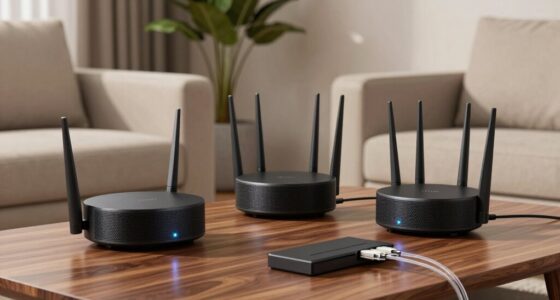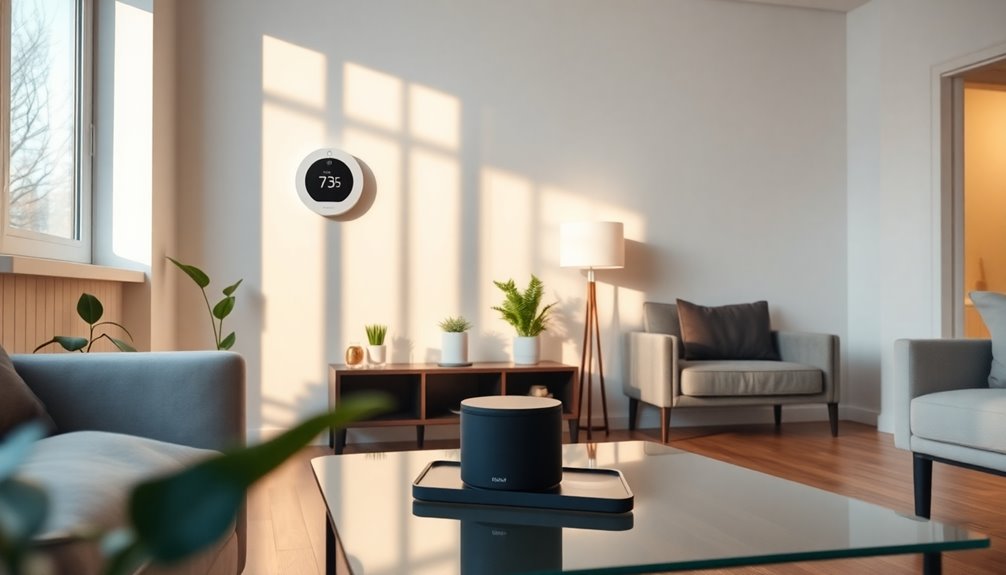

The best minimalist home automation devices add useful routines without filling your home with extra hubs, apps, or controls. I name the Amazon Smart Thermostat my best overall pick for focused climate automation, while the Kasa Smart Plug HS103P4 stands out for straightforward plug-in control and the Home Assistant Smart Home Hub for advanced, customizable routines. The main tradeoff is simplicity versus flexibility: Wi-Fi devices are often easier to start with, while Zigbee and Matter options can offer broader system choices but may involve more setup or compatible hardware. Hardwired switches and outlets can reduce visible clutter, though installation and wiring compatibility matter. Read on for the full breakdown, buying criteria, and guidance on choosing devices that fit your home.

Get beauty and skincare favorites delivered free with Prime
- Fast, free delivery on millions of items
- Prime Video, Amazon Music and more included
- Member-only deals all year
Complete the kit



Key Takeaways
One device type cannot serve every room: the thermostat is the most focused whole-home upgrade, while plugs, USB switches, and relays suit individual appliances or hidden installations.
Simple setup and system flexibility pull in different directions: plug-in Wi-Fi options such as the amazon.com/dp/B07RCNB2L3?tag=whiteme.net-20&ascsubtag=dc-907378″ target=”_blank” rel=”nofollow sponsored noopener”>Kasa and KMC packs keep entry straightforward, while the Home Assistant hub and Zigbee devices offer more room for custom automation.
Matter support is not the same as a complete smart-home system: the SONOFF Basic-1GS and MINI-D include Matter, but buyers still need to check their controller, network, and installation needs.
Wiring is a major dividing line: the SONOFF MINI Duo-L is designed for no-neutral-wire installations, whereas other in-wall products may require wiring checks before purchase.
Monitoring and added ports add capability, not always simplicity: Emporia and eKyro provide energy monitoring, while USB-equipped outlets combine functions; choose those extras only if they address a real household need.
| Amazon Smart Thermostat |  | Best for Whole-Home Climate Control | Model: S6ED3R | Dimensions: 3.56 x 3.56 x 0.84 in | Weight: 3.86 oz | VIEW ON AMAZON | See Our Full Breakdown |
| Kasa Smart Plug HS103P4, 4-Pack |  | Best Value for Simple Plug-In Automation | Model: HS103P4 | Pack size: 4 | Operating voltage: 120 V AC | VIEW ON AMAZON | See Our Full Breakdown |
| SONOFF Basic-1GS Gen5 Matter Wi-Fi Smart Switch, 4-Pack |  | Best for Matter-Based, Cross-Platform Control | Model: BASIC-1GS | Included quantity: 4 | Connectivity: Matter over Wi-Fi | VIEW ON AMAZON | See Our Full Breakdown |
| Zigbee 3.0 USB Adaptor, Smart 5-12V DC Outlet Switch |  | Best for Automating USB-Powered Devices | Connectivity: Zigbee 3.0 | Hub requirement: Zigbee hub required | Supported output: 5–12V DC for compatible USB-powered devices | VIEW ON AMAZON | See Our Full Breakdown |
| Amazon Basics Alexa Smart In-Wall Outlet |  | Best for a Built-In Alexa Setup | Compatibility: Amazon Alexa | Connectivity: 2.4 GHz Wi-Fi | Hub required: No | VIEW ON AMAZON | See Our Full Breakdown |
| SONOFF S40 Lite Zigbee Smart Plug, 15A |  | Best for Extending a Zigbee Network | Connectivity: Zigbee | Hub required: Yes | Compatible platforms: SmartThings, Amazon Alexa, Amazon Echo Plus | VIEW ON AMAZON | See Our Full Breakdown |
| SONOFF MINI-D Wi-Fi Smart Switch with Matter and Dry Contact Output | 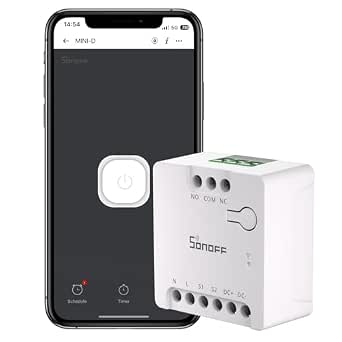 | Best for Specialized Dry-Contact Automation | Connectivity: Wi-Fi | Input: AC or DC, not simultaneously | Output: Dry contact, normally open or normally closed | VIEW ON AMAZON | See Our Full Breakdown |
| KMC Smart Plug Mini, 4-Pack |  | Best Value for Hub-Free Room-by-Room Control | Quantity: 4 plugs | Connectivity: Wi-Fi, 2.4 GHz required | Voice compatibility: Amazon Alexa and Google Assistant | VIEW ON AMAZON | See Our Full Breakdown |
| MoesGo Wi-Fi Smart Wall Outlet with USB |  | Best for Consolidating a Wall Outlet | Outlet control: Two plug outlets and USB controlled separately | Connectivity: 2.4 GHz Wi-Fi | Voice assistants: Amazon Alexa and Google Assistant | VIEW ON AMAZON | See Our Full Breakdown |
| SONOFF MINI Duo-L Zigbee Smart Switch, No Neutral Wire, Dual Channel |  | Best for Two-Circuit Control Without a Neutral Wire | Connectivity: Zigbee 3.0 | Channels: 2 | Neutral wire required: No | VIEW ON AMAZON | See Our Full Breakdown |
| Emporia Energy Monitoring Smart Plug with Wi-Fi, Scheduling, and Alexa and Google Home Support |  | Best for Tracking Plug-In Energy Use | Model: EMSO1-1 | Operating voltage: 120 V | Maximum wattage: 1200 W | VIEW ON AMAZON | See Our Full Breakdown |
| Home Assistant Smart Home Hub with Advanced Automation |  | Best for Local, Custom Automation | Processor: 64-bit Quad-Core Cortex-A53 | Memory: 4 GB SDRAM | Storage: 64 GB eMMC | VIEW ON AMAZON | See Our Full Breakdown |
| SONOFF ZBMicro Zigbee Smart USB Switch |  | Best Compact USB Automation | Model: ZBMicro | Connectivity: Zigbee | Input voltage: 5–22 V DC | VIEW ON AMAZON | See Our Full Breakdown |
| eKyro Wi-Fi Smart Plug with Energy Monitoring, 15A, 1800W |  | Best Hub-Free Multi-Assistant Plug | Operating voltage: 120 V | Maximum wattage: 1800 W | Connectivity: Wi-Fi | VIEW ON AMAZON | See Our Full Breakdown |
| RODOT 16A Inline Wi-Fi Smart Switch Relay, 2-Pack | 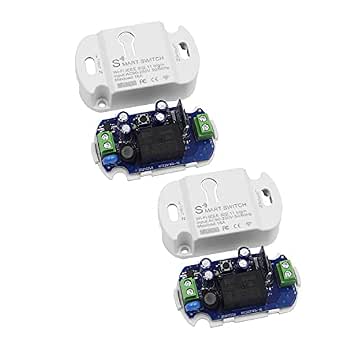 | Best for Concealed Hardwired Control | Model: KR2201WB | Pack count: 2 | Operating voltage: 100–240 V AC | VIEW ON AMAZON | See Our Full Breakdown |
| minimalist home automation device | Connectivity | Dimensions | Operating voltage |
|---|---|---|---|
| Amazon Smart Thermostat | — | 3.56 x 3.56 x 0.84 in | — |
| Kasa Smart Plug HS103P4 | 2.4 GHz Wi-Fi | 1.57 x 1.5 x 2.62 in | 120 V AC |
| SONOFF Basic-1GS Gen5 Matter W | Matter over Wi-Fi | 3.17 x 1.63 x 0.93 in | 240 V |
| Zigbee 3.0 USB Adaptor | Zigbee 3.0 | — | — |
| Amazon Basics Alexa Smart In-W | 2.4 GHz Wi-Fi | — | 120 V |
| SONOFF S40 Lite Zigbee Smart P | Zigbee | 3 x 2.1 x 1.6 inches | — |
| SONOFF MINI-D Wi-Fi Smart Swit | Wi-Fi | 1.61 x 1.69 x 0.85 inches | 120 volts |
| KMC Smart Plug Mini | Wi-Fi, 2.4 GHz required | — | 125 V |
| MoesGo Wi-Fi Smart Wall Outlet | 2.4 GHz Wi-Fi | — | 110 V |
| SONOFF MINI Duo-L Zigbee Smart | Zigbee 3.0 | 1.77 x 1.55 x 0.66 inches | 240 V |
| Emporia Energy Monitoring Smar | 2.4 GHz Wi-Fi | 1.97 × 3.31 × 1.5 in | 120 V |
| Home Assistant Smart Home Hub | Wi-Fi | 3.35 × 0.59 × 3.35 in | — |
| SONOFF ZBMicro Zigbee Smart US | Zigbee | 2 × 1.5 × 1.3 in | — |
| eKyro Wi-Fi Smart Plug with En | Wi-Fi | 1.7 × 2.5 × 3.5 in | 120 V |
| RODOT 16A Inline Wi-Fi Smart S | 2.4 GHz Wi-Fi | 2.56 × 1.57 × 0.91 in | 100–240 V AC |
More Details on Our Top Picks
Amazon Smart Thermostat
For a minimalist setup, the Amazon Smart Thermostat replaces a separate schedule and temperature routine with one wall-mounted control tied to the Alexa app. It supports schedules, vacation mode, humidity sensing, and automatic temperature adjustments, so routine climate changes can happen without adding multiple sensors or controls. Compared with the Amazon Basics Alexa Smart In-Wall Outlet, this is a more involved installation but manages a much larger part of daily home comfort. Its fit depends on the home, though: it works with most 24V HVAC systems, but needs a C-wire or a separately sold adapter and only connects to 2.4 GHz Wi-Fi. Voice control also requires a separate Alexa-enabled device. I’d choose it for an Alexa-centered home that wants fewer manual thermostat changes, not for someone seeking a platform-neutral or wire-free upgrade.
Pros:- Combines schedules, vacation mode, and automatic temperature adjustments
- Remote control through the Alexa app
- Supports most 24V conventional, heat-pump, and radiant-boiler systems
- Guided installation is available in the Alexa app
Cons:- Requires a C-wire or a separately sold power adapter
- Supports 2.4 GHz Wi-Fi only
- Voice control depends on a separate Alexa-enabled device
Best for: Alexa households with a compatible 24V HVAC system and a C-wire that want scheduled, app-based climate control.
Not ideal for: Renters, homes without a C-wire or suitable adapter, and buyers who need 5 GHz Wi-Fi or voice control without a separate Alexa device.
- Model:S6ED3R
- Dimensions:3.56 x 3.56 x 0.84 in
- Weight:3.86 oz
- HVAC compatibility:Most 24V systems, including conventional forced air, heat pumps, and radiant boilers
- Power requirement:C-wire or separately sold power adapter kit
- Wi-Fi:2.4 GHz, 802.11 b/g/n; no 5 GHz support
- Controls and app features:Three touch buttons; Alexa app and compatible Alexa devices; schedules, humidity sensing, emergency heat, vacation mode, and energy dashboard
- Certifications:ENERGY STAR and ECOLOGO Gold
Our verdict“Choose it to simplify climate routines in an Alexa home if your HVAC wiring is compatible.”
Kasa Smart Plug HS103P4, 4-Pack
The Kasa HS103P4 four-pack is the simplest way in this group to automate several lamps or small appliances without changing wiring or adding a hub. Schedules, countdown timers, and app control cover the routines most people want, while compatibility with both Alexa and Google Assistant makes it less tied to one voice platform than the Amazon Basics in-wall outlet. That flexibility is useful, but these are visible plug-in devices rather than an integrated wall upgrade; each takes up an outlet and adds a small piece of hardware to the room. The 2.4 GHz Wi-Fi requirement is another limitation, and the supplied data does not specify energy monitoring. I’d pick Kasa for straightforward, reversible control across several devices; buyers who want a cleaner built-in appearance should look at the in-wall outlet instead.
Pros:- Four plugs support automation in several locations
- Works with Alexa and Google Assistant
- Remote control, schedules, and countdown timers through the Kasa app
- No hub required
Cons:- Each plug occupies an outlet and remains visible
- Requires a 2.4 GHz Wi-Fi connection
- Requires Android 5.0 or later or iOS 10.0 or later
Best for: Renters and households who want to automate several lamps or appliances with schedules and either Alexa or Google Assistant.
Not ideal for: Buyers seeking an invisible built-in installation, 5 GHz Wi-Fi support, or documented energy monitoring.
- Model:HS103P4
- Pack size:4
- Operating voltage:120 V AC
- Maximum wattage:1800 W
- Connectivity:2.4 GHz Wi-Fi
- Voice assistants:Amazon Alexa and Google Assistant
- Dimensions:1.57 x 1.5 x 2.62 in
- Certification and warranty:UL certified; 2-year warranty
Our verdict“Pick this pack for easy, reversible automation of several devices across Alexa or Google Assistant homes.”
SONOFF Basic-1GS Gen5 Matter Wi-Fi Smart Switch, 4-Pack
For buyers who want fewer platform lock-ins, the SONOFF Basic-1GS Gen5 stands apart from the Alexa-only Amazon Basics in-wall outlet: it supports Matter platforms including Alexa, Apple Home, Google Home, and Home Assistant. A four-pack can put several circuits under app or voice control, while local control without internet can keep supported routines available during an internet outage. Scheduling, scenes, and group control also help reduce one-off app interactions. The tradeoff is that this is an electrical installation, not a plug-in shortcut: it requires a neutral wire, and the product data gives it an IP00 protection rating, so its installation location and enclosure matter. Compared with the Kasa plugs, it offers a more integrated setup but takes more planning and wiring. I’d choose it for a deliberate Matter system, not a renter wanting quick, removable automation.
Pros:- Matter support spans several major smart-home platforms
- Local control is available without internet
- Scheduling, scenes, and group control support fewer manual actions
- Four switches are included
Cons:- Requires a neutral wire for installation
- IP00 protection rating limits suitability where protection from moisture or dust is needed
- Wall installation is less reversible than using plug-in Kasa smart plugs
Best for: Homeowners building a Matter-based setup across Alexa, Apple Home, Google Home, or Home Assistant who can verify neutral-wire compatibility.
Not ideal for: Renters, people without a neutral wire, or buyers who want a plug-in device or need a stated water-protection rating.
- Model:BASIC-1GS
- Included quantity:4
- Connectivity:Matter over Wi-Fi
- Operating voltage:240 V
- Wattage:2400 W
- Operation mode:ON-OFF
- Installation:Wall mount; screw terminals; requires a neutral wire
- Dimensions:3.17 x 1.63 x 0.93 in
Our verdict“Choose this four-pack for wired, cross-platform automation when Matter support and local control matter more than easy installation.”
Zigbee 3.0 USB Adaptor, Smart 5-12V DC Outlet Switch
This compact Zigbee USB adaptor targets a gap the Kasa Smart Plug does not: it can switch supported USB-powered devices rather than a standard mains plug. That makes it a more discreet choice for a small USB light or another compatible 5–12V DC device, with remote app control and timers for simple routines. Its small form is a minimalist advantage, but the setup is less direct than Wi-Fi plugs: a Zigbee hub is required, and the listing describes Tuya control alongside Home Assistant and Zigbee2MQTT compatibility, so buyers should check that their intended setup supports it. The product description mentions dual USB and Type-C ports, but provides no detailed technical spec list or ratings for the individual ports. I’d choose it for a specific USB automation need, not as a general replacement for the Kasa four-pack.
Pros:- Designed to control compatible USB-powered devices
- Supports 5–12V DC output according to the product description
- Offers remote app control and scheduling
- Described as a Zigbee signal repeater
Cons:- Requires a Zigbee hub
- Compatibility and setup depend on the chosen Zigbee and app ecosystem
- The supplied product data lacks detailed dimensions and port-specific electrical ratings
Best for: Smart-home hobbyists with a compatible Zigbee hub who want to schedule a USB-powered device requiring 5–12V DC.
Not ideal for: People without a Zigbee hub, buyers seeking a well-documented general-purpose mains plug, or those who need clear port-specific power specifications.
- Connectivity:Zigbee 3.0
- Hub requirement:Zigbee hub required
- Supported output:5–12V DC for compatible USB-powered devices
- Ports:USB and Type-C dual ports, as described in the product listing
- Control options:Smartphone app and compatible voice control
- App platform:Tuya platform
- Voice assistants:Amazon Alexa and Google Home
- Automation:Timers and schedules
- Additional function:Described as a Zigbee signal repeater
Our verdict“Choose it for a compatible USB device and an existing Zigbee system, rather than for general appliance control.”
Amazon Basics Alexa Smart In-Wall Outlet
The Amazon Basics Alexa Smart In-Wall Outlet suits a minimalist room where visible smart plugs feel like clutter. Its two sockets can be controlled separately or together, letting one wall installation handle different routines without occupying an adjacent outlet with a plug-in unit like the Kasa HS103P4. It also supports Alexa voice control, remote access, and schedules without a separate hub. That neat appearance comes with practical limits: it works with Alexa only, needs a neutral wire, and requires a standard outlet box at least two inches deep. Those requirements make it a poor fit for renters or older wiring without a suitable box. I’d favor it over Kasa when a permanent, tidy installation matters more than multi-assistant flexibility; for cross-platform wired control, the Matter-based SONOFF switch is the broader option.
Pros:- Built-in installation avoids a visible plug-in smart device
- Two sockets can be controlled individually or grouped
- Supports Alexa voice, remote, and scheduled control
- No hub required
Cons:- Works with Alexa only
- Requires a neutral wire and an outlet box at least two inches deep
- Requires a 2.4 GHz Wi-Fi network
Best for: Alexa households with suitable wiring that want a permanent, tidy way to automate two outlet sockets independently or together.
Not ideal for: Renters, homes without a neutral wire or a box at least two inches deep, and buyers who use Google Home or Apple Home.
- Compatibility:Amazon Alexa
- Connectivity:2.4 GHz Wi-Fi
- Hub required:No
- Operating voltage:120 V
- Wattage:1800 W
- Socket control:Two sockets; individual or grouped control
- Installation requirements:Neutral wire and standard outlet box at least 2 in deep
- Dimensions and weight:2.8 x 1.85 x 4.57 in; 6.08 oz
- Certification:UL
Our verdict“Choose it for a clean, permanent Alexa-controlled outlet when the wiring and wall box meet its installation requirements.”
SONOFF S40 Lite Zigbee Smart Plug, 15A
The S40 Lite suits a minimalist setup built around a Zigbee hub: it adds remote and voice control to an existing appliance without replacing the outlet or adding another app-dependent Wi-Fi device. Its compact shape is designed to leave the neighboring socket available, while its repeater function can help extend Zigbee coverage. Compared with the KMC Smart Plug Mini, it depends on a compatible hub rather than connecting directly to Wi-Fi, so setup is less appealing for a new or hub-free system. That hub requirement can also pay off for buyers who already use SmartThings or a compatible Echo Plus. Scheduling, including sunrise and sunset routines, keeps everyday automation simple. The tradeoff is a narrower compatibility path: Alexa control depends on the hub, and this plug is not a stand-alone smart home controller.
Pros:- Compact body is designed to leave an adjacent outlet accessible.
- Acts as a Zigbee repeater as well as a controllable plug.
- Supports remote, voice, and scheduled control, including sunrise and sunset routines.
Cons:- Requires a compatible Zigbee hub to operate.
- Alexa support depends on using a compatible hub.
Best for: SmartThings or compatible Echo Plus owners who want a compact plug that can also help extend Zigbee coverage.
Not ideal for: People without a compatible Zigbee hub, or buyers who want a plug that connects directly to Wi-Fi like the KMC Smart Plug Mini.
- Connectivity:Zigbee
- Hub required:Yes
- Compatible platforms:SmartThings, Amazon Alexa, Amazon Echo Plus
- Control methods:Remote and voice
- Switch type:MOSFET
- Dimensions:3 x 2.1 x 1.6 inches
- Certification:ETL
Our verdict“Choose the S40 Lite if you already have a compatible Zigbee hub and want one discreet plug to control an appliance while extending the network.”
SONOFF MINI-D Wi-Fi Smart Switch with Matter and Dry Contact Output
The MINI-D is the specialist in this group: its normally open or normally closed dry-contact output is intended for compatible equipment such as garage doors, boilers, and access-control systems, not ordinary plug-in lamps. It accepts either AC or DC input, giving it more installation flexibility than a basic smart plug, and Matter support can connect it to a broader setup when paired with a compatible hub. Compared with the SONOFF S40 Lite, this is a more technical, installation-oriented device rather than a simple way to automate an appliance. That flexibility comes with limits: AC and DC cannot be connected at the same time, DC motors and solenoid valves are capped at 8 W, and Matter requires a separate hub. Buyers should confirm their device’s wiring and load requirements before choosing it.
Pros:- Dry-contact output offers normally open and normally closed configurations.
- Accepts AC or DC input, used one at a time.
- Matter support enables integration with compatible platforms when paired with a hub.
- Supports compatible DC motors and solenoid valves up to 8 W.
Cons:- AC and DC input cannot be connected simultaneously.
- The 8 W DC output limit rules out higher-power motors and valves.
- Matter integration requires a compatible hub.
Best for: Homeowners or installers automating a compatible garage door, boiler, access-control device, or low-power DC mechanism.
Not ideal for: Buyers seeking a simple plug-in light controller, or anyone whose DC motor or solenoid valve needs more than 8 W.
- Connectivity:Wi-Fi
- Input:AC or DC, not simultaneously
- Output:Dry contact, normally open or normally closed
- Matter:Supported with a compatible hub
- Operating voltage:120 volts
- Maximum DC load:8 watts
- Dimensions:1.61 x 1.69 x 0.85 inches
Our verdict“Pick the MINI-D for a compatible dry-contact device when its wiring and low-power limits match your installation.”
KMC Smart Plug Mini, 4-Pack
For buyers who want basic automation in several rooms without adding a hub, the KMC four-pack is the straightforward choice here. These Wi-Fi plugs work with Alexa and Google Assistant, and the KMC Smart app adds scheduling, automation, remote control, and shared access. That makes them simpler to start with than the SONOFF S40 Lite, which needs a compatible Zigbee hub, and a better fit for multiple ordinary plug-in devices than the wall-mounted MoesGo outlet. The tradeoff is that each plug joins a 2.4 GHz Wi-Fi network, so this is not a Zigbee-based way to keep devices off Wi-Fi. Setup also depends on an Android or iOS device. Their practical appeal is the four-device bundle, not advanced hardware features or a built-in outlet replacement.
Pros:- Four plugs provide a simple way to automate multiple devices.
- Works with Alexa and Google Assistant without a hub.
- Supports scheduling, automation, remote control, and shared app access.
- ETL certification and a lifetime warranty are listed.
Cons:- Requires a 2.4 GHz Wi-Fi network.
- Setup requires an Android or iOS device.
Best for: Households with several lamps or small appliances to automate using Alexa or Google Assistant, but no smart home hub.
Not ideal for: Buyers building a Zigbee network, avoiding multiple Wi-Fi devices, or without a 2.4 GHz network and Android or iOS device.
- Quantity:4 plugs
- Connectivity:Wi-Fi, 2.4 GHz required
- Voice compatibility:Amazon Alexa and Google Assistant
- Mobile compatibility:Android and iOS
- Operating voltage:125 V
- Certification:ETL
- Warranty:Lifetime
Our verdict“Choose the KMC four-pack if you want hub-free voice and schedule control for several plug-in devices on 2.4 GHz Wi-Fi.”
MoesGo Wi-Fi Smart Wall Outlet with USB
The MoesGo is for a different kind of minimalism than a single smart plug: it replaces a wall outlet with a two-outlet and USB unit, with each output controlled separately. That can reduce the number of plug-in accessories around a desk or bedside area, while Smart Life or Tuya app control, schedules, and countdown timers cover routine automation. Unlike the KMC Smart Plug Mini, it is a wall-mounted outlet rather than a removable plug, and it adds a USB port for another device. Alexa and Google Assistant support do not require a hub. The tradeoff is installation commitment and limited network flexibility: it needs 2.4 GHz Wi-Fi, and its listed current rating is 10 A. Buyers should check their intended loads and outlet setup before choosing it.
Pros:- Two plug outlets and the USB port are controlled separately.
- Offers app control, schedules, and countdown timers.
- Supports Alexa and Google Assistant without a hub.
- Wall-mounted format can reduce extra plug-in devices.
Cons:- Requires a 2.4 GHz Wi-Fi connection.
- Listed current rating is 10 A.
- Wall-mount format is less portable than the KMC Smart Plug Mini.
Best for: People replacing a wall outlet near a desk or bedside area who want separate control of two plug outlets and USB.
Not ideal for: Renters or anyone wanting a portable plug-in device, or buyers whose intended loads exceed the listed 10 A current rating.
- Outlet control:Two plug outlets and USB controlled separately
- Connectivity:2.4 GHz Wi-Fi
- Voice assistants:Amazon Alexa and Google Assistant
- Operating voltage:110 V
- Wattage:110 W
- Mounting type:Wall mount
- Certification:ETL
Our verdict“Choose the MoesGo when you want an installed, separately controlled outlet-and-USB unit and its 10 A rating suits your devices.”
SONOFF MINI Duo-L Zigbee Smart Switch, No Neutral Wire, Dual Channel
The MINI Duo-L is the most installation-focused pick for controlling two devices independently from one compact switch module. Its no-neutral-wire design addresses a common wiring constraint in existing homes, while Zigbee 3.0 connects it to compatible smart home systems for remote control and automation. Compared with the SONOFF S40 Lite, it controls wired circuits rather than an appliance plugged into an outlet; compared with the KMC Smart Plug Mini, it avoids adding separate smart plugs but requires switch-box installation and a Zigbee setup. The compact dimensions may help it fit standard switch boxes, but the listing gives conflicting total load ratings. I would verify the supported load and installation requirements before buying, especially for a two-channel setup.
Pros:- Controls two devices independently from one module.
- Does not require a neutral wire.
- Compact dimensions are intended to fit standard switch boxes.
- Supports remote control and automation through compatible Zigbee systems.
Cons:- Requires a compatible Zigbee setup.
- Product listing gives conflicting total load ratings.
- Requires switch-box installation rather than simple plug-in setup.
Best for: Homeowners with compatible wiring who want to automate two separate circuits and do not have a neutral wire at the switch.
Not ideal for: Renters, people who want plug-in automation, or buyers unable to confirm the load rating and Zigbee compatibility for their setup.
- Connectivity:Zigbee 3.0
- Channels:2
- Neutral wire required:No
- Load capacity:Up to 12 A total; 8 A per channel
- Operating voltage:240 V
- Wattage:2640 W
- Dimensions:1.77 x 1.55 x 0.66 inches
Our verdict“Choose the MINI Duo-L if you need two independently automated wired circuits without a neutral wire and can confirm the load limits for your installation.”
Emporia Energy Monitoring Smart Plug with Wi-Fi, Scheduling, and Alexa and Google Home Support
I’d pick the Emporia smart plug when a minimalist setup should reveal how much a lamp, fan, or humidifier uses without adding a separate meter. Its energy monitoring, scheduling, and remote on/off control combine the most useful plug-in functions in one device, while Alexa and Google Assistant support keeps everyday control simple. Compared with the Kasa Smart Plug HS103P4, the Emporia’s distinguishing case is energy tracking rather than a basic plug-focused setup. The tradeoff is a 10 A continuous-load limit, so it is not suited to every appliance even though its stated wattage is 1200 W. It also needs 2.4 GHz Wi-Fi, which can complicate setup on networks configured for 5 GHz only. I’d skip it if energy data or scheduling would go unused.
Pros:- Tracks energy use of connected devices
- Supports schedules and remote app control
- Works with Alexa and Google Assistant
- Combines monitoring and switching in one plug
Cons:- Requires a 2.4 GHz Wi-Fi network
- 10 A continuous-load limit restricts which appliances it can control
Best for: People who want to monitor and schedule ordinary 120 V devices such as lamps, fans, or humidifiers from a phone or voice assistant.
Not ideal for: Households with 5 GHz-only Wi-Fi or buyers who need a plug for loads above its 10 A continuous limit.
- Model:EMSO1-1
- Operating voltage:120 V
- Maximum wattage:1200 W
- Connectivity:2.4 GHz Wi-Fi
- Voice assistants:Amazon Alexa, Google Assistant
- Dimensions:1.97 × 3.31 × 1.5 in
- Certifications:ETL, FCC
Our verdict“Choose the Emporia if energy tracking matters more to you than a simple on/off plug, and your device stays within its load limit.”
Home Assistant Smart Home Hub with Advanced Automation
This hub suits a minimalist home that values one local control point over a pile of separate apps and cloud accounts. Its quad-core processor, 4 GB of RAM, and 64 GB of storage provide room for Home Assistant automations and add-ons such as Node-RED and ESPHome, while a fanless design keeps operation quiet and below 10 W. Compared with the Amazon Smart Thermostat, this is a broader system foundation rather than a device for one household function; it can coordinate a wider mix of supported gear. That flexibility has a real cost in setup effort: buyers may need technical confidence to build and maintain their automations. It also has Wi-Fi but no native Zigbee or Z-Wave, so it is a less direct choice for buyers building around those radios. I’d choose it for customization, not plug-and-play simplicity.
Pros:- Local control reduces reliance on cloud services
- Quad-core processor, 4 GB RAM, and 64 GB storage support advanced automations
- Fanless operation uses under 10 W
- Supports more than 100 smart devices and add-ons such as Node-RED and ESPHome
Cons:- Setup and ongoing automation management may require technical knowledge
- No native Zigbee or Z-Wave connectivity
Best for: Technically confident smart-home owners who want local control, privacy-minded automations, and room to add Home Assistant integrations.
Not ideal for: Beginners seeking a ready-to-use hub or households whose devices rely on Zigbee or Z-Wave without an added adapter.
- Processor:64-bit Quad-Core Cortex-A53
- Memory:4 GB SDRAM
- Storage:64 GB eMMC
- Connectivity:Wi-Fi
- Supported devices:100+ smart devices
- Power consumption:Under 10 W, fanless
- Dimensions:3.35 × 0.59 × 3.35 in
Our verdict“Choose this hub if you want a quiet, local Home Assistant base and are comfortable configuring the devices and automations around it.”
SONOFF ZBMicro Zigbee Smart USB Switch
The SONOFF ZBMicro is a compact way to schedule or remotely switch a USB-powered device without adding a conventional outlet plug to the setup. It supports USB 2.0 data transfer as well as charging, and it can act as a Zigbee signal repeater, giving it another job in a compatible network. Compared with the SONOFF S40 Lite Zigbee Smart Plug, this is the more specialized pick: it controls USB connections rather than general plug-in appliances. That makes it a better fit for USB-powered gear, but a poor substitute for an outlet switch. The main barrier is that it requires a Zigbee gateway; it cannot operate as a standalone Wi-Fi device. Fast charging also depends on a compatible adapter with a 4-pin Type-A connection, so buyers should check their power setup before choosing it.
Pros:- Enables remote and scheduled control of connected USB devices
- Supports USB 2.0 data transfer and fast charging
- Works with Alexa and Google Home voice control
- Can act as a Zigbee signal repeater
Cons:- Requires a separate Zigbee gateway
- Fast charging requires a compatible adapter with a 4-pin Type-A connection
Best for: People with a Zigbee gateway who want scheduled or voice-controlled switching for USB-powered devices while retaining USB data support.
Not ideal for: Buyers without a Zigbee gateway, or anyone looking to automate ordinary AC-powered appliances rather than USB devices.
- Model:ZBMicro
- Connectivity:Zigbee
- Input voltage:5–22 V DC
- USB standard:USB 2.0
- Gateway required:Yes
- Voice assistant compatibility:Amazon Alexa, Google Home
- Dimensions:2 × 1.5 × 1.3 in
Our verdict“Pick the ZBMicro for compact USB automation if you already have a Zigbee gateway and the adapter suits your charging setup.”
eKyro Wi-Fi Smart Plug with Energy Monitoring, 15A, 1800W
The eKyro makes sense for buyers who want a hub-free plug that combines remote switching, schedules, and energy readings. It reports voltage, current, and wattage, giving more detail than a basic on/off outlet, and supports Alexa, Google Home, Siri, and app controls. The listing specifies two items, which may help outfit more than one device without adding a hub. Compared with the Emporia Energy Monitoring Smart Plug, eKyro claims a higher 15 A, 1800 W capacity and broader assistant compatibility; Emporia, by contrast, has clearer monitoring details in the supplied product information. There is an important listing ambiguity: the title labels the included outlets as non-monitoring even though the description says they monitor energy. I’d verify that function before buying. It also depends on Wi-Fi, so it is not a fit for a network-free setup.
Pros:- Description specifies voltage, current, and wattage monitoring
- Works with Alexa, Google Home, and Siri
- Supports app control, scheduling, and automation
- No hub required and listed as a two-item set
Cons:- Wi-Fi is required for smart control
- Product title describes the included outlets as non-monitoring, conflicting with the energy-monitoring description
Best for: Households seeking a two-plug, hub-free Wi-Fi setup with broad voice-assistant support and the stated higher load capacity.
Not ideal for: Buyers who need unambiguous confirmation of energy monitoring, or who want automation that does not depend on Wi-Fi.
- Operating voltage:120 V
- Maximum wattage:1800 W
- Connectivity:Wi-Fi
- Control:App and voice assistants
- Compatible assistants and devices:Alexa, Google Home, iPhone, Siri, Android
- Dimensions:1.7 × 2.5 × 3.5 in
- Number of items:2
Our verdict“Consider eKyro for a hub-free, multi-assistant plug set, but confirm that energy monitoring is included before relying on that feature.”
RODOT 16A Inline Wi-Fi Smart Switch Relay, 2-Pack
For a minimalist room where a smart plug would be visually intrusive, the RODOT inline relay hides automation inside a compatible wired setup. Its two-pack supports schedules and countdown timers through Smart Life or Tuya, with voice control through Alexa, Google Home, or SmartThings and no hub required. Compared with the SONOFF Basic-1GS Gen5 Matter Wi-Fi Smart Switch, 4-Pack, RODOT is a distinct choice for buyers focused on an inline relay and its listed app ecosystem, rather than a multipack of wall switches. The tradeoff is installation: this is hardwired equipment, not a plug-in shortcut, and its existing wall switch must stay on to preserve Wi-Fi connectivity. It also uses 2.4 GHz Wi-Fi only. I’d choose it when concealed control is worth the wiring work, not for renters or anyone seeking tool-free setup.
Pros:- Concealed inline format avoids a visible smart plug
- Supports schedules and countdown timers
- Works with Smart Life, Tuya Smart, Alexa, Google Home, and SmartThings
- Two relays are included and no hub is required
Cons:- Hardwiring requires electrical knowledge and may not suit renters
- Existing wall switch must remain on to maintain Wi-Fi connectivity
- Requires 2.4 GHz Wi-Fi
Best for: Homeowners comfortable with basic electrical work who want app- and voice-controlled schedules for compatible hardwired lights or devices.
Not ideal for: Renters, buyers who need plug-and-play automation, or households unable to keep the existing wall switch on for Wi-Fi operation.
- Model:KR2201WB
- Pack count:2
- Operating voltage:100–240 V AC
- Maximum wattage:3500 W at 240 V
- Connectivity:2.4 GHz Wi-Fi
- App compatibility:Smart Life, Tuya Smart
- Compatible assistants:Amazon Alexa, Google Home, SmartThings
- Dimensions:2.56 × 1.57 × 0.91 in
Our verdict“Choose RODOT if you want concealed, scheduled control and can handle the wiring and always-on wall-switch requirement.”
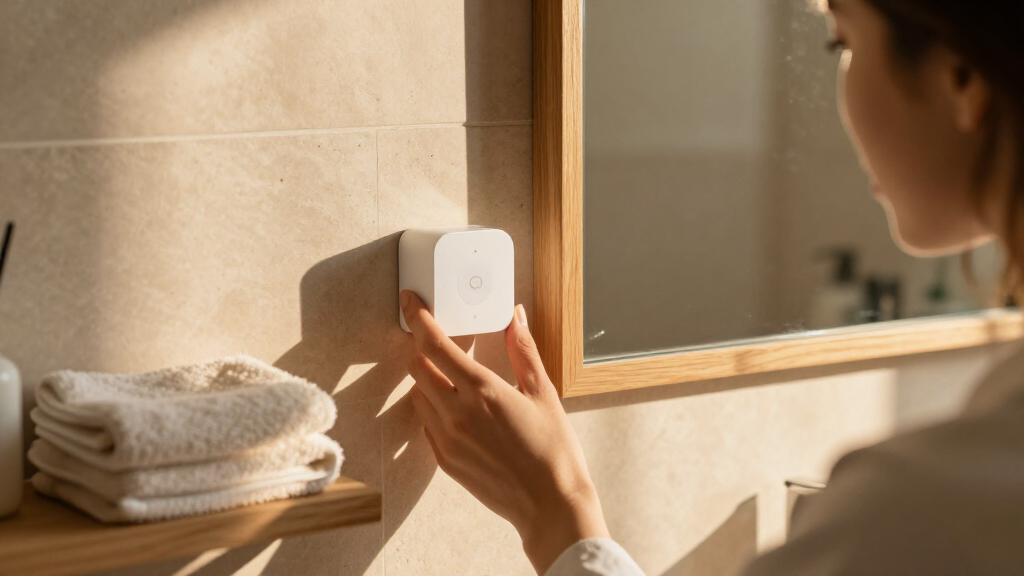
How We Picked
I ranked these devices by how well they deliver useful automation with minimal friction: setup demands, everyday control, compatibility, installation complexity, and whether each product’s added features solve a clear problem. I also weighed the form factor. A plug-in device can avoid wiring work but occupies an outlet; an in-wall option can look cleaner but may require electrical knowledge and compatible wiring. Energy monitoring, USB ports, Matter, Zigbee, and dry-contact outputs counted as strengths only when they offered a practical benefit rather than extra complexity.
The order reflects different paths to a less cluttered smart home, not a claim that one device fits every buyer. I placed versatile, accessible options ahead of products with narrower installation or ecosystem requirements. Specialized relays, USB switches, and advanced hubs remain useful picks for the right setup, but their setup demands make them less suitable as default choices. I also treated product names and listed features as the basis for comparison; buyers should confirm current compatibility and installation instructions for their exact home.
Factors to Consider When Choosing Minimalist Home Automation Devices
Minimalism in home automation is less about buying the fewest devices than avoiding systems that create duplicate controls, cluttered routines, or maintenance work. I would start by deciding what daily task needs to disappear, then match the device and ecosystem to that job.
Choose the automation job before the device
Write down the specific action you want automated: adjusting temperature, switching a lamp, cutting power to a USB device, or controlling a hardwired fixture. A device that solves one recurring annoyance can be more useful than a multifunction product whose extras go unused. Avoid automating an appliance if remote switching could interrupt a safety feature or its normal operating cycle. For shared rooms, consider whether everyone can still use a physical control easily. This keeps a minimalist setup focused on outcomes rather than accumulating smart gadgets.
Check the ecosystem and local-control expectations
Before buying, check which app, voice assistant, hub, and communication standard your household already relies on. Matter support can help devices work across compatible platforms, but it does not remove the need for a compatible controller or network. Zigbee products generally need a coordinator or hub, which can be worthwhile when several devices will share one system. Wi-Fi models may avoid that extra hardware but add devices to the wireless network and can depend more heavily on the maker’s app or cloud service. Decide whether simple remote access is enough or whether you want routines to keep working when internet access is down.
Treat wiring and electrical limits as purchase filters
For in-wall switches and outlets, identify the wiring in the electrical box before choosing a model; a no-neutral-wire device is aimed at a different installation than one that expects a neutral. Check the product’s electrical ratings against the load you plan to control, especially for heaters, kitchen appliances, and other higher-draw equipment. A maximum rating does not mean every device or installation is appropriate for that load. If the wiring or local electrical requirements are unclear, ask a qualified electrician rather than guessing. This upfront check can prevent a clean-looking upgrade from becoming an incompatible or unsafe installation.
Decide whether plug-in convenience is worth the outlet space
Smart plugs are usually easier to add or move than hardwired controls, which makes them a practical starting point for renters or people testing a routine. Their tradeoff is physical: they occupy an outlet, may block the neighboring socket, and can add visible bulk. Multi-packs are useful when several lamps or small appliances need similar control, but buying a pack before mapping those locations can leave unused devices. In-wall controls keep the plug area clear yet call for installation checks. Choose based on the room layout and how permanent you want the change to be.
Pay for monitoring or extra connections only when they answer a question
Energy monitoring can help identify usage patterns, but it is useful only if you plan to check the data and act on it. A smart plug’s monitoring feature may also have device or load limitations, so verify that the appliance is supported before treating its readings as a decision tool. USB outlets and USB switches can reduce separate adapters for devices that stay in one place, though they are not a substitute for every charger or power requirement. Dry-contact outputs and inline relays are aimed at specific wiring or control jobs rather than general plug-and-play use. Paying for these features makes sense when they replace a separate device or enable a routine you will actually use.
Keep routines understandable and maintainable
A minimalist system should be easy to explain to another person in the household. Prefer a small number of clear automations over overlapping schedules that can contradict each other. Name devices by room and purpose, and decide who will maintain app access and troubleshoot connectivity. Advanced hubs can support intricate routines, but that flexibility carries a learning and upkeep cost. If you do not expect to build or maintain custom automations, a simpler device paired with its native controls may be the calmer choice.
Frequently Asked Questions
Can I build a minimalist smart home without buying a hub?
Yes, if your chosen devices work directly over Wi-Fi or connect through a controller you already own. That approach can keep the initial setup and hardware count low, especially for a few smart plugs or a thermostat. The tradeoff is that adding more brands can mean juggling separate apps, and cloud-dependent controls may behave differently during an internet outage. Zigbee devices generally need a coordinator, while a dedicated hub can bring devices and routines into one place. Choose based on how many products you expect to add, not just the first device.
Is Matter enough to guarantee that a device will work with my setup?
No: Matter support is a helpful compatibility signal, not a promise that every feature will appear in every app or work without a compatible controller. Check the device’s supported functions, required network setup, and the platform you intend to use. Some products may offer features through their own app that are not exposed in another ecosystem. Also confirm whether you need remote access, voice control, or automations when away from home. A quick compatibility check before purchase is less work than rebuilding routines around a feature gap.
Should I choose a smart plug or an in-wall switch for a cleaner setup?
A smart plug is usually the simpler, reversible choice for a lamp or other suitable plug-in device, but it occupies space at the outlet. An in-wall switch can preserve the outlet and look more integrated, but installation depends on the wiring and may call for an electrician. The choice also depends on what you want to control: a plug-in device is not a direct substitute for every hardwired light or appliance. Consider who uses the physical control and whether the device needs to remain easy to move. For renters or uncertain wiring, a plug-in option is often the lower-commitment route.
When is energy monitoring worth adding to a smart plug?
It is worth paying attention to when you have a specific question, such as which appliance uses power while idle or how usage changes with a schedule. Monitoring is less valuable if you will not review the readings or if the appliance’s operating pattern cannot be changed. Confirm the plug’s electrical limits and whether its monitoring feature suits the intended load. Treat the readings as a guide to household patterns rather than a guarantee of exact billing calculations. If simple on-and-off scheduling is your only goal, a plug without monitoring may be easier to manage.
What should I prioritize if I want automations to keep working during an internet outage?
Look beyond the device’s wireless label and check where routines run: locally on a hub, on the device, or through a cloud service. A local-capable controller and compatible devices can reduce reliance on an internet connection, though remote access may still require one. Confirm that the specific automation you care about works locally; not every feature in an app necessarily does. Keep physical controls available for essential lights or equipment, since connectivity can fail for reasons unrelated to the internet. If outage behavior matters, test a small setup before extending it through the home.
Conclusion
For a focused climate upgrade, I recommend the Amazon Smart Thermostat as best overall; it suits buyers who want automation centered on temperature rather than a growing collection of plugs. For best value among simple plug-in options, the Kasa Smart Plug HS103P4 4-Pack is a practical fit for controlling several suitable devices. The Home Assistant Smart Home Hub is my best premium-style choice for customization, but it fits buyers willing to manage a more involved system. For beginners, start with a small Wi-Fi smart plug setup and expand only after the routines prove useful. For specific needs, choose the SONOFF MINI Duo-L for a compatible no-neutral-wire installation, Emporia or eKyro if energy monitoring is the point, and Zigbee USB or inline relay options only when their specialized form factors match the job. The best minimalist system is the one that solves a few real annoyances without adding more upkeep than convenience.
Columbus Day / Indigenous Peoples' Day Picks
long weekend sales
As an affiliate, we earn on qualifying purchases.