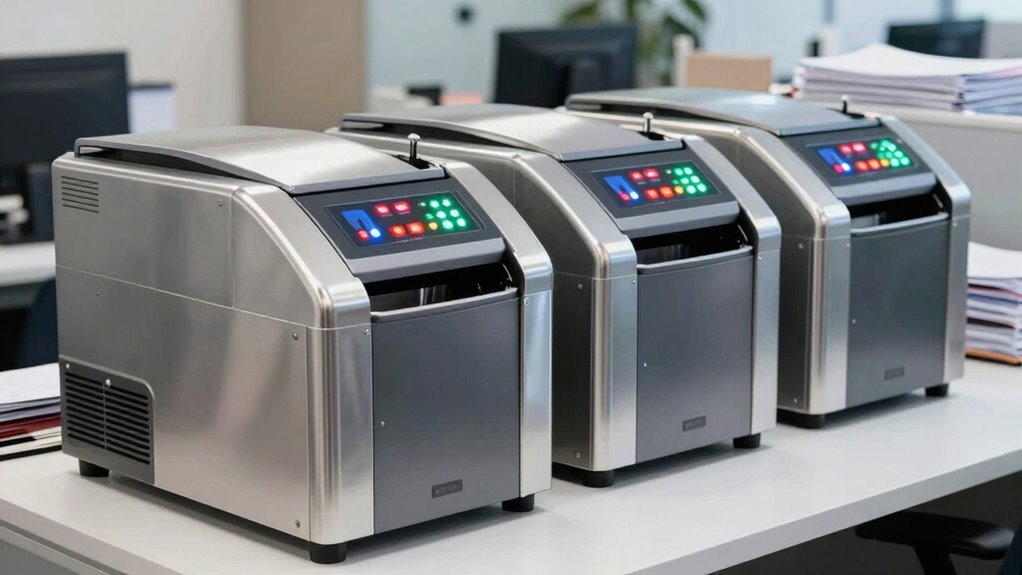

For most small businesses, I would start with the Bonsaii 200-Sheet Auto Feed Micro Cut: its hands-free batch feeding and micro-cut output balance everyday office use with stronger document privacy. The BONSEN 300-Sheet Auto-Feed Micro-Cut is a standout for larger recurring batches, while the Bonsaii 15-Sheet Cross-Cut suits teams that shred smaller loads directly by hand. The main tradeoff is between batch capacity and the space, duty cycle, and maintenance a busy machine demands; security level also affects which documents belong in the shredder. I compare all 11 options by workload fit, security, usability, and practical tradeoffs. Read on for the full breakdown and guidance on choosing a shredder your office can keep using comfortably.

Get beauty and skincare favorites delivered free with Prime
- Fast, free delivery on millions of items
- Prime Video, Amazon Music and more included
- Member-only deals all year
Complete the kit


Key Takeaways
- The 200- and 300-sheet auto-feed models are the lineup’s workload leaders. They suit recurring batches better than the manual-feed options, but buyers still need to check run time and cooling requirements.
- Micro-cut and cross-cut serve different privacy needs. The micro-cut models are the more fitting direction for sensitive business records; the P-4 cross-cut choices prioritize practical everyday shredding.
- Auto-feed capacity is not the same as continuous duty. A large stack capacity reduces hands-on feeding, but it does not by itself tell you how long the machine can run before cooling.
- Manual-feed capacity matters when documents arrive throughout the day. The BONSEN 24-sheet and 20-sheet models and Bonsaii 15-sheet model are more suited to smaller, immediate batches than unattended stacks.
- The lineup includes different security and batch-size priorities, not one universal winner. The P-7 Effeluviate targets stricter shredding needs, while the 120-sheet Bonsaii offers an auto-feed route for more moderate batch volumes.
| Heavy Duty Paper Shredder 400-Sheet Auto Feed P5 Micro Cut |  | Best for Large Batch P-5 Shredding | Cut type: Micro-cut | Security level: P-5 | Automatic-feed capacity: Up to 400 sheets | VIEW ON AMAZON | See Our Full Breakdown |
| Bonsaii 15-Sheet Cross-Cut Paper Shredder |  | Best for Mixed-Material Office Waste | Cut type: Cross-cut | Sheet capacity: Up to 15 sheets | Shred size: 13/64 × 63/64 inches | VIEW ON AMAZON | See Our Full Breakdown |
| Heavy-Duty 400-Sheet Auto-Feed Micro-Cut Paper Shredder, P-5 |  | Best for a Feature-Rich Shared Office | Cut type: Micro-cut | Security level: P-5 | Automatic-feed capacity: 400 sheets | VIEW ON AMAZON | See Our Full Breakdown |
| Effeluviate P-7 Micro-Cut Paper Shredder |  | Best for Maximum Document Security | Security level: DIN P-7 | Cut type: Micro-cut | Particle size: 1 × 1.7 mm | VIEW ON AMAZON | See Our Full Breakdown |
| Bonsaii 200-Sheet Auto Feed Micro Cut Heavy Duty Paper Shredder for Office |  | Best Balanced Auto-Feed Pick | Cut type: Micro-cut | Security level: P-4 | Automatic-feed capacity: Up to 200 sheets | VIEW ON AMAZON | See Our Full Breakdown |
| Amazon Basics 200-Sheet Auto Feed Cross-Cut Paper Shredder |  | Best for Set-and-Forget Batch Shredding | Cut type: Cross-cut | Security level: P-4 | Automatic feed capacity: 200 sheets | VIEW ON AMAZON | See Our Full Breakdown |
| Bonsaii 12-Sheet Micro-Cut Paper Shredder |  | Best Compact Manual-Feed Pick | Model: C266-B | Cut type: Micro-cut | Security level: P-4 | VIEW ON AMAZON | See Our Full Breakdown |
| BONSEN 300-Sheet Auto-Feed Micro-Cut Paper Shredder, Model S3113 |  | Best for High-Volume Unattended Batches | Model: S3113 | Cut type: Micro-cut | Security level: P-4 | VIEW ON AMAZON | See Our Full Breakdown |
| BONSEN S3104 20-Sheet Cross-Cut P-4 Paper Shredder |  | Best for Fast Manual Feeding | Model: S3104 | Cut type: Cross-cut | Security level: P-4 | VIEW ON AMAZON | See Our Full Breakdown |
| BONSEN 24-Sheet Cross-Cut P-4 High Security Heavy Duty Paper Shredder |  | Best for Large Manual Stacks | Model: S3105 | Cut type: Cross-cut | Security level: P-4 | VIEW ON AMAZON | See Our Full Breakdown |
| Bonsaii 120-Sheet Autofeed Micro-Cut Paper Shredder |  | Best for Moderate-Volume Secure Shredding | Model: C233-B | Cut type and security: Micro-cut, P-4 | Auto-feed capacity: 120 sheets | VIEW ON AMAZON | See Our Full Breakdown |
| heavy duty shredders for small business | Bin capacity | Cut type | Security level | Noise level |
|---|---|---|---|---|
| Heavy Duty Paper Shredder 400- | 13.2 gallons (50 L) | Micro-cut | P-5 | Under 56 dB |
| Bonsaii 15-Sheet Cross-Cut Pap | 5 gallons | Cross-cut | — | 60 dB |
| Heavy-Duty 400-Sheet Auto-Feed | 13.2 gallons | Micro-cut | P-5 | Under 56 dB |
| Effeluviate P-7 Micro-Cut Pape | 6 gallons | Micro-cut | DIN P-7 | Under 56 dB |
| Bonsaii 200-Sheet Auto Feed Mi | 8.1 gallons | Micro-cut | P-4 | Up to 58 dB |
| Amazon Basics 200-Sheet Auto F | 8.5 gallons | Cross-cut | P-4 | — |
| Bonsaii 12-Sheet Micro-Cut Pap | 4.2 gallons | Micro-cut | P-4 | 60 dB |
| BONSEN 300-Sheet Auto-Feed Mic | 8.1 gallons | Micro-cut | P-4 | 58 dB |
| BONSEN S3104 20-Sheet Cross-Cu | 6.6 gallons (25 L) | Cross-cut | P-4 | 60 dB or less |
| BONSEN 24-Sheet Cross-Cut P-4 | 9 gallons; holds up to 650 sheets | Cross-cut | P-4 | 55 dB |
| Bonsaii 120-Sheet Autofeed Mic | 6 gallons (23 liters) | — | — | — |
More Details on Our Top Picks
Heavy Duty Paper Shredder 400-Sheet Auto Feed P5 Micro Cut
For a small business that needs to clear large stacks of sensitive paperwork, the 400-sheet automatic feed is the main draw: load a batch, then use the separate 8-sheet slot for everyday jobs. Its P-5 micro-cut particles offer finer document destruction than the P-4 Bonsaii 200-Sheet Auto Feed, while the 13.2-gallon bin cuts down on emptying during batch work. The unit also accepts credit cards and stapled sheets through its manual feed, a useful perk for mixed office waste.
The tradeoff is its footprint and limited manual-feed capacity; it is better for planned document-clearance sessions than rapid hand-fed work. The listing claims continuous operation but gives no run-time figure, so I would not assume a specific duty cycle. Choose this over a smaller-feed model when batch capacity and P-5 security matter most.
Pros:- Automatic feed accepts up to 400 sheets for unattended batch shredding.
- P-5 micro-cut particles suit sensitive business records.
- Large 13.2-gallon bin reduces interruptions to empty waste.
- Manual slot handles up to 8 sheets, credit cards, and stapled documents.
Cons:- The 8-sheet manual feed is modest for frequent hand-fed workloads.
- A specific continuous run-time figure is not provided.
- Its large-capacity design may take more office floor space than a conventional desktop shredder.
Best for: Small offices handling periodic large batches of confidential paperwork, such as payroll files, tax records, and employee documents.
Not ideal for: Businesses that mainly shred a few sheets at a time or need a confirmed, specified continuous run time before purchase.
- Cut type:Micro-cut
- Security level:P-5
- Automatic-feed capacity:Up to 400 sheets
- Manual-feed capacity:Up to 8 sheets
- Particle size:2 × 12 mm
- Bin capacity:13.2 gallons (50 L)
- Noise level:Under 56 dB
- Supported materials:Paper, credit cards, and stapled documents
Our verdict“Choose it when large batches of sensitive paper are routine and a roomy bin matters more than compact size or a clearly stated duty cycle.”
Bonsaii 15-Sheet Cross-Cut Paper Shredder
The Bonsaii 15-Sheet Cross-Cut is the most versatile choice here for businesses that regularly discard more than paper: it accepts CDs, credit cards, mail, and staples, and its 15-sheet manual capacity suits routine desk-side cleanup. Against the Bonsaii 200-Sheet Auto Feed, it gives up hands-free batch processing and finer P-4 micro-cut security, but handles a wider stated range of materials and offers a 40-minute continuous run.
That run time can suit a steady pile of mixed documents, though the matching 40-minute cooling period means it is not ready for another extended session right away. Its 5-gallon bin also needs more frequent emptying than the 8.1-gallon Bonsaii. I’d pick this model for varied day-to-day disposal, not for a business that needs to clear hundreds of sheets unattended or shred highly sensitive files to micro-cut dimensions.
Pros:- Handles paper, CDs, credit cards, mail, and staples.
- Shreds up to 15 sheets per pass.
- Runs continuously for up to 40 minutes.
- Pull-out bin, swivel casters, and jam protection support routine office use.
Cons:- Requires a 40-minute cooling period after extended operation.
- The 5-gallon bin is smaller than the large-batch models in this lineup.
- Cross-cut output is less fine than the P-5 and P-7 micro-cut options.
Best for: Small teams that manually shred moderate stacks and need one machine for paper, cards, mail, staples, and CDs.
Not ideal for: Offices with large unattended batches, highly sensitive records requiring micro-cut shredding, or limited tolerance for cool-down breaks.
- Cut type:Cross-cut
- Sheet capacity:Up to 15 sheets
- Shred size:13/64 × 63/64 inches
- Continuous run time:Up to 40 minutes
- Cooling time:40 minutes
- Bin capacity:5 gallons
- Noise level:60 dB
- Supported materials:Paper, CDs, credit cards, mail, and staples
- Warranty:1-year limited protection
Our verdict“Pick this Bonsaii for varied manual shredding and broad material support, but choose an auto-feed micro-cut model for large or highly confidential batches.”
Heavy-Duty 400-Sheet Auto-Feed Micro-Cut Paper Shredder, P-5
This 400-sheet model pairs P-5 micro-cut security with practical office cues: a bin-full sensor, jam-proof reverse, automatic shut-off, and lockable wheels. Like the Kitnery 400-Sheet P5, it suits batch disposal of sensitive files, but the listed 18.8 × 14.3 × 24.6-inch dimensions make the space requirement easier to plan around. Cooling fans are specified for continuous shredding, though no exact run-time limit is supplied.
The 13.2-gallon bin and under-56-dB operation fit a shared work area better than a small desktop unit, while the included roller, brush, and lubricant sheet give staff basic maintenance tools. Its key limitation is material scope: unlike the Bonsaii 15-Sheet Cross-Cut, it should not receive paper clips, CDs, or DVDs. For offices shredding clean paper batches and needing clearer operating alerts, this is the more office-oriented of the two 400-sheet picks.
Pros:- 400-sheet auto feed supports large unattended batches.
- P-5 micro-cut output is suited to sensitive records.
- Bin-full sensor, overload alerts, and jam-proof reverse help manage shared use.
- Includes a paper roller, bin brush, and lubricant sheet.
Cons:- Large dimensions may be difficult to accommodate in a compact office.
- Paper clips, CDs, and DVDs are not suitable for this shredder.
- The listing does not state an exact continuous run-time limit.
Best for: Shared small-business offices that process large batches of sensitive paper and want bin alerts, mobility, and specified dimensions.
Not ideal for: Teams that routinely shred CDs, DVDs, or paper clips, or offices without floor space for a full-size unit.
- Cut type:Micro-cut
- Security level:P-5
- Automatic-feed capacity:400 sheets
- Manual-feed capacity:Up to 8 sheets
- Particle size:2 × 12 mm
- Bin capacity:13.2 gallons
- Noise level:Under 56 dB
- Dimensions:18.8 × 14.3 × 24.6 inches (D × W × H)
- Wheels:Lockable
Our verdict“Choose this for high-volume, paper-only office batches when operating alerts and defined dimensions are more useful than shredding mixed materials.”
Effeluviate P-7 Micro-Cut Paper Shredder
For a small business handling exceptionally sensitive records, the Effeluviate’s P-7 security level is its defining advantage: 1 × 1.7 mm particles are finer than the P-5 output from either 400-sheet auto-feed model. It also accepts staples, credit cards, and CDs/DVDs, giving it a broader stated material range than those batch-focused alternatives. That makes it a security-first option for targeted disposal rather than a high-capacity office workhorse.
The limit is throughput. It handles only 7 sheets per pass, and its 30-minute run is followed by a 35-minute cool-down. By comparison, the Bonsaii 15-Sheet Cross-Cut takes a larger stack per pass, though it does not match this P-7 particle size. The 6-gallon bin is reasonable for a compact security-focused workflow, but businesses clearing routine piles of paperwork will spend more time feeding and waiting.
Pros:- P-7 output creates very small 1 × 1.7 mm particles.
- Accepts paper, staples, credit cards, and CDs/DVDs.
- Runs for up to 30 minutes and includes overheat protection.
- Jam-clearing reverse and a bin-full indicator aid routine operation.
Cons:- Seven-sheet capacity is low compared with the 15-sheet Bonsaii or 400-sheet auto-feed models.
- A 35-minute cool-down follows the stated 30-minute run time.
- The 6-gallon bin may require frequent emptying during sustained office use.
Best for: Small firms, legal practices, or administrators who prioritize very fine shredding for select confidential documents over batch capacity.
Not ideal for: Businesses clearing large daily paper volumes or teams that need long uninterrupted shredding sessions.
- Security level:DIN P-7
- Cut type:Micro-cut
- Particle size:1 × 1.7 mm
- Sheet capacity:Up to 7 sheets
- Run time:Up to 30 minutes
- Cool-down time:35 minutes
- Bin capacity:6 gallons
- Noise level:Under 56 dB
- Supported materials:Paper, staples, credit cards, CDs, and DVDs
Our verdict“Choose this when P-7-level destruction matters more than fast processing of everyday paperwork.”
Bonsaii 200-Sheet Auto Feed Micro Cut Heavy Duty Paper Shredder for Office
The Bonsaii 200-Sheet Auto Feed strikes a useful middle ground for a small office: its hands-free 200-sheet feed clears a meaningful batch without taking on the 400-sheet capacity and larger footprint of the Kitnery and Heavy-Duty P-5 models. Its P-4 micro-cut output is aimed at confidential business paperwork, and the 8.1-gallon bin holds roughly 700 sheets according to the listing. A 60-minute auto-feed run time also gives it a stated duty-cycle advantage over models whose listings leave run time unspecified.
It is not the security leader here: the Effeluviate P-7 cuts much finer, while the 400-sheet models process larger unattended stacks. Manual mode handles up to 12 sheets plus cards, staples, and paper clips, but runs for up to 30 minutes. At 33.9 pounds, it is movable on casters rather than truly portable. I’d favor it when batch capacity, stated run time, and a moderate footprint need to balance.
Pros:- Automatic mode handles up to 200 sheets at a time.
- P-4 micro-cut output suits routine confidential office records.
- Stated 60-minute continuous run time for auto-feed mode.
- 8.1-gallon pull-out bin, casters, and auto-sleep mode support shared office use.
Cons:- P-4 output is less fine than the P-5 and P-7 options in this lineup.
- Auto-feed is limited to letter-size paper; mixed items belong in manual mode.
- Its 33.9-pound weight and floor-standing form are not suited to tight desk spaces.
Best for: Small offices that want hands-free shredding for regular document batches without moving up to a 400-sheet machine.
Not ideal for: Businesses requiring P-5 or P-7 security, maximum batch capacity, or frequent shredding of CDs and DVDs.
- Cut type:Micro-cut
- Security level:P-4
- Automatic-feed capacity:Up to 200 sheets
- Manual-feed capacity:Up to 12 sheets
- Bin capacity:8.1 gallons
- Auto-feed run time:Up to 60 minutes
- Noise level:Up to 58 dB
- Dimensions:15.9 × 13.8 × 22.2 inches (D × W × H)
- Weight:33.9 pounds
Our verdict“Pick this Bonsaii for routine office batches when 200-sheet automation and a stated run time matter more than the finest cut or the largest capacity.”
Amazon Basics 200-Sheet Auto Feed Cross-Cut Paper Shredder
I’d choose this Amazon Basics model for a small office that collects paperwork for periodic batch destruction rather than feeding documents throughout the day. Its 200-sheet automatic tray lets staff load a stack and step away, while the 60-minute auto-feed runtime supports longer sessions than a typical desktop shredder. P-4 cross-cut particles suit routine business records, though the BONSEN S3113 goes further with micro-cut output and a larger 300-sheet auto-feed capacity. This model’s practical tradeoff is that manual feeding is limited to 10 sheets and runs for only 10 minutes before cooling. The 8.5-gallon pullout bin and jam-reverse function help with ongoing office use, but its footprint and 45-minute cooldown make it less fitting for frequent, urgent jobs.
Pros:- Automatic tray accepts up to 200 sheets for unattended batch shredding
- P-4 cross-cut output suits routine confidential office paperwork
- Auto-feed mode runs for up to 60 minutes
- Pullout 8.5-gallon bin and anti-jam auto reverse support regular office use
Cons:- Manual feed is limited to 10 sheets and a 10-minute runtime
- Requires a 45-minute cooldown after its listed run periods
- Large, 32.9-pound body takes substantial floor or cabinet space
Best for: Small offices that accumulate batches of routine confidential paperwork and want an automatic feed tray to reduce hands-on shredding.
Not ideal for: Businesses that need the smallest possible output particles, frequent manual shredding, or a compact unit for a tight workstation.
- Cut type:Cross-cut
- Security level:P-4
- Automatic feed capacity:200 sheets
- Manual feed capacity:10 sheets
- Runtime:60 minutes auto feed; 10 minutes manual feed
- Cooldown:45 minutes
- Bin capacity:8.5 gallons
- Dimensions:18.35 × 14.02 × 22.83 inches
- Weight:32.9 pounds
Our verdict“Choose this if unattended 200-sheet batches matter more than micro-cut security or compact size.”
Bonsaii 12-Sheet Micro-Cut Paper Shredder
For a small business that shreds modest stacks at a shared desk, I’d favor the Bonsaii C266-B over the larger BONSEN auto-feed machines. It takes 12 sheets per pass, produces P-4 micro-cut particles, and occupies a smaller listed footprint than the 20-sheet BONSEN S3104. That combination makes it a more manageable fit where documents arrive in short bursts rather than in bulk. It also accepts cards, staples, paper clips, and CDs, so staff can handle several common materials without sorting every page first. The compromise is its 20-minute continuous runtime and 4.2-gallon bin: a busy office with recurring backlogs will need more pauses and more frequent emptying than with the S3104. Casters help with repositioning, but they don’t turn this into a high-volume batch machine.
Pros:- P-4 micro-cut output provides finer pieces than cross-cut models such as the BONSEN S3104
- Accepts up to 12 sheets per pass
- Shreds paper, credit cards, staples, paper clips, and CDs
- Casters and a pullout bin make repositioning and emptying easier
Cons:- Continuous runtime is limited to 20 minutes
- 4.2-gallon bin fills sooner than the larger bins on the auto-feed models
- 12-sheet capacity is less suited to sustained high-volume office work
Best for: Small teams with limited floor space that shred confidential documents in short, routine sessions and need micro-cut security.
Not ideal for: Offices clearing large paper backlogs or needing long continuous runs and a high-capacity waste bin.
- Model:C266-B
- Cut type:Micro-cut
- Security level:P-4
- Sheet capacity:12 sheets
- Particle size:5 × 12 mm
- Continuous runtime:Up to 20 minutes
- Bin capacity:4.2 gallons
- Noise level:60 dB
- Dimensions:13.15 × 9.57 × 18.03 inches
Our verdict“Pick the C266-B for compact, higher-security shredding in short sessions, not for clearing a recurring paper backlog.”
BONSEN 300-Sheet Auto-Feed Micro-Cut Paper Shredder, Model S3113
The S3113 is the strongest fit here when staff need to load a large paper batch and return to other work. Its 300-sheet auto-feed capacity exceeds the Amazon Basics 200-sheet model, and its P-4 micro-cut output is finer than that model’s cross-cut result. A 60-minute auto-mode runtime and 58 dB operation make it a compelling choice for a busy shared office that values both batch capacity and lower operating noise. The tradeoff is that it weighs 33.5 pounds, and the 8.1-gallon bin is slightly smaller than the Amazon Basics unit’s 8.5-gallon bin. Manual shredding also tops out at 12 sheets, so it’s less convenient for frequent mixed jobs than the BONSEN S3104’s 20-sheet manual feed. I’d rank it for unattended volume, not portability.
Pros:- 300-sheet auto-feed capacity handles larger batches than the Amazon Basics 200-sheet model
- P-4 micro-cut output offers finer shredding than cross-cut alternatives
- Auto mode runs for up to 60 minutes
- 58 dB noise rating is suited to shared office settings
Cons:- 33.5-pound weight makes relocation inconvenient
- Manual feed is limited to 12 sheets per pass
- 8.1-gallon bin is smaller than the Amazon Basics model’s 8.5-gallon bin
Best for: Small businesses with regular large paperwork batches that want unattended feeding, micro-cut security, and relatively quiet operation.
Not ideal for: Teams that move their shredder often, rely mainly on manual feeding, or want the largest bin in this group.
- Model:S3113
- Cut type:Micro-cut
- Security level:P-4
- Automatic feed capacity:300 sheets
- Manual feed capacity:12 sheets
- Runtime:Up to 60 minutes auto mode; 30 minutes manual mode
- Bin capacity:8.1 gallons
- Noise level:58 dB
- Weight:33.5 pounds
Our verdict“Choose the S3113 when unattended 300-sheet batches and micro-cut security outweigh portability and manual-feed capacity.”
BONSEN S3104 20-Sheet Cross-Cut P-4 Paper Shredder
I’d put the S3104 on the shortlist for offices where someone is usually at the shredder and wants to feed a stack quickly. Its 20-sheet capacity per pass is higher than the 12-sheet manual limit on the BONSEN S3113, and its 60-minute continuous operation supports longer attended sessions. The tradeoff is security format: this is P-4 cross-cut, not micro-cut like the S3113, so buyers prioritizing smaller output pieces should choose that model instead. The 6.6-gallon pullout bin is smaller than the bins on the Amazon Basics and BONSEN 24-sheet models, which means more frequent emptying during heavy use. Anti-jam handling, casters, and a noise rating of 60 dB or less add useful day-to-day practicality, but its listed 12.05 kg weight and plastic enclosure make it less appealing if a sturdier-feeling build is the priority.
Pros:- 20-sheet manual capacity exceeds the BONSEN S3113’s 12-sheet manual feed
- Up to 60 minutes of continuous operation
- Pullout bin with casters supports routine emptying and repositioning
- Anti-jam system and noise rating of 60 dB or less suit shared office use
Cons:- Cross-cut output is less fine than the S3113’s P-4 micro-cut output
- 6.6-gallon bin is smaller than several alternatives in this roundup
- Listed weight is 12.05 kg, and the enclosure is plastic
Best for: Small offices that shred documents manually in frequent, sizable stacks and value a long stated runtime.
Not ideal for: Businesses that want micro-cut security, a larger waste bin, or a lightweight unit that is easy to carry.
- Model:S3104
- Cut type:Cross-cut
- Security level:P-4
- Sheet capacity:20 sheets
- Particle size:13/64 × 63/64 inches
- Continuous operation:Up to 60 minutes
- Bin capacity:6.6 gallons (25 L)
- Noise level:60 dB or less
- Weight:12.05 kg
Our verdict“Choose the S3104 for long, attended shredding sessions and 20-sheet passes, but not if micro-cut output is your priority.”
BONSEN 24-Sheet Cross-Cut P-4 High Security Heavy Duty Paper Shredder
When a small business wants the largest manual pass in this group, the BONSEN 24-sheet model makes a clear case. It accepts up to 24 sheets at once, more than the S3104’s 20-sheet limit, and pairs that throughput with a 9-gallon pullout bin that reduces emptying interruptions. Its 40-minute run is shorter than the S3104’s stated 60 minutes, though the generous bin and higher sheet capacity may suit offices that work through paperwork in focused bursts. The 55 dB noise rating is also quieter on paper than the S3104’s rating of 60 dB or less. Both offer P-4 cross-cut security, so neither is the choice for buyers seeking micro-cut output like the BONSEN S3113. This model favors bulk manual feeding over unattended operation; its source lists a 60-minute cooldown after the run period.
Pros:- 24-sheet capacity is higher than the BONSEN S3104’s 20-sheet pass
- 9-gallon pullout bin holds up to 650 sheets
- 55 dB noise rating is quieter on paper than the S3104’s rating
- Shreds paper, CDs, staples, clips, and credit cards
Cons:- 40-minute runtime is shorter than the S3104’s stated 60 minutes
- Requires a 60-minute cooldown after its listed continuous run
- Manual feed requires staff to load documents rather than using an auto-feed tray
Best for: Small businesses that manually shred large stacks of routine confidential paperwork and want fewer bin-emptying interruptions.
Not ideal for: Offices that need automatic batch feeding, P-4 micro-cut output, or long continuous runs without a lengthy cooldown.
- Model:S3105
- Cut type:Cross-cut
- Security level:P-4
- Sheet capacity:24 sheets
- Particle size:4 × 35 mm
- Continuous runtime:Up to 40 minutes
- Cooldown:60 minutes
- Bin capacity:9 gallons; holds up to 650 sheets
- Noise level:55 dB
Our verdict“Pick this BONSEN when high-capacity manual feeding and a large bin matter more than auto-feed convenience or micro-cut output.”
Bonsaii 120-Sheet Autofeed Micro-Cut Paper Shredder
The Bonsaii C233-B suits a small office that wants unattended shredding without dedicating space to a 200- or 400-sheet machine. Its 120-sheet automatic feeder can take a stack of routine paperwork, while P-4 micro-cut output provides finer disposal than the cross-cut Bonsaii 15-Sheet model. For larger batches, the Bonsaii 200-Sheet Auto Feed Micro Cut or one of the 400-sheet options means fewer reloads; this model’s smaller capacity is the tradeoff for a more compact footprint.
It also handles up to 12 sheets manually, including mail, cards, and staples, and its 6-gallon pullout bin with casters makes moving and emptying it less awkward. The main constraint is duty cycle: automatic use tops out at 30 minutes before a 60-minute cooldown, and manual use allows only 10 minutes before the same break. I’d choose it for scheduled, moderate batches—not continuous shredding through a busy workday.
Pros:- Automatic feeder handles up to 120 sheets, reducing the need to stand by and feed pages individually.
- P-4 micro-cut output offers finer document destruction than cross-cut options such as the Bonsaii 15-Sheet model.
- Manual slot accepts up to 12 sheets and can shred mail, cards, and staples.
- Pullout 6-gallon bin and casters make emptying and repositioning more manageable.
Cons:- Automatic shredding requires a 60-minute cooldown after each 30-minute run.
- Manual mode is limited to 10 minutes of operation before a 60-minute cooldown.
- Its 120-sheet auto-feed capacity is below the 200- and 400-sheet alternatives for larger office batches.
Best for: Small-business owners or office administrators who shred periodic batches of confidential paperwork and value automatic feeding in a relatively compact machine.
Not ideal for: Teams processing large daily backlogs or needing near-continuous shredding; the 120-sheet feeder and lengthy cooldowns make it less suited to sustained workloads than the 200- and 400-sheet auto-feed models.
- Model:C233-B
- Cut type and security:Micro-cut, P-4
- Auto-feed capacity:120 sheets
- Manual-feed capacity:12 sheets
- Shred size:5/32 x 15/32 in (4 x 12 mm)
- Run time:Automatic: 30 minutes on / 60 minutes off; manual: 10 minutes on / 60 minutes off
- Bin capacity:6 gallons (23 liters)
- Dimensions and weight:10.35 x 14.45 x 19.96 in; 8.95 kg
- Warranty:1 year
Our verdict“Choose this Bonsaii for moderate batches of confidential paperwork that benefit from automatic P-4 shredding, but pick a higher-capacity model for heavy daily workloads.”
How We Picked
I ranked these shredders for small-business use by weighing workload fit, cut type, and day-to-day handling. Auto-feed capacity matters when a team routinely accumulates paperwork, while manual-feed capacity matters when staff need to shred documents as they go. I also compared the listed security levels: micro-cut and P-7 options suit more privacy-sensitive records than P-4 cross-cut models, though buyers should match the machine to their own document-handling policies.
The order reflects the balance of those factors rather than a single headline specification. Models with a useful combination of batch handling and finer cuts rank ahead for mixed office workloads; machines with a narrower strength, such as high sheet capacity or a higher stated security level, have a more specific role. I also considered practical questions buyers should verify before purchase, including duty cycle, bin capacity, accepted materials, and maintenance needs, since the supplied product names do not establish every operating detail.
| heavy duty shredders for small business | Cut type | Security level |
|---|---|---|
| Heavy Duty Paper Shredder 400- | Micro-cut | P-5 |
| Bonsaii 15-Sheet Cross-Cut Pap | Cross-cut | — |
| Heavy-Duty 400-Sheet Auto-Feed | Micro-cut | P-5 |
| Effeluviate P-7 Micro-Cut Pape | Micro-cut | DIN P-7 |
| Bonsaii 200-Sheet Auto Feed Mi | Micro-cut | P-4 |
| Amazon Basics 200-Sheet Auto F | Cross-cut | P-4 |
| Bonsaii 12-Sheet Micro-Cut Pap | Micro-cut | P-4 |
| BONSEN 300-Sheet Auto-Feed Mic | Micro-cut | P-4 |
| BONSEN S3104 20-Sheet Cross-Cu | Cross-cut | P-4 |
| BONSEN 24-Sheet Cross-Cut P-4 | Cross-cut | P-4 |
| Bonsaii 120-Sheet Autofeed Mic | — | — |
Factors to Consider When Choosing Heavy Duty Shredders For Small Business
Choosing a small-business shredder is less about buying the biggest number on the box and more about matching the machine to how documents reach your disposal area. I would start with your weekly volume and privacy rules, then check whether the shredder can handle the actual rhythm of your office.
Match Feed Style to Your Paperwork Rhythm
Auto-feed is most useful for accumulated batches, such as forms or archived paperwork that staff can load and leave to process. It can reduce time spent standing at the shredder, but a stated stack capacity does not tell you how quickly that stack will be shredded or how often the machine needs a break. Manual-feed models make more sense when documents arrive a few at a time and need prompt disposal. A common mistake is choosing auto-feed capacity without asking who will sort, load, and clear the paperwork. I would also check whether the feed accepts folded sheets, staples, or other materials your office routinely handles rather than assuming it does.
Choose Security by Document Type
Cut style should follow the sensitivity of the records, not a general preference for the smallest scraps. P-4 cross-cut is a practical fit for many routine business papers, while micro-cut options offer finer particles for records that warrant more protection. A P-7 model may suit stricter requirements, but a higher level can bring slower throughput or narrower day-to-day convenience depending on the machine. Check your organization’s policies and any applicable retention or disposal rules before deciding. Do not shred documents simply because they are old: some records may need to be retained, while others call for controlled disposal procedures.
Look Beyond Sheet Capacity to Duty Cycle
Capacity describes a feed limit, not a full workday’s output. A machine may accept a large batch yet still need cooling after a specified run time. For a team that shreds in short bursts, that may be perfectly workable; a shared office with regular, long sessions needs a duty cycle that matches its pattern. Check the manufacturer’s run-time and cooldown guidance before comparing models. Underestimating this can leave staff waiting or tempt them to overwork the motor. If your volume fluctuates, plan around the busiest week rather than an unusually quiet day.
Plan for Bin Changes and Clearing Jams
Bin capacity and access shape everyday usability just as much as cutting performance. A small bin can interrupt a large shredding session, while a full pullout bin can be easier to empty than a container that requires awkward lifting. Check how the machine signals a full bin and whether the shredder has clear instructions for jams and safe clearing. Anti-jam features can help, but they do not replace correct loading or routine maintenance. Leave room to open the bin and access the feed; a high-capacity machine in a cramped corner can become a nuisance.
Budget for Space, Noise, and Maintenance
A heavy-duty shredder needs a practical home in the office. Measure the available floor or desk space, including clearance for the bin and paper loading, before choosing a larger auto-feed unit. Consider where noise will carry: a shredder near calls or client meetings may be disruptive even if its capacity suits the team. Cutters also need maintenance appropriate to their design, so check the recommended oiling or upkeep schedule and use only materials the manufacturer permits. A model that fits your workload but is inconvenient to access may be used less often, creating a backlog. For shared spaces, location and clear operating instructions can matter more than a modest difference in sheet capacity.
Compare Total Workload Fit, Not a Single Spec
The right comparison balances throughput, privacy, and ownership demands. A larger auto-feed number can look compelling, but it may not be the best choice for a small office that shreds only a few documents each day. A finer cut can suit confidential records, yet it can also make bin filling and maintenance more demanding. Think about how many people will use the machine, whether work arrives in batches, and whether one employee is responsible for clearing and servicing it. Before buying, verify warranty coverage, replacement parts, accepted media, and the manufacturer’s duty-cycle details. Those checks help prevent a mismatch that a headline capacity cannot reveal.
Frequently Asked Questions
Is an auto-feed shredder worth it for a small office?
It is worth it when paperwork piles up in batches and staff would otherwise spend time feeding sheets one at a time. If your team shreds only a few pages occasionally, a manual-feed model may take less space and be simpler to use. Compare the auto-feed stack limit with the duty cycle, because the stack figure alone does not indicate how long a session can run. Also decide who will prepare the batch and empty the bin. The time saved depends on your office’s actual routine, not capacity alone.
Should a small business choose micro-cut instead of P-4 cross-cut?
Choose based on the sensitivity of the records and your organization’s policies. P-4 cross-cut can suit routine business paperwork, while micro-cut models produce finer particles and are a better fit when stronger privacy is a priority. Finer cuts may mean slower processing or more frequent bin emptying, so match the added security to real document needs. For regulated or especially sensitive records, check relevant requirements rather than relying only on a product label. A shredder is one part of a document-disposal process, not a substitute for retention rules.
Can a 400-sheet auto-feed shredder handle continuous office use?
Not necessarily. A 400-sheet rating describes how many sheets the feeder may accept under specified conditions; it does not establish continuous run time. Check the manufacturer’s duty cycle, cooldown period, and recommended paper loading before planning long sessions. A busy office may be better served by a machine whose operating schedule matches its daily pattern, even if its batch capacity is lower. Avoid overloading or running the shredder beyond its stated limits, since that can lead to jams or wear. If the product listing does not provide duty-cycle details, ask the seller or manufacturer before relying on it for regular heavy use.
What should I check before using a shredder for staples, clips, or cards?
Verify accepted materials in the model’s manual rather than assuming all heavy-duty machines handle them. Some shredders accept staples or credit cards, while others may restrict clips, adhesive labels, or mixed materials. Feeding unapproved items can cause jams or damage cutters, especially during an unattended auto-feed cycle. Check whether the manufacturer specifies a separate slot or a particular loading method for cards. When the guidance is unclear, remove clips and process non-paper items separately using an approved method.
How do I choose between a large auto-feed model and a higher-security shredder?
Start with the greater constraint in your office: workload or confidentiality. If staff regularly face thick paper batches, a large auto-feed model can reduce hands-on feeding, provided its duty cycle also fits. If the documents include sensitive personal, financial, or client information, a finer cut or higher stated security level may matter more than raw stack capacity. Some offices need both, but the product details should confirm that the machine can meet the workload without excessive cooling breaks. I would map document types and weekly volume first, then compare models against those needs instead of treating one specification as the deciding factor.
Conclusion
For the best overall balance, choose the Bonsaii 200-Sheet Auto Feed Micro Cut if your office handles regular batches and wants finer-cut output. For a larger recurring workload, the BONSEN 300-Sheet Auto-Feed Micro-Cut is the premium-style choice to investigate, with duty cycle and bin capacity checked before purchase. The Amazon Basics 200-Sheet Auto Feed Cross-Cut is the value-minded fit for batch shredding where P-4 security meets your needs. Beginners with modest, hands-on workloads can start with the Bonsaii 15-Sheet Cross-Cut rather than managing a large auto-feed unit. For specific needs, look at the Effeluviate P-7 when a higher stated security level is the priority, or the Bonsaii 120-Sheet Autofeed Micro-Cut for a more moderate batch-feeding requirement. Before deciding, confirm each model’s run time, cooldown, bin details, and accepted materials against your office’s workload.